
Vandaag of morgen in huis

Kwaliteit gegarandeerd

Welkomstaanbiedingen ontgrendelen: GRATIS bezorging | Tot 80% korting | Gratis 30 dagen JoyPlus-proefperiode
Download de app
A gaming mouse should suit your hand, playing style and computer. Yet many PC gamers choose mainly based on a high DPI rating, RGB lighting or a well-known brand. This can result in a mouse that is too heavy, feels uncomfortable or has features you rarely use.
When searching for the “best gaming mouse”, you will also often find comparisons that focus only on the highest figures. That is why our recommendations below are based on verifiable specifications such as weight, connection, sensor, polling rate, battery life and the number of programmable buttons.
A gaming mouse with a high DPI can be set to be extremely sensitive, but that does not automatically mean you will play more accurately. Many FPS players actually use lower sensitivity and make larger movements with their forearm. DPI is mainly the range within which you can choose the setting that suits you.
Also watch out for conflicting product information. Check that the stated DPI value matches the model’s technical specifications and software capabilities.
A lightweight gaming mouse weighing 50 to 70 grams can feel comfortable for fast movements, but its shape and balance remain important. A mouse that is too small can make your hand cramp; one that is too large can make fast flicks more difficult.
That is why you should consider the dimensions, hand orientation and your grip:
A wireless gaming mouse eliminates cable drag, but it requires a rechargeable or replaceable battery. Pay attention to the stated usage time, charging method and the difference between 2.4 GHz, Bluetooth and wired use.
For competitive gaming, a 2.4GHz receiver is usually more suitable than Bluetooth. Bluetooth is useful for laptops and everyday use, but always check which polling rate is available in each connection mode.
An optical gaming mouse uses a sensor to register movement across a surface. A high resolution can be useful if you like switching between several sensitivity settings, but getting the right settings in your game is more important than the highest number on the box.
A range of 8,000 to 12,000 DPI is already sufficient for many users. Models with 26,000, 30,000 or 44,000 DPI mainly offer additional flexibility for specific settings and large screen resolutions.
The polling rate indicates how often the mouse sends data to the PC each second:
A higher polling rate does not automatically make a mouse more suitable. On some systems, a high setting can cause additional CPU usage. Rapoo states, for example, that 4,000 Hz may require more processor capacity on the VT9Pro. Lower the setting if you notice stuttering or frame drops.
A gaming mouse with programmable buttons is useful for MMO, MOBA and RTS games, but five or six easily accessible buttons are often more straightforward for an FPS mouse. Check whether the configuration software is compatible with your operating system and whether settings can be saved to the internal memory.
You should also consider:
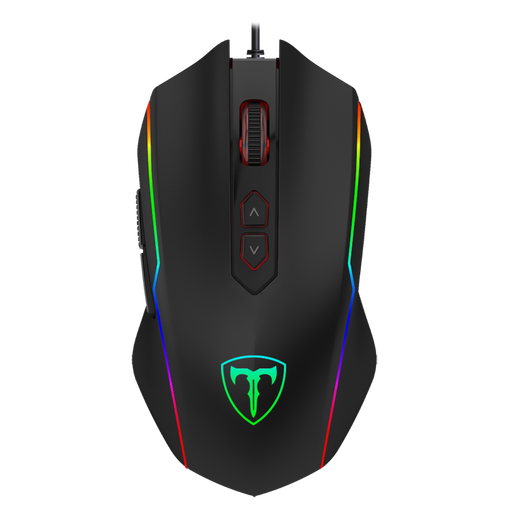
Why it suits this profile: A wired mouse with adjustable DPI is a practical starting point for casual gamers and users who do not want to charge a battery.
The specifications list five DPI levels up to 7,200 DPI and four polling rate settings up to 1,000 Hz. You are therefore not paying solely for lighting or an extreme DPI figure.
USB connection, eight programmable buttons and an ergonomic symmetrical shape.

Why it suits this profile: This wireless gaming mouse is aimed at players who value low weight and a fast connection.
It weighs 60 grams and uses LIGHTSPEED with USB-C charging. This means the weight, connection and charging convenience are clearly specified.
Optical HERO sensor, polling rate of up to 4,000 Hz and five buttons.

Why it suits this profile: Suitable for players who enjoy long sessions and want plenty of options for customising buttons, macros and DPI.
The stated battery life is linked to a specific polling rate of 1,000 Hz. At higher settings, the usage time may therefore be different.
53 grams, wireless performance of up to 8,000 Hz and ten programmable buttons with macro support.

Why it suits this profile: The combination of 54 grams, a right-handed shape and wireless connectivity is well suited to fast FPS movements.
Its low weight is combined with a clearly stated battery life of up to 95 hours. This makes it easier to weigh battery life against the mouse’s weight.
Focus Pro 35K optical sensor, polling rate of up to 8,000 Hz and six programmable buttons.
An ergonomic gaming mouse usually has a shape that supports your hand and thumb. This can feel comfortable during long work and gaming sessions, but a vertical mouse takes some getting used to and is not practical for every FPS player. The Razer Pro Click V2 Vertical has a vertical shape, six programmable buttons, Bluetooth and HyperSpeed. Weighing 150 grams, this model is noticeably heavier than many esports mice.
Choose a vertical mouse mainly when comfort at work and switching between devices are more important than very low weight. For everyday PC use, a wireless PC mouse with Bluetooth may also be more convenient than a model that uses only a USB receiver.
We have put together a complete, up-to-date list of products that fully meet these strict selection criteria and the applicable European safety regulations.
That depends on your screen, in-game settings and playing style. Start with a moderate DPI and then adjust the sensitivity in the game. A high maximum DPI is mainly useful if you want to save a wide range of different settings.
Yes, provided the mouse has a stable 2.4GHz connection and a suitable receiver. Also check the battery life and charging options. Bluetooth is mainly practical for compatibility and low power consumption, rather than always offering the lowest latency.
Its lifespan depends on usage, cleaning and the quality of the switches and cable or battery. Manufacturers sometimes state a click lifespan, but this is not a guarantee of a specific period of use. With wireless models, the built-in battery is an additional component to consider. Products sold in the EU are covered by at least the statutory guarantee; additional terms are listed on the product page.
