
Vandaag of morgen in huis

Kwaliteit gegarandeerd

Welkomstaanbiedingen ontgrendelen: GRATIS bezorging | Tot 80% korting | Gratis 30 dagen JoyPlus-proefperiode
Download de app
You don’t choose a gaming mouse based solely on a high DPI value or eye-catching lighting. A mouse that looks impressive on paper may be too heavy in practice, fail to fit your hand properly or include features you never use. For PC gamers, FPS players, streamers and everyday computer use, the connection, shape, weight and adjustment options are particularly important.
As a Joybuy Product Recommendation Officer, I filter product information based on verifiable specifications. This helps prevent marketing terminology from determining your purchase.
DPI indicates how sensitively the cursor or crosshair responds to your movements. A sensor with 35,000 or 44,000 DPI sounds impressive, but many players use a much lower setting in games. What matters more is whether the gaming mouse with adjustable DPI performs consistently at the sensitivity you actually use.
Also pay attention to the software. Some models offer fixed DPI steps, while others allow finer adjustments. Check too that the DPI button cannot be pressed accidentally while you’re playing.
A wireless gaming mouse can connect via a 2.4GHz receiver, Bluetooth or both. A 2.4GHz connection is generally intended for gaming with low latency. Bluetooth is particularly useful for laptops, office work and devices where you don’t want to use a USB receiver.
Before buying, check:
A wireless gaming mouse with Bluetooth is flexible, but Bluetooth and 2.4GHz are not always available at the same time. Read the connection information for each model carefully.
A lightweight gaming mouse can feel comfortable for fast movements, particularly in FPS games. An ergonomic shape, on the other hand, may offer more support for your thumb and palm. These two features can go together, but they don’t have to.
Consider the dimensions, hand orientation and your grip: palm grip, claw grip or fingertip grip. A 54-gram model may appeal to an FPS player, while someone who uses lots of programmable buttons may prefer a heavier model with a wider body.
Many players choose a lightweight gaming mouse for fast aiming movements. The models in this range weigh from approximately 54 grams to more than 110 grams. Don’t look only at the number; consider the balance and length of the body too.
A compact mouse is not automatically suitable for small hands. Compare its height, width and depth with your current mouse. A natural posture is important when using a computer for long periods. If you experience persistent finger or wrist strain, stop and adjust your workspace.
Most models in this selection use an optical gaming mouse sensor. The sensor reads movement using light and generally works well on a suitable mouse mat. A higher maximum DPI is primarily a technical upper limit, not a setting you have to use.
The polling rate indicates how often the mouse position is reported to the computer. 1,000 Hz is common. Some models support 4,000 or 8,000 Hz. According to Rapoo’s product information, a higher polling rate can result in greater CPU usage. With lower-specification or older PCs, 1,000 Hz may therefore be the practical choice.
A gaming mouse with programmable buttons is useful for MMO, MOBA and RTS games, but five or six buttons are often enough for a straightforward FPS setup. Check that the accompanying software works with your operating system and whether macros can only be configured in wired mode.
RGB lighting does not change how the mouse operates. A gaming mouse with RGB is mainly suited to users who want to coordinate their desk lighting. If you prefer fewer distractions or longer battery life, check whether the lighting can be switched off.
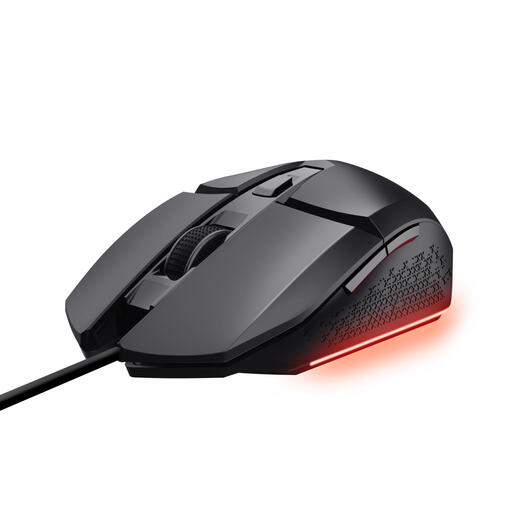
Why it suits this profile: This wired gaming mouse offers a straightforward USB connection, adjustable DPI up to 6,400 and six buttons for gaming and everyday computer use.
The fixed cable eliminates charging and battery management. The product specifications also list software for DPI, lighting and programmable buttons.
Optical sensor, 1.5-metre cable, six buttons and RGB lighting with three settings.
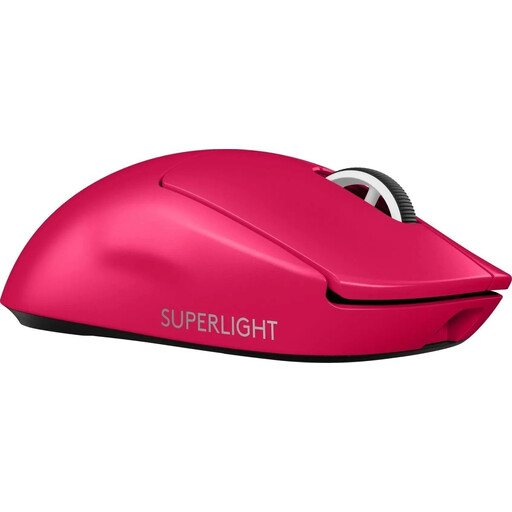
Why it suits this profile: The combination of low weight, wireless LIGHTSPEED connectivity, USB-C and a HERO sensor is well suited to competitive PC gamers.
At 60 grams, the focus is on a lightweight build rather than extra features that not every player needs.
60 grams, USB-C charging, optical sensor and a stated polling rate of up to 4,000 Hz.
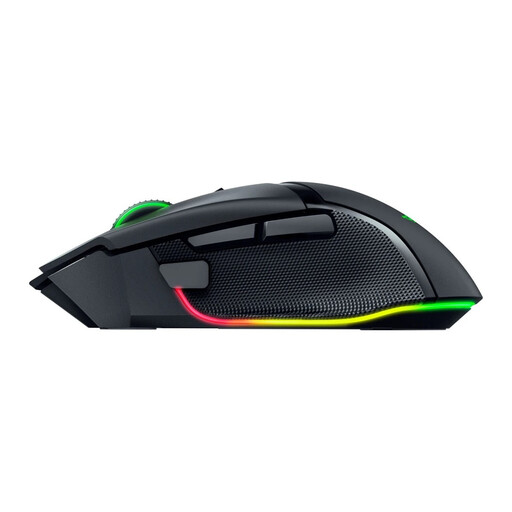
Why it suits this profile: The ergonomic shape, 11 programmable buttons and wireless or Bluetooth connectivity are ideal for users who want plenty of functions within easy reach.
The specifications clearly state the weight of approximately 112 grams and the right-handed shape. This allows you to decide in advance whether it suits your grip.
35,000 DPI, 11 programmable buttons and Razer Chroma RGB according to the product description.
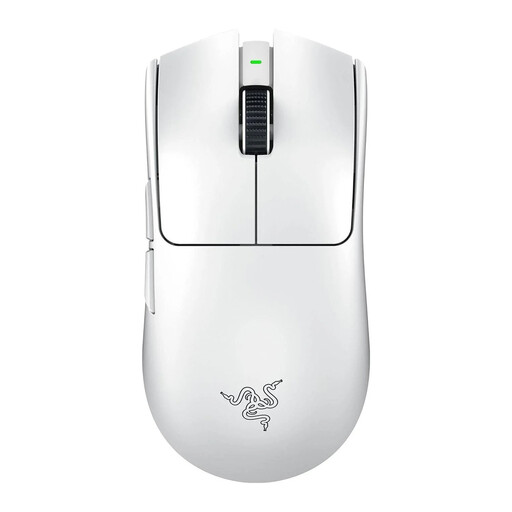
Why it suits this profile: The stated weight of 54 grams, optical sensor and wireless connection are designed for quick repositioning and FPS use.
The product information states both the weight and maximum polling rate. You can therefore assess whether your PC is suitable for 8,000 Hz.
54 grams, Focus Pro 35K optical sensor, polling rate of up to 8,000 Hz and a stated battery life of up to 95 hours.
We’ve put together a complete, up-to-date list of products that fully meet these strict selection criteria and the applicable European safety regulations.
It can be. Pay attention to the connection used and the polling rate. A 2.4GHz receiver is generally the recommended mode for gaming. Bluetooth is practical for everyday use, but check the product specifications before choosing a model for competitive play.
Its lifespan depends on usage, storage and the quality of the switches, cable or battery. You must not open or replace a built-in lithium-ion battery yourself. Use the supplied or certified charging cable and keep the mouse away from moisture and extreme heat. In the European Union, consumer products are generally covered by a minimum two-year statutory guarantee of conformity; check the terms with the retailer.
With a model featuring a built-in battery, you mainly pay for electricity and potentially for replacement outside the warranty period. A mouse with an AA or AAA battery may involve additional battery costs. A wired gaming mouse has no charging costs, but the cable can restrict freedom of movement. So don’t compare only the purchase price; consider your usage habits and battery solution too.
