
Vandaag of morgen in huis

Kwaliteit gegarandeerd

Welkomstaanbiedingen ontgrendelen: GRATIS bezorging | Tot 80% korting | Gratis 30 dagen JoyPlus-proefperiode
Download de app
A gaming mouse should suit your game, hand and computer. Yet many shoppers focus mainly on a high DPI figure, RGB lighting or a strikingly low price. That can leave you with a mouse that feels too heavy in practice, runs out of battery quickly or doesn’t suit your grip.
In this buying guide, the Joybuy Product Recommendation Officer covers the key things to consider. You’ll also find product suggestions for different needs, from a wireless gaming mouse for everyday gaming to an ultra-light esports mouse for FPS games.
A high-DPI gaming mouse might sound appealing, but its maximum setting doesn’t automatically determine how comfortable or accurate it is to use. Many players use a much lower sensitivity in games than the sensor’s maximum setting. So look at the sensor, adjustability, tracking speed and software too.
A 26,000 or 35,000 DPI sensor can be useful for specific settings, but it can’t make up for a mouse that’s the wrong shape or has an unstable connection.
A gaming mouse with a 4K or 8K polling rate sends position data to your computer more often. This can improve input responsiveness, but product information from various brands indicates that a higher polling rate can also increase CPU usage. If your games start to stutter, switching back to 1,000 Hz may help.
Check whether your PC, game settings and monitor can make good use of this feature. An 8,000 Hz polling rate isn’t essential for office work or casual gaming.
An ultra-light gaming mouse is worth considering if you make quick movements, especially in FPS games. However, a lower weight can come with a more compact shape, fewer buttons or a less robust casing. A 53-gram model won’t automatically suit a larger hand or a palm grip.
Check the dimensions, the position of the thumb buttons and the shape of the back. For long sessions, an ergonomic gaming mouse designed for right-handed use may be more comfortable than a symmetrical model.
DPI indicates how sensitively the cursor responds to movement. In practice, a useful range of precisely adjustable DPI settings matters more than the highest figure alone. Players often use several profiles for competitive games, such as a lower setting for aiming and a higher one for menus.
Also check whether the manufacturer specifies an optical sensor and whether the software can save DPI profiles. With a programmable gaming mouse, you may be able to assign profiles to buttons or specific games.
A wired mouse doesn’t need a battery and won’t suffer from wireless interference. A wireless gaming mouse, on the other hand, gives you more freedom of movement. For competitive gaming, 2.4GHz via a USB receiver is usually more practical than Bluetooth alone. Bluetooth is especially useful with laptops and tablets, and for energy-efficient everyday use.
For 4K or 8K functionality, check whether the receiver is included. For example, the GravaStar Mercury M1 product information states that 4,000 Hz works with a 4K receiver, sold separately. There’s an important difference between a feature being supported and the equipment needed to use it being included in the box.
Compare the weight with the battery and any accessories included. Also consider:
RGB lighting doesn’t change the shape or sensor. Think of RGB as a style choice, not a performance feature.
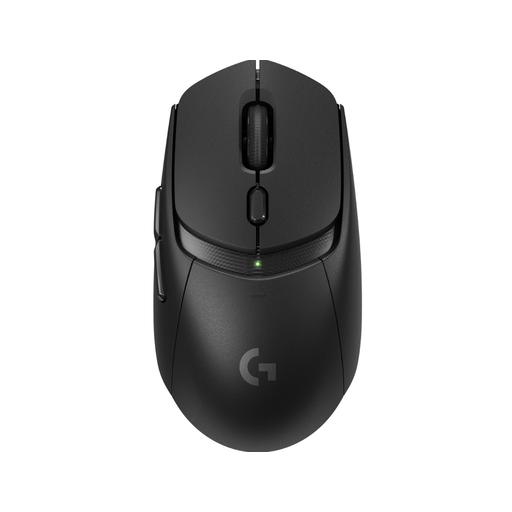
Why it suits this profile: This model combines 2.4GHz wireless connectivity with Bluetooth, six programmable buttons and an AA battery included in the box. According to the product description, an AA battery provides more than 300 hours of use.
You don’t need to buy an advanced 4K or 8K receiver straight away. The basic connection options are clearly explained, and the mouse doesn’t need to be recharged.
Bluetooth, Lightspeed receiver, adjustable DPI and six programmable buttons.
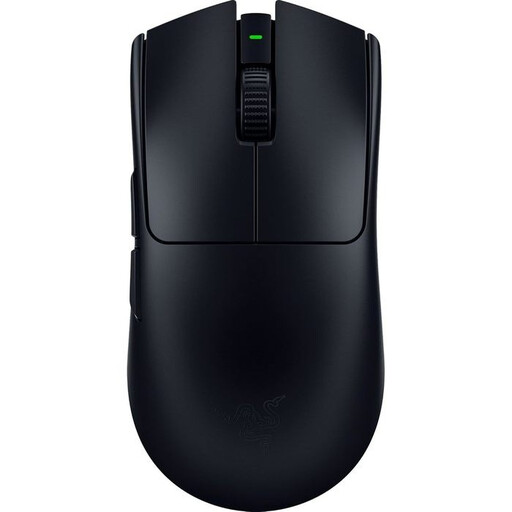
Why it suits this profile: The product description lists a weight of 54 grams, an optical sensor with up to 35,000 DPI and support for 8K polling. Its right-handed shape and eight adjustable buttons are well suited to competitive PC games.
The product specs list more than just DPI: they also cover weight, polling rate, connectivity and battery life. This makes it easier to compare the mouse across several relevant features.
54 grams, 35,000 DPI according to the product information, 8K HyperPolling and a wireless HyperSpeed connection.
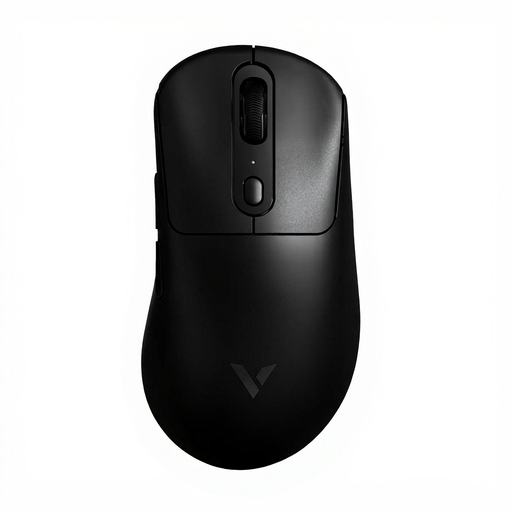
Why it suits this profile: This model is aimed at people who play a lot of FPS or MOBA games and want to customise their settings. The listed specs include a weight of 59 grams, 8K wireless polling, 30,000 DPI and battery life of up to 200 hours.
There’s more to consider than speed: the mouse also offers independent X/Y DPI adjustment and a low weight. Do check that your PC can handle 8K mode without stuttering.
PAW 3950 sensor according to the product information, 10 programmable functions, 8K wireless polling and stated battery life of up to 200 hours.
We’ve put together a full, up-to-date list of products that meet these strict selection criteria and current European safety regulations.
Never open or puncture a lithium battery, or expose it to extreme heat. Dispose of a faulty or worn-out mouse in line with your local rules for electronic waste.
Yes, many wireless models use a 2.4GHz receiver designed for gaming. Check the polling rate, battery level and range. Bluetooth is usually more useful for everyday use and mobile devices.
It depends on your screen, game and personal preference. An adjustable-DPI mouse gives you room to experiment. Don’t look only at the maximum DPI: consider the sensor, software and ability to save profiles too.
Its lifespan depends on the switches, cable or battery, how intensively you use it and how well you maintain it. A model with a replaceable AA battery needs different care from a mouse with a built-in lithium battery. Also check the warranty terms and avoid using the mouse in damp conditions.
