
Vandaag of morgen in huis

Kwaliteit gegarandeerd

Welkomstaanbiedingen ontgrendelen: GRATIS bezorging | Tot 80% korting | Gratis 30 dagen JoyPlus-proefperiode
Download de app
A gaming mouse can enhance your gaming experience, but a high DPI rating or flashy RGB lighting doesn’t automatically mean a mouse is right for you. Especially with online deals, important details are sometimes glossed over. Think about the actual connection method, the weight, the battery, and the shape for your hand.
This buying guide will help you separate marketing claims from verifiable product specifications. That way, you can choose a gaming mouse for PC, laptop, or everyday use with more confidence.
DPI determines how fast the cursor moves in relation to your hand movement. A sensor with 35,000 or 44,000 DPI is not automatically more accurate than a sensor with 12,000 DPI. For many players, stable tracking and easily adjustable sensitivity are far more important.
So, check the following:
A wireless gaming mouse can work via a 2.4GHz receiver, Bluetooth, or both. These options are not the same. A 2.4GHz mouse with a USB receiver is often designed for a direct connection to a PC. Bluetooth is handy for laptops and multiple devices, but the features and polling rate can differ.
Also, check whether you need a free USB-A or USB-C port. On some models, the programming software only works in wired mode.
Battery life depends on the connection mode, polling rate, lighting, and usage intensity. “Up to” 95, 300, or 750 hours doesn’t mean every user will achieve that result.
So, check the following:
For competitive FPS games, many players choose a 2.4GHz mouse with a USB receiver because of its direct connection. A Bluetooth mouse is mainly practical for office work, a laptop, or multiple devices. Tri-mode models combine 2.4GHz, Bluetooth, and USB-C.
A wired optical gaming mouse doesn’t need a battery and can stay plugged in easily during long sessions. A wireless model, on the other hand, offers more freedom of movement. So, look at your desk setup and how you’ll use it, not just the name of the connection.
An optical gaming mouse uses an optical sensor to track movement. DPI indicates the sensitivity, while the polling rate describes how often the mouse position is reported to the computer. Many models support 1,000 Hz; some gaming models advertise 4,000 or 8,000 Hz.
A higher polling rate can use more system resources. What’s more, your computer needs to be able to process the data quickly. For everyday use, adjustable DPI is usually more important than an extremely high maximum value.
An ultra-light gaming mouse weighing around 53 to 75 grams can be comfortable for players who frequently lift and move the mouse. A heavier model can feel more stable. Also, check the dimensions: a compact mouse won’t suit every hand size or grip style.
Also, pay attention to:
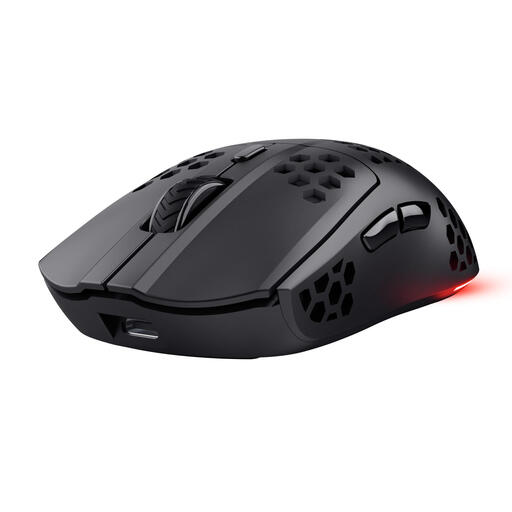
Why this fits the profile: This 2.4GHz gaming mouse offers a straightforward combination of wireless control, six programmable buttons, and adjustable DPI for PC and laptop users.
The product information lists concrete values: 800 to 4,800 DPI, a 1,000Hz polling rate, and up to 80 hours of battery life according to the product description.
75 grams, USB-C charging, six programmable buttons, and RGB lighting.
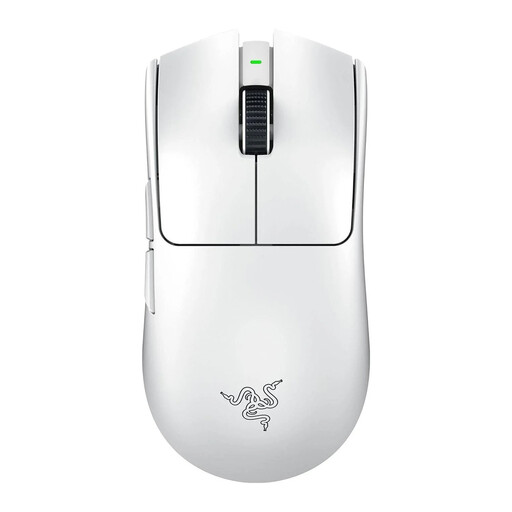
Why this fits the profile: Designed for right-handed FPS players looking for a low weight, a high-resolution optical sensor, and a high polling rate.
The specifications separately list the weight of 54 grams, the Focus Pro 35K optical sensor, and a maximum polling rate of 8,000Hz.
54 grams, six programmable buttons, and a stated battery life of up to 95 hours according to Razer.
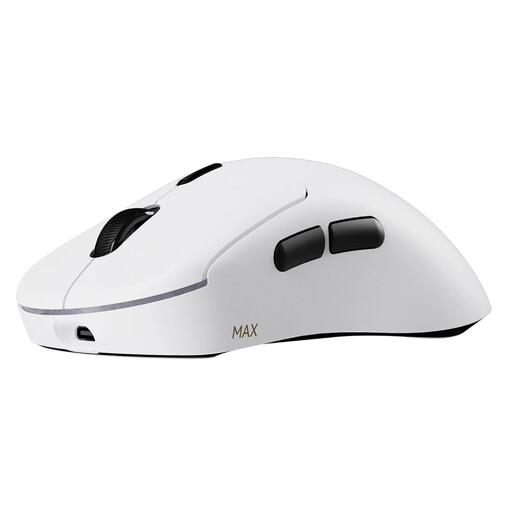
Why this fits the profile: An option for players who place a high value on low weight, multiple buttons, macros, and long-lasting wireless use.
The manufacturer states the conditions for the battery claim: up to 750 hours at 1,000Hz and using the power-saving mode after a driver update.
53 grams, ten programmable buttons, 30K DPI with separate X/Y adjustment, and 8KHz wireless polling according to Rapoo.
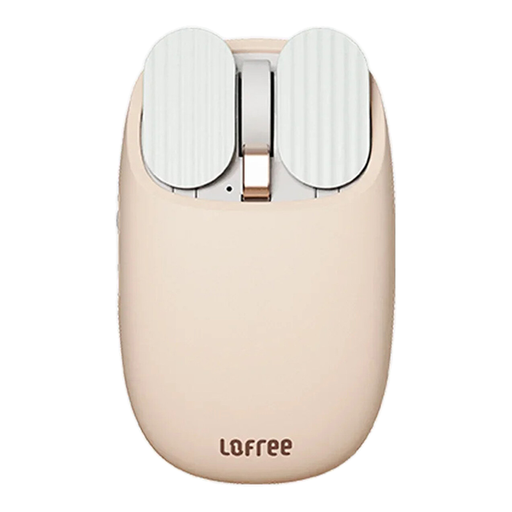
Why this fits the profile: This wireless mouse combines Bluetooth and 2.4GHz for use with, for example, a laptop, tablet, and desktop.
The product information mentions five specific DPI levels and lists the compatible operating systems, including a limitation for Boot Camp on Mac.
Bluetooth 4.0 and 2.4GHz, DPI from 800 to 3,600, and a built-in 800mAh battery.
We’ve put together a full, up-to-date list of products that fully meet these strict selection criteria and comply with current European safety regulations.
That depends on the connection and the settings. Models with a 2.4GHz receiver and low latency are designed for gaming. Also, check the polling rate, battery status, and the placement of the USB receiver. Bluetooth is practical for everyday use, but not every Bluetooth mouse supports the same gaming features.
There is no fixed value that works for every player. Adjustable DPI is more important than an extremely high maximum value. FPS players often use a lower sensitivity with a larger mouse mat, while other players prefer a higher cursor sensitivity. Test several profiles and choose a setting where you can stop and move the mouse with control.
The lifespan depends on the type of switches, the battery or batteries, the cable and scroll wheel usage, and how you maintain the mouse. Some brands state a click lifespan, such as up to 10 million or 60 million clicks. These are manufacturer product specifications and not a guarantee for every usage scenario. Keep the sensor and mouse feet clean, and avoid contact with liquids.
