
Vandaag of morgen in huis

Kwaliteit gegarandeerd

Welkomstaanbiedingen ontgrendelen: GRATIS bezorging | Tot 80% korting | Gratis 30 dagen JoyPlus-proefperiode
Download de app
Winning or losing a match can come down to milliseconds and millimeters. Your gaming setup is your arsenal, and a precise, comfortable gaming mouse is a critical weapon within it. The wrong mouse can lead to inaccurate movements, fatigue during long sessions, or that one critical misfire that costs you the victory.
However, the selection is overwhelming. How do you choose the right mouse without getting lost in marketing jargon and technical specifications? As a Joybuy Product Recommendation Officer, I'm here to guide you. In this article, we'll provide practical tips and highlight several popular choices to help you make an informed decision.
Before you buy a gaming mouse, it's wise to consider a few key factors. These will determine how the mouse performs and feels in your hands.
The choice between a wired gaming mouse and a wireless gaming mouse is one of the first decisions you'll need to make.
esports mouse. Pay attention to the battery life and connection method (2.4GHz RF is typically faster than Bluetooth).Every hand is different, and comfort is personal. An ergonomic gaming mouse is designed to support your hand naturally, which is essential for preventing cramps and fatigue. Note the shape and whether it's suitable for your grip style (palm, claw, or fingertip).
Additionally, weight is an important factor. A lightweight gaming mouse (often under 80 grams) facilitates fast, fluid movements, which is an advantage in fast-paced FPS games. For some players, heavier mice can offer more stability and control.
Based on specifications and functionality, we have compiled a list of compelling options for you.
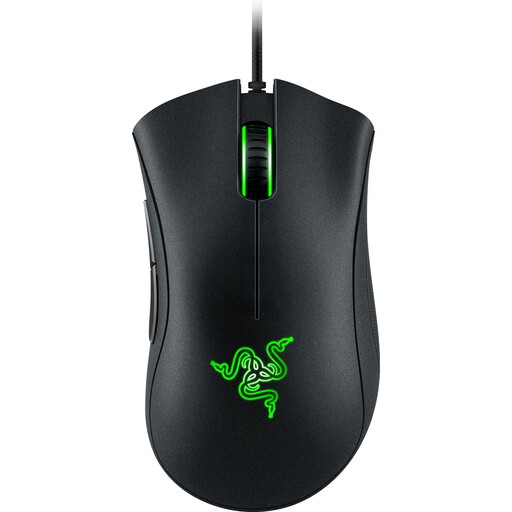
Why It Stands Out: The DeathAdder line has been an icon for years. This model offers the classic, acclaimed ergonomic shape at an accessible price. It's a reliable wired gaming mouse that delivers the essential features without unnecessary extras.
Advantages:
ergonomic gaming mouse shape, suitable for right-handed users.Who Is It For?: Ideal for beginner to intermediate gamers looking for a reliable, comfortable, and affordable Razer mouse with proven performance.
View the Razer DeathAdder Essential 2021
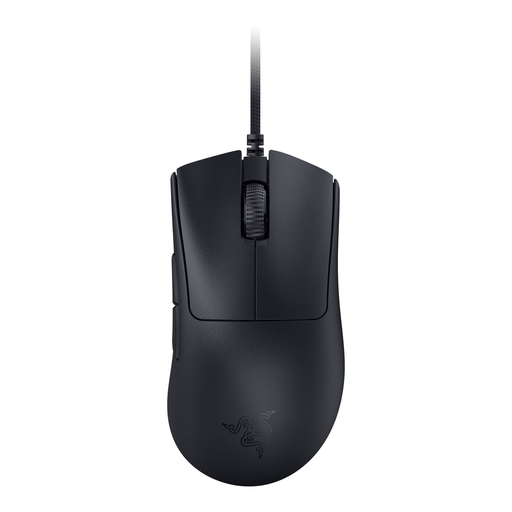
Why It Stands Out: This mouse is an evolution of the classic shape, specifically aimed at competitive players. Weighing just 59 grams, it's an extremely lightweight gaming mouse. According to Razer, the design was refined in collaboration with top esports professionals.
Advantages:
Who Is It For?: Competitive gamers and esports athletes who prioritise speed, precision, and an ultralight design to maximise their reaction time. This is a serious esports mouse.
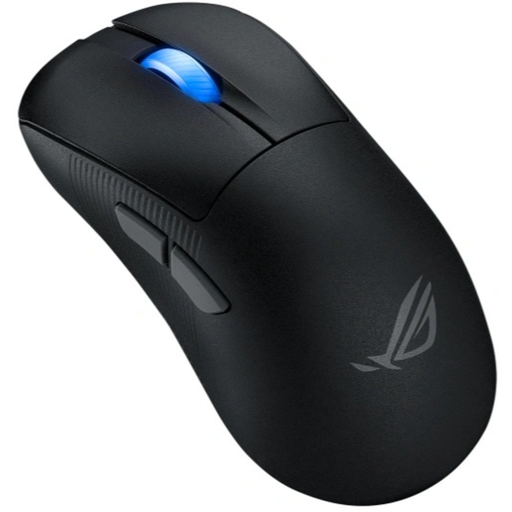
Why It Stands Out: The ASUS ROG Keris II Ace combines an ultralight design with the freedom of a wireless gaming mouse. Weighing only 54 grams and equipped with a top-tier sensor, this is a powerhouse for gamers who refuse to compromise.
Advantages:
Who Is It For?: All-round and competitive gamers seeking the ultimate combination of a lightweight gaming mouse, wireless freedom, and top-tier specifications.
View the ASUS ROG Keris II Ace Wireless
The perfect gaming mouse is a personal choice. The models above are popular picks, but another model might better suit your hand, playstyle, or budget. There are countless variations in shape, weight, and functionality.
Feel free to browse our wider selection to compare more options.
View our full range of Black Optical Mouse models
There is no single "best" DPI; it's highly dependent on personal preference and the games you play. Many professional FPS players use a relatively low DPI (e.g., 800 or 1,600) combined with a large mouse mat for precise, controlled movements. A high DPI (3,200+) can be useful for quick manoeuvres in other genres or for use on high-resolution screens. The most important feature is that the mouse has adjustable DPI so you can experiment.
Yes, for most users and even for competitive gamers, the difference in response time between a modern wireless gaming mouse (using a 2.4GHz RF dongle) and a wired gaming mouse is imperceptible in practice. The technology has advanced so much that input lag is minimal. However, Bluetooth connections can have slightly more latency and are less recommended for serious gaming.
Weight is a crucial factor for comfort and playstyle. A lightweight gaming mouse (under 80 grams) reduces the effort needed to move the mouse, resulting in faster reactions and less fatigue in your arm and wrist. This is especially popular in fast-paced shooters. However, some gamers prefer a heavier mouse because it can feel more stable and helps prevent unintentional, jittery movements.
