
Vandaag of morgen in huis

Kwaliteit gegarandeerd

Welkomstaanbiedingen ontgrendelen: GRATIS bezorging | Tot 80% korting | Gratis 30 dagen JoyPlus-proefperiode
Download de app
A good gaming mouse can be the difference between victory and defeat. But with so many specifications, brands, and models, making the right choice isn't always easy. Are you looking for more precision, comfort during long sessions, or extra buttons for your favourite game? This guide helps you understand the key features and find a mouse for gaming that fits your playstyle, without the marketing jargon.
Before you make a choice, it's helpful to understand a few technical terms. These specifications determine how the mouse performs.
DPI (Dots Per Inch) indicates the mouse's sensitivity. A high DPI means the cursor travels a greater distance on the screen with a small movement of your hand. Competitive FPS players often use a lower DPI (400-1600) for precise shots, while others prefer a higher setting for quick movements. The most important thing is that the DPI is adjustable, so you can tailor it to your preference and game.
The Polling Rate, measured in Hertz (Hz), indicates how often the mouse reports its position to the computer. A standard mouse often has a rate of 125 Hz, but a gaming mouse typically starts at 1000 Hz. This translates to a response time of 1 millisecond, ensuring a smooth and instant response.
Comfort is personal. An ergonomic gaming mouse is shaped to support your hand naturally, which can reduce fatigue during long gaming sessions. Pay attention to whether a mouse is designed for right-handed or left-handed users.
Additionally, weight is an important factor. A lightweight gaming mouse is ideal for fast-paced games like shooters, as you can move the mouse quickly and with less effort. Heavier mice, on the other hand, can offer more stability and a sense of control. Some models even come with customisable weights.
The number of buttons depends on the games you play. For most shooters, the standard left and right mouse buttons with two side buttons are sufficient. However, if you play MMOs or MOBAs, extra programmable buttons can be very useful for binding spells, actions, and macros directly to your mouse.
Based on objective specifications and functionality, we have listed some popular choices for different types of gamers.
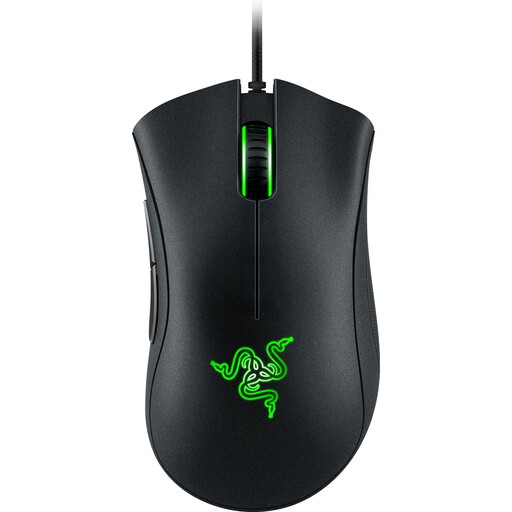
Why It Stands Out: The DeathAdder line from Razer has been a staple in the gaming world for years. This model offers the proven ergonomic shape at an accessible price point, making it a solid starting point.
Pros:
Who Is It For? This mouse is an excellent choice for gamers looking for a reliable and comfortable upgrade from a standard mouse, without immediately opting for the most complex options. Ideal for all-around use.
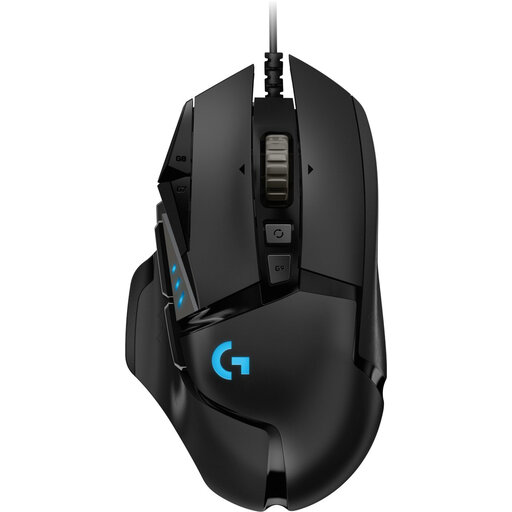
Why It Stands Out: The Logitech mouse G502 HERO is known for its high degree of customisation. From the weight to the numerous buttons, you can tailor this mouse to your exact preferences.
Pros:
Who Is It For? For the gamer who loves to be in complete control. If you play many different genres, from MMOs to shooters, and want to fine-tune your equipment in detail, the G502 HERO offers the flexibility you're looking for.
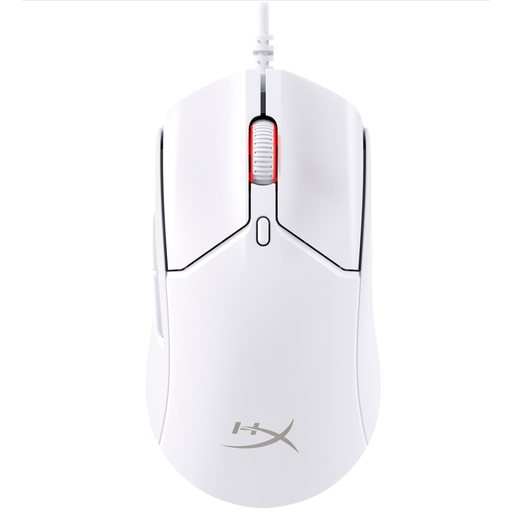
Why It Stands Out: This HyperX mouse is built for pure speed. With its ultra-lightweight design and extremely high polling rate, it's engineered to minimise any delay.
Pros:
wired gaming mouse feel almost wireless.Who Is It For? This is a mouse for the competitive player, especially in fast-paced FPS games where every millisecond and every gram counts. If maximum responsiveness and a feather-light feel are your priorities, this is a strong contender.
These recommendations represent a selection of popular choices, but the market is vast. Every player has unique preferences for shape, weight, and functionality. If you're looking for more options, especially within the category of stable and responsive connections, there is much more to discover.
There is no "best" DPI; it's entirely dependent on personal preference, your monitor's resolution, and the type of game. Many professional FPS players use a setting between 400 and 1600 DPI for precision. The most important thing is that the mouse has an adjustable DPI, so you can experiment and find the right sensitivity for you.
A wired gaming mouse offers several clear advantages. You get a stable, interference-free connection with very low latency. Moreover, you never have to worry about a dead battery in the middle of an important match. This makes it a reliable choice for competitive gamers.
For most games, like shooters and action games, two extra side buttons (often for thumb use) are sufficient. However, if you play games with many skills and commands, such as MMOs (World of Warcraft) or MOBAs (League of Legends), then 6 or more programmable buttons can significantly speed up your gameplay.
