What should you look for when choosing?
Start with the controls you use most often while building, then check that the shape and connection suit your desk and gaming habits.
| What to consider |
What should you check? |
Who is this important for? |
| Buttons for building commands |
Check which game functions you can assign and whether the buttons are within easy reach. |
If I use the same building commands often, I want them within thumb’s reach; around 30% of consumers prioritise shortcuts. |
| Shape and controls |
Try the grip, weight and thumb reach for yourself; check that the buttons don’t get in the way of your hand. |
For long sessions, I want a mouse that feels comfortable during repeated use; around 30% of consumers prioritise hand comfort. |
| Lighting in the dark |
Check where the lighting is, how you can adjust it and which battery life estimate applies to those settings. |
If I want to see my mouse in a dark room, I look for adjustable lighting; around 20% of consumers focus on lighting settings. |
| Wired or wireless |
Check the connection and, for wireless use, the battery life estimate for your chosen mode. |
I like the idea of a desk without a mouse cable, but I want to know when it needs charging; around 20% of consumers prioritise going cable-free. |
Gaming mice at Joybuy
These models offer different ways to combine building commands, scrolling and lighting in a gaming mouse.
 No image available
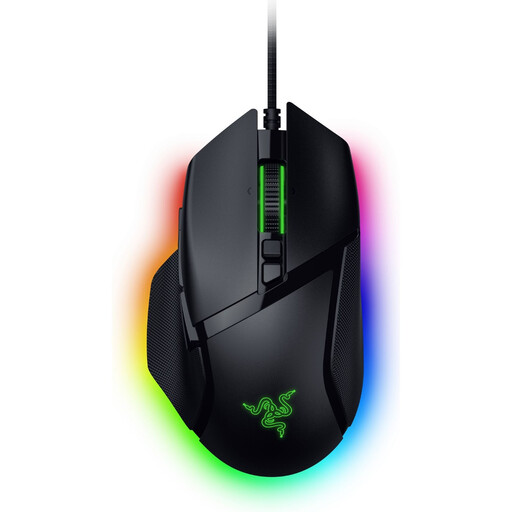
Razer Basilisk V3 35K wired gaming mouse
An option if you’re looking for a wired mouse with adjustable scrolling and customisable controls.
Razer describes three scroll modes and 13 customisable controls. Synapse 4 is required for further scroll customisation.
View at Joybuy
 No image available
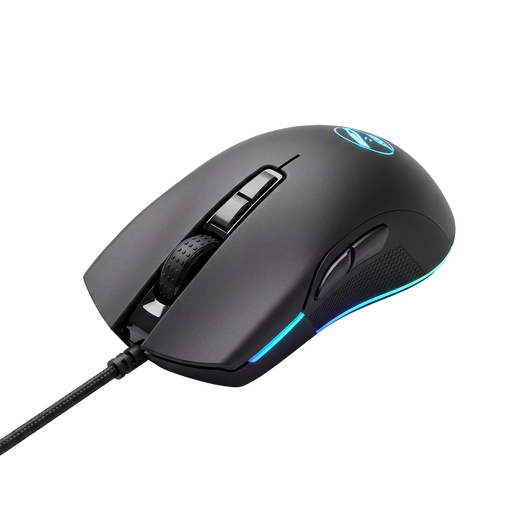
Shark Gaming Velocity M70 gaming mouse
A wired gaming mouse to compare if you want to consider controls and lighting when making your choice.
View at Joybuy
 No image available
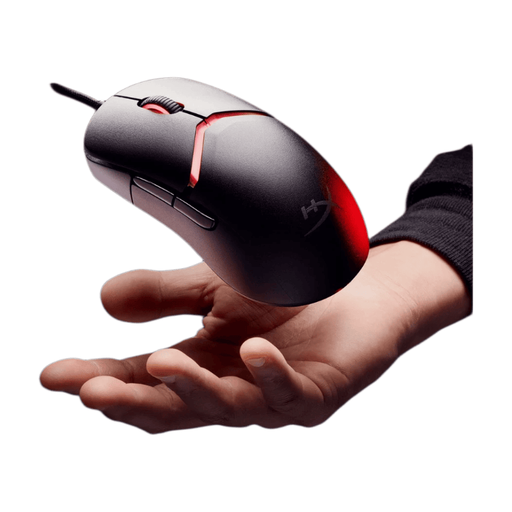
HyperX Pulsefire Saga wired gaming mouse
An option to compare if you’re looking for a wired mouse with RGB lighting.
The product name lists RGB lighting, 26,000 DPI and the colour black.
View at Joybuy
 No image available
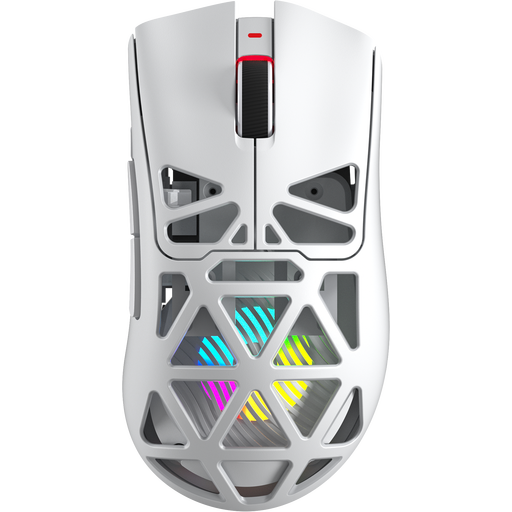
AULA SC620 wireless gaming mouse
An option if you want to compare a wireless mouse with programmable buttons; check that the connection and settings suit the way you plan to use it.
The product name lists Bluetooth 5.0, 2.4 GHz and USB-C, seven programmable buttons, 67 g, a 400 mAh battery and the colour white.
View at Joybuy
 No image available
Logitech G G502 X wired gaming mouse
A wired option if you’re looking for a mouse with scroll controls and customisable buttons for a fixed PC setup.
The product name lists a USB Type-A connection and 25,600 DPI. Logitech G describes the G502 X as having a scroll wheel with free-spin and ratchet modes.
View at Joybuy
Frequently asked questions
How do you set up extra mouse buttons for your building game?
First, check which commands your game lets you assign to keys. Corsair explains how to configure key remappings for the Scimitar RGB Elite using iCUE and save supported settings to a hardware profile; check in the game that the command you want works.
Can you expect the quoted battery life when using lighting?
Not without taking your chosen settings and connection mode into account. SteelSeries quotes up to 180 hours for the Aerox 5 Wireless via Bluetooth or an efficiency mode, and 80+ hours in the standard 2.4 GHz mode. These are manufacturer estimates for different modes. Check which settings apply to the way you use it.
How can you tell whether a mouse will be comfortable for long sessions?
Try the shape, grip, weight and button positions for yourself; a quoted weight or product feature doesn’t prove that a mouse will suit your hand. Also consider whether repeated mouse movements feel comfortable.
Can you return a mouse bought online if you don’t like the shape?
For many distance purchases from a business, you have a 14-day cooling-off period, according to the Dutch government. Check the terms that apply to your purchase; a purchase from a private seller isn’t covered by the same example of a distance purchase.
Are you always entitled to exactly two years’ statutory warranty on a gaming mouse in the Netherlands?
No. According to the Dutch government, there is no fixed statutory warranty period in the Netherlands: you’re entitled to a product that meets the standards you can reasonably expect. A manufacturer’s warranty is separate; contact the seller if something goes wrong.


