
Builders with lots of tasks
You often switch between tools, your inventory and other tasks while building. Check whether extra buttons and the scroll wheel work with your game.


Choose based on the tasks in your game and the distance between your playing position and your PC. Extra buttons and a suitable scroll wheel are particularly useful if you often use menus and your inventory, while a wireless connection can help if a cable would get in the way. Then consider the shape and adjustable pointer speed; a high maximum DPI doesn’t, by itself, tell you whether a mouse is right for you. If you use a console, check whether your specific game supports mouse input.
You often switch between tools, your inventory and other tasks while building. Check whether extra buttons and the scroll wheel work with your game.
If you play on a large screen from a spot where a mouse cable would be awkward, the wireless connection, receiver and power supply are important considerations.
For extended use, it’s worth assessing the shape, weight and button placement for yourself. A specification alone can’t tell you how the mouse will feel in your hand.
A good fit if: you play close enough to your PC and want to handle tasks using accessible buttons or different scroll modes.
Bear in mind: the cable needs to reach your playing position. Logitech says the G502 X has a free-spinning, stepped scroll wheel; Razer lists 11 programmable buttons and a tilting wheel for the Basilisk V3. Check which actions your game lets you assign.
A good fit if: you don’t want a cable across your playing area or you sit further from your PC. According to Razer, the Basilisk V3 X HyperSpeed offers two wireless connection modes and nine programmable controls.
Bear in mind: charging or replacing batteries is part of using a wireless mouse. The battery life SteelSeries quotes for the Aerox 5 Wireless varies by mode and is a manufacturer claim, not a measure of your own usage.
A good fit if: you assign few tasks to extra buttons and basic controls may be enough. Trust lists two side buttons, a scroll wheel and a DPI button for the GXT 922 YBAR.
Bear in mind: this layout has fewer separate buttons than the Basilisk V3 mentioned above, and the cable needs to reach your playing position.
| What to consider | What should you check? | Who should prioritise this? |
|---|---|---|
| Tasks and navigation | Check that the buttons and scroll modes suit the tasks supported by your game. | If I often switch between tools and my inventory while building, I want to know whether the buttons and scroll wheel work with my game. Around 36% of consumers prioritise tasks and navigation. |
| Feel in the hand | Compare the shape, weight, grip and position of the side buttons; try the mouse for yourself if possible. | For longer gaming sessions, I want a shape that suits my hand and grip, without having to hunt for buttons. Around 29% of consumers give feel in the hand top priority. |
| Connection to your playing position | Measure the distance and check the cable route, available port, wireless mode and power supply. | If I play further from my PC, I don’t want a cable getting in the way, and the connection I choose needs to reach my device. Around 21% of consumers prioritise the connection to their playing position. |
| Enough basic controls | Decide which tasks you actually want to assign to the mouse and whether a simpler layout will do the job. | If I only use a few extra tasks, I don’t want to choose controls I don’t need. Around 14% of consumers prioritise having enough basic controls. |
Maximum DPI doesn’t tell you which pointer speed will feel comfortable for your screen and playing style. Microsoft Support describes a Windows setting that lets you adjust your mouse pointer speed.
First choose a shape and controls that suit you, then adjust the pointer speed to your playing area.
Quoted battery life can vary by connection mode. For the Aerox 5 Wireless, SteelSeries quotes up to 180 hours via Bluetooth or efficiency mode and over 80 hours in standard 2.4 GHz mode.
Compare the claim with the mode you actually plan to use, and remember that you’ll need to recharge or replace the batteries.
Xbox supports mouse input only in games and apps where the publisher has enabled the feature. PlayStation warns that not every device works with a PS5.
Before you buy, check mouse support for your specific game and platform.
The wired G502 X and wireless G502 X LIGHTSPEED are different versions. The wired version may be worth considering if you’re looking for extra controls and two scroll modes.
The wired Basilisk V3 and wireless Basilisk V3 X HyperSpeed have different layouts and are not the same model.
According to SteelSeries, the Aerox 5 Wireless combines nine programmable buttons with a wireless design; the wired Aerox 5 is a separate model.
The GXT 922 YBAR is a wired option with a simpler layout for anyone who wants to use only a few mouse controls.
This selection of Joybuy products includes wired mice with extra controls and wireless models for a playing position without a mouse cable.
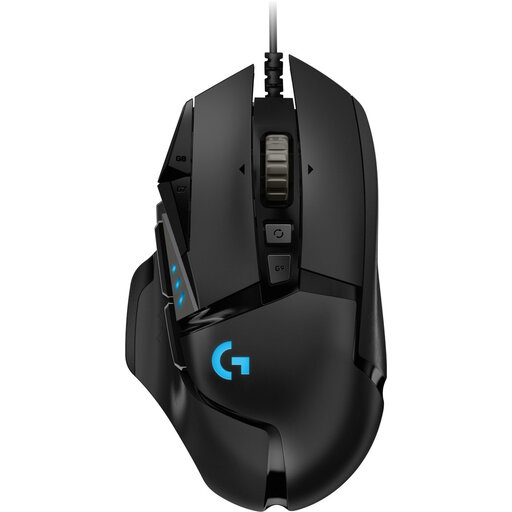 No image available
A wired option if you want to adjust the pointer speed and the cable can reach your playing position.
25.600 DPI; right-handed; black.
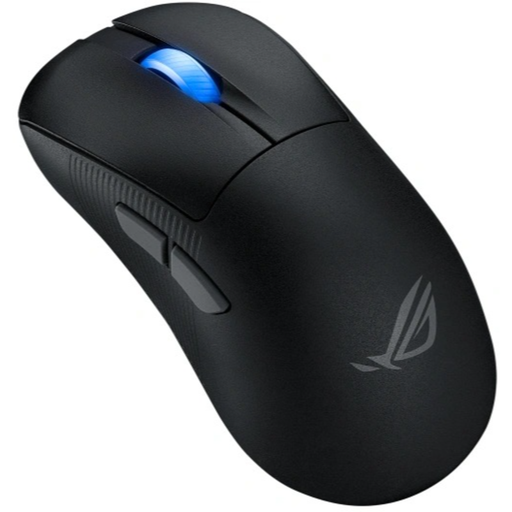 No image available
A wireless option if you don’t want a mouse cable running to your playing position; check which connection your device supports.
RF wireless, Bluetooth and USB Type-A; optical; 42.000 DPI.
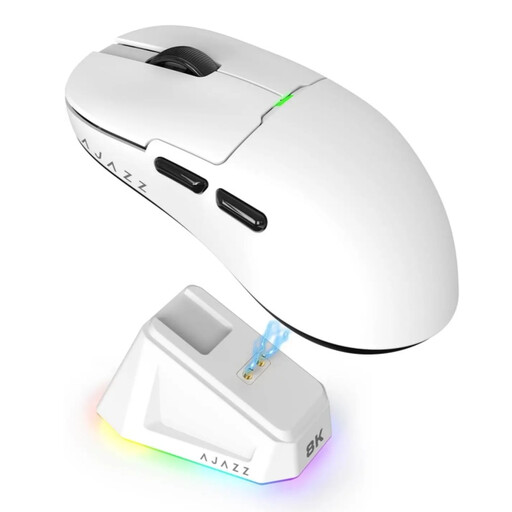 No image available
A wireless option with several listed connection options; check which one suits your device and playing position.
2.4G, USB-C and Bluetooth; 26K DPI; 400 mAh battery; 56 g; white.
The magnetic charging dock contains magnets. Keep it away from pacemakers, medical implants, and payment or ID cards.
 No image available
A wired option for a playing position the cable can reach, if you want to use extra controls on your mouse.
USB Type-A; optical; 25.600 DPI.
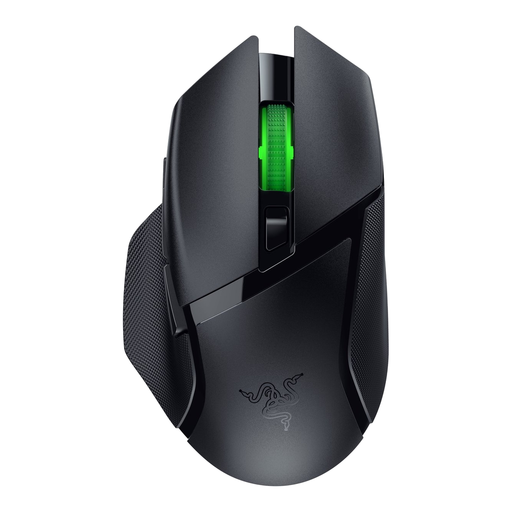 No image available
A wireless option for anyone who wants to play without a mouse cable; check which connection mode suits your device.
No. Adjust the pointer speed to suit your screen and playing style; Windows has a setting for this. A mouse’s maximum DPI isn’t the same as a speed that feels comfortable to you.
Adjust the pointer speed in Windows and assign extra buttons only to tasks supported by the game and mouse software. In Minecraft: Java Edition, the scroll wheel moves through the hotbar by default; this doesn’t automatically apply to other games.
Check the connection mode, receiver and power supply, and compare battery claims only with the mode you plan to use. SteelSeries quotes up to 180 hours for the Aerox 5 Wireless via Bluetooth or efficiency mode and over 80 hours in standard 2.4 GHz mode; actual battery life may vary with your usage.
Not automatically. Xbox says mouse input works only in games and apps where the publisher has enabled the feature. PlayStation explains how to connect USB or Bluetooth mice to a PS5, but warns that not every device works with the console. So check both your device and whether the game supports mouse input.
For online purchases from a business, the Dutch Government generally states that you have 14 days to change your mind, with some exceptions; this doesn’t necessarily apply to a purchase from a private seller. If a product is faulty, the Dutch Government says the seller must provide a solution. The Netherlands has no fixed statutory guarantee period: what you can expect from a product depends, among other things, on the type of product and the information provided at the time of purchase.