What should you look for?
Start with the fit and the controls you use most while building. Then decide how many extra buttons or how much wireless freedom would work for your desk.
| What to consider |
What should you check? |
Who is it important for? |
| Fit and reach |
Compare the shape with your hand and grip. Check that you can reach the middle click and any side buttons without moving your hand. |
For long building sessions, you’ll want to use standard actions from your usual grip. Around 40% of consumers prioritise fit and reach. |
| Scrolling and selecting materials |
Check the scroll steps and whether the middle click is easy to reach. If the wheel has extra modes, find out which controls you can assign to them. |
If you often switch between materials, you’ll want scrolling and the middle click to be easy to use. Around 30% of consumers say these controls are their top priority. |
| Extra shortcuts |
Make a note of the commands you use regularly and check whether you can assign them to the buttons and reach them with your grip. |
Extra buttons can be useful if you regularly use your own commands, but you don’t need them if the standard controls are enough. Around 20% of consumers prioritise assignable shortcuts. |
| Cables and power |
Check how the mouse and headphones connect, which ports are free, and whether the model uses a battery, needs charging or comes with a receiver. |
If your main aim is to remove the mouse cable from your desk, weigh up the extra space against the power requirements and any receiver. Around 10% of consumers prioritise a cable-free setup. |
Joybuy products
These models include wired mice with extra scroll or button controls, as well as wireless options for anyone who wants fewer mouse cables on their desk.
 No image available
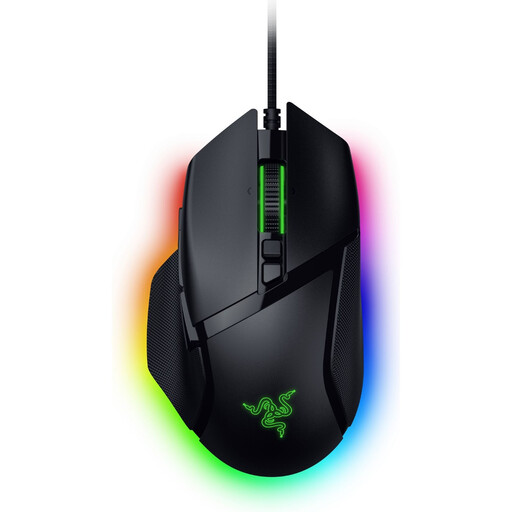
Razer Basilisk V3 35K
A wired option to consider if you want extra scroll controls and assignable buttons.
11 buttons; three scroll modes; USB cable.
View at Joybuy
 No image available
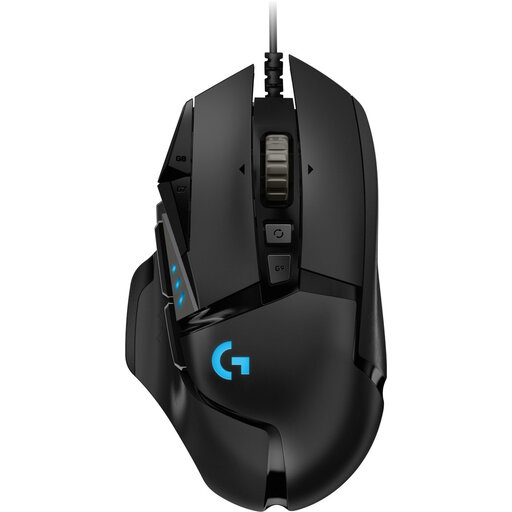
Logitech G502 HERO
A wired, right-handed option if you want to assign commands to extra buttons as well as using the standard controls.
11 programmable buttons; USB connection; 25,600 DPI.
View at Joybuy
 No image available
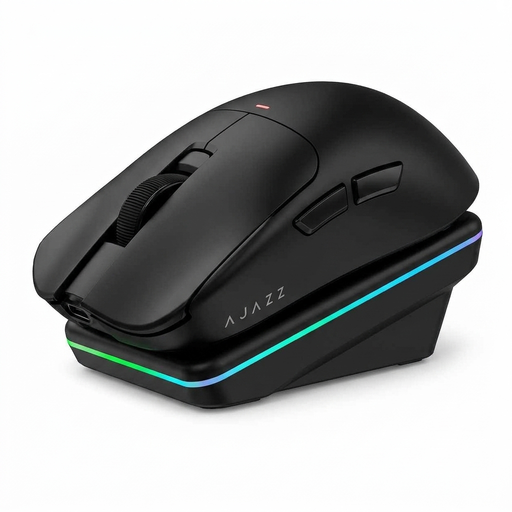
AJAZZ AJ200 AI MC
A wireless option with several listed connection methods and a charging dock, if you want fewer mouse cables.
Bluetooth, 2.4G and USB-C; charging dock; 24,000 DPI; 63 g according to the product name.
View at Joybuy
 No image available
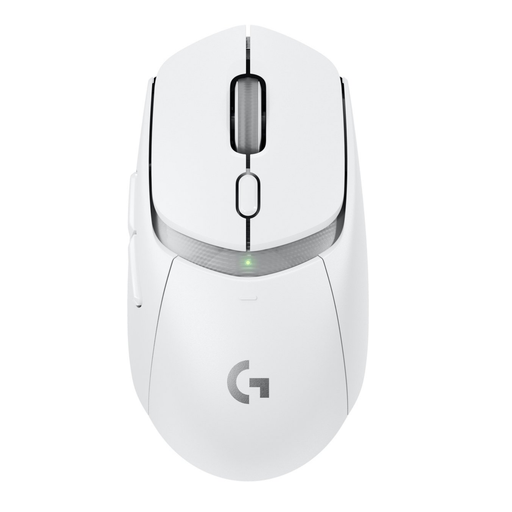
Logitech G G309 LIGHTSPEED
A wireless option if you want fewer mouse cables and the ability to assign your own commands to the buttons.
LIGHTSPEED and Bluetooth; six programmable buttons; 86 g with AA battery.
View at Joybuy
 No image available
Logitech G G502 X
A wired, right-handed option if you want to combine a scroll wheel with programmable buttons.
13 programmable buttons; horizontal scrolling and adjustable scroll resistance; USB Type-A; 25,600 DPI.
View at Joybuy
Frequently asked questions
Do you need lots of extra mouse buttons for building in Minecraft: Java Edition?
No, not for the default actions listed. Minecraft Help describes left-clicking to break blocks, right-clicking to place them, middle-clicking to pick a block and scrolling to move through the hotbar. Extra buttons are a personal choice if you want to assign more commands.
Does your mouse need quiet clicks if you wear headphones?
No, wearing headphones doesn’t automatically mean you need quiet mouse clicks. If click noise matters to you or someone nearby, check whether the manufacturer specifies quiet switches for that exact model. Razer does so for the Pro Click Mini, but not automatically for the Basilisk V3.
What should you look for in a wireless mouse?
Check the connection, the computer ports you have available and how the exact version is powered. The product information for the Logitech G305 specifies a USB receiver and an AA battery; don’t assume a model uses Bluetooth just because it’s described as ‘wireless’.
Does the power source vary between wireless gaming mice?
Yes. Logitech specifies one AA battery for the G305, while Trust describes the GXT 110 Felox as rechargeable. Check which power source your chosen model uses and bear in mind that you may need to replace or recharge its battery.
What cooling-off period and warranty apply to an online purchase in the Netherlands?
ACM ConsuWijzer states that online purchases generally come with a statutory cooling-off period of up to 14 days after delivery, subject to applicable exceptions. Statutory protection also applies: if a product used normally breaks sooner than you could reasonably expect, the seller is responsible for providing an appropriate remedy at no cost. A manufacturer’s warranty doesn’t automatically cover the full period of this statutory right.


