Start by choosing a mouse shape and grip that feel comfortable, then consider the button layout and scroll wheel you’ll actually use. A wired mouse doesn’t need battery management, while a wireless one gives you more freedom to move. For tracking problems, Logitech Support recommends a flat, non-reflective mouse pad. A high maximum DPI on its own doesn’t prove that a mouse will work better in a bright room.
Who is this buying guide for?
The long-session builder
If you play for long building sessions, focus on a shape and grip that suit your hand. The listed specifications from Logitech G and SteelSeries can help you compare mice, but they can’t tell you whether one will feel comfortable in your hand.
The player who uses shortcuts
If you want to control frequently used commands with your thumb, compare the position and reach of the buttons, as well as the available settings. Razer and Corsair list programmable buttons on specific models.
The player at a bright desk
If your desk is reflective, factor the surface you play on into your choice too. For tracking problems, Logitech Support recommends a flat, non-reflective mouse pad.
What should you look for when choosing?
Start with a fit that’s comfortable for long sessions. Then compare the buttons and scroll wheel with the controls you use in your game, and decide whether you’re happy with a cable or would rather play wirelessly.
| What to consider |
What to look for |
Who is this important for? |
| Shape and grip |
Compare the hand position and button reach with the way you hold your mouse. |
I want to position my hand comfortably during long building sessions; around 33% of consumers give grip and comfort their highest priority. |
| Buttons and scroll wheel |
Think about which commands you want to assign, then check the button positions, scroll wheel and any settings software you’ll need. |
If I use the same commands frequently, I want to reach them with my thumb; around 27% of consumers put access to buttons at the top of their list. |
| Cursor control on your surface |
Check whether you’re using a flat, non-reflective mouse pad. Logitech Support recommends this approach for tracking problems. |
I want my mouse to work on my desk and need to account for reflections; around 27% of consumers give the surface and tracking their highest priority. |
| Wired or wireless |
Weigh up having a cable on your desk against the freedom of wireless movement and the need to charge the mouse. |
If freedom of movement—or avoiding battery management—is my priority, I want to choose the connection accordingly; around 13% of consumers make the connection type their first consideration. |
Common mistakes when choosing
-
Assuming a high maximum DPI means better performance in bright light
A DPI rating on its own doesn’t tell you how a mouse will perform on your desk. For tracking problems, Logitech Support recommends a flat, non-reflective mouse pad and advises against using a mouse on glass or a reflective surface.
Assess the mouse alongside the surface you’ll use it on, rather than judging it by its maximum DPI alone.
A reflective desk may mean you need a different, suitable surface.
-
Assuming every extra button is useful
More buttons only help if you want to assign commands to them and can reach them with your grip. A crowded side panel may be unnecessary if you only use a few commands.
First decide which commands you want to assign, then compare the button positions with the way you hold your mouse.
-
Confusing a manufacturer’s warranty with your statutory rights
According to the Netherlands Authority for Consumers and Markets, there is no fixed term for the statutory guarantee in the Netherlands. A commercial manufacturer’s warranty is separate from this.
Keep your proof of purchase and contact the seller if something goes wrong.
Brands to compare
Logitech G
The wired G502 X is worth comparing if you want extra controls and don’t mind having a cable on your desk.
- Logitech G lists a weight of 89 g and a reversible or removable DPI button for this version.
- These specifications don’t tell you whether the shape will suit your hand.
Razer
The wired Basilisk V3 is worth considering if you want to compare programmable buttons and different scroll functions.
- Razer lists 10+1 programmable buttons and a HyperScroll wheel for the Basilisk V3.
- The Basilisk V3, Basilisk V3 35K and Basilisk V3 X HyperSpeed are different versions, so check which one you’re looking at.
SteelSeries
The Aerox 5 Wireless is a wireless option to compare for fit, side-button reach and connectivity.
- SteelSeries lists nine programmable buttons for the Aerox 5 Wireless.
- How easy the buttons are to reach depends on your grip, and a wireless mouse also needs battery management.
Corsair
The Scimitar RGB Elite EU Revival is a specialised option for anyone who wants to assign lots of commands to their thumb.
- Corsair lists seventeen programmable buttons, including twelve on a sliding side panel.
- Lots of buttons won’t necessarily help in a game with few assigned commands; check the exact version too.
Gaming mice on Joybuy
This selection includes wired and wireless gaming mice to help you compare grip, button layout and connectivity for long building and navigation sessions.
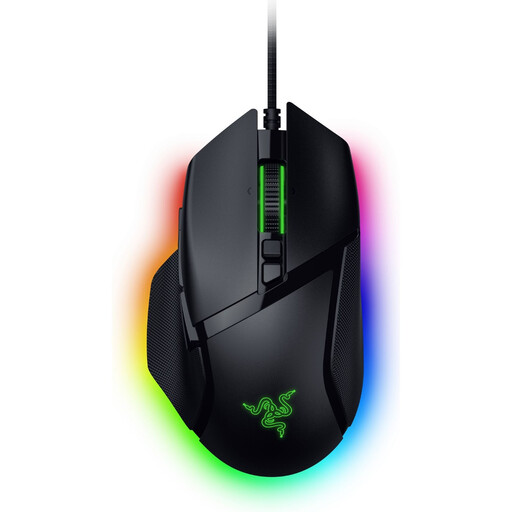 Image unavailable
Razer Basilisk V3 35K wired gaming mouse, 35000 DPI, 11 buttons
A wired option to compare if you want to use buttons for repeated commands.
The product name lists 35000 DPI and 11 buttons.
Joybuy
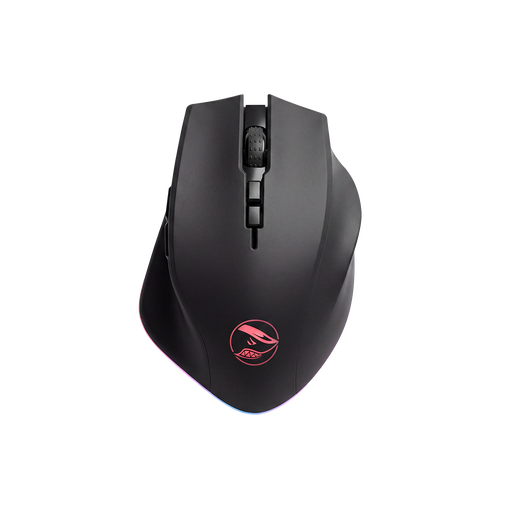 Image unavailable
Shark Velocity M71 Wireless Gaming Mouse, PAW3335 Sensor, 16000 DPI, 8 Programmable Buttons
A wireless option to compare if you want to control extra commands with your mouse.
The product name lists a PAW3335 sensor, 16000 DPI and eight programmable buttons.
Joybuy
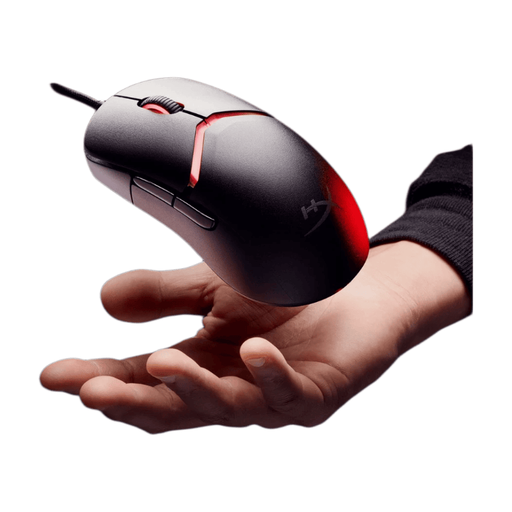 Image unavailable
HyperX Pulsefire Saga wired gaming mouse, 26,000 DPI
A wired option to compare if grip and control matter to you during long sessions.
The product name lists a wired version and 26,000 DPI.
Joybuy
 Image unavailable
Logitech G G502 X, right-handed, USB Type-A, optical, 25600 DPI
A wired option to compare if you want to control repeated commands with your mouse and are happy to have a cable on your desk.
The product name lists an optical mouse with USB Type-A and 25600 DPI.
Joybuy
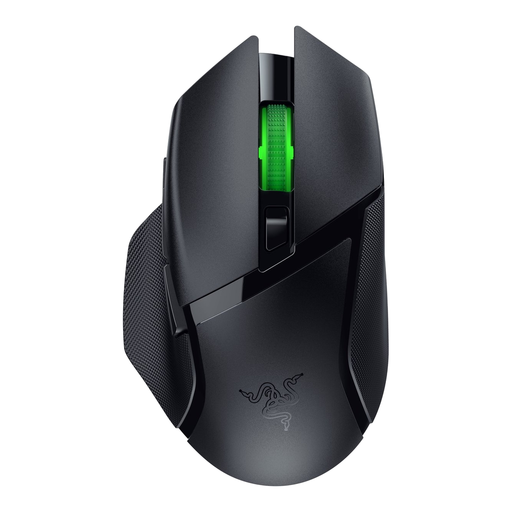 Image unavailable
Razer Basilisk V3 X HyperSpeed wireless gaming mouse
A wireless option to compare if freedom of movement matters to you.
Check which controls and connection options suit your computer and the way you use it.
Joybuy
Frequently asked questions
Should you choose a mouse with the highest DPI for a bright room?
No. A maximum DPI rating on its own doesn’t determine whether a mouse is suitable for a bright room. For tracking problems, Logitech Support recommends a flat, non-reflective mouse pad and advises against using a mouse on glass or a reflective surface.
What can you do if the cursor moves erratically?
First, check the surface you’re using the mouse on. For tracking problems, Logitech Support recommends a flat, non-reflective mouse pad; the exact cause can vary from one situation to another.
Can you return a mouse bought online in the Netherlands if you don’t like its shape?
For online consumer purchases, ACM ConsuWijzer says you generally have a statutory cooling-off period of up to 14 days after delivery. Check the applicable conditions for unpacking, trying out and returning the mouse; this isn’t an unlimited trial period.
Does a gaming mouse in the Netherlands always come with exactly two years of statutory cover?
No. According to the Netherlands Authority for Consumers and Markets, there is no fixed term for the statutory guarantee in the Netherlands. What you could reasonably expect from the product is what matters; contact the seller if something goes wrong.


