What should you look for in a gaming mouse?
First, choose the controls and connection that suit the way you play. If the cursor stutters, check the surface too before choosing a different mouse.
| Key consideration |
What should you check? |
Who is this important for? |
| Easy-to-reach in-game controls |
Check how many buttons you can reach comfortably, whether you can assign actions to them and whether your game supports those assignments. |
If I want to ping or communicate quickly while exploring a map, I want to access that action without constantly changing my hand position. Around 36% of consumers give easy-to-reach in-game controls top priority. |
| Tracking on your desk |
If the cursor stutters, try a flat, smooth, non-reflective mouse mat and keep the sensor and mouse feet clean. |
If the cursor moves erratically on my desk, I want to check the surface and sensor first. For around 29% of consumers, reliable tracking on their own surface comes first. |
| Sensitivity, weight and grip |
Compare the shape and weight of the exact model; adjust the sensitivity in the mouse software and game. |
When aiming repeatedly, I want to find a shape and sensitivity that suit my grip and available space for movement. Around 21% of consumers give aiming feel and grip top priority. |
| Wired or wireless |
Check your device’s connection, which receiver is included and whether the wireless model can be used as a wired mouse while charging. |
If I want to move freely or would rather not charge a battery, I want to know which connection suits my setup. For around 14% of consumers, the choice between wireless and wired use is most important. |
A bright room does not, in itself, mean that daylight interferes with tracking. For erratic movement, Logitech recommends trying a flat, non-reflective surface; this advice does not identify a single cause.
Joybuy products for map controls and mouse handling
These mice offer options for programmable controls and tracking, as well as a choice between wired and wireless use. Before buying, check that the specific item has the correct CE marking: according to the Dutch Authority for Digital Infrastructure, electrical and electronic equipment sold in the Netherlands must have the correct CE marking.
 No image available
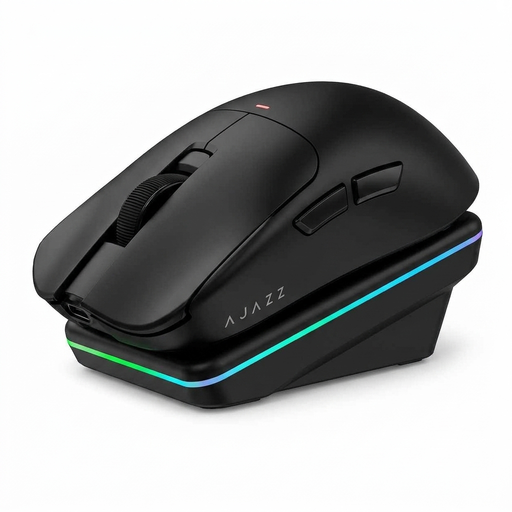
AJAZZ AJ200 AI MC
A good fit if you want a choice of connection methods and a mouse with adjustable controls.
63 g; wired, 2.4 GHz and Bluetooth; the product information lists a PAW3311 sensor and DPI up to 24000.
Joybuy
 No image available
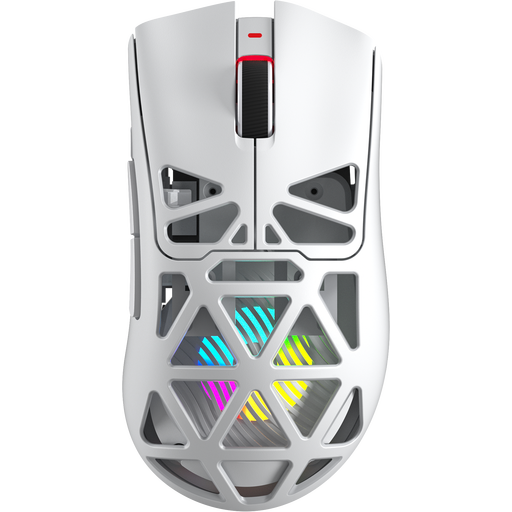
AULA SC620, white
A good fit if you want programmable buttons and several connection options in a wireless gaming mouse.
67 g; seven programmable buttons; Bluetooth, 2.4 GHz and USB-C. The product name lists a PAW3311 sensor and 12000 DPI.
Joybuy
 No image available
Logitech G G502 X
A good fit if you want a wired connection and adjustable DPI-shift controls; bear in mind that there will be a cable on your desk.
USB Type-A; optical; 25600 DPI. Logitech G lists the G502 X as weighing 89 g.
Joybuy
 No image available
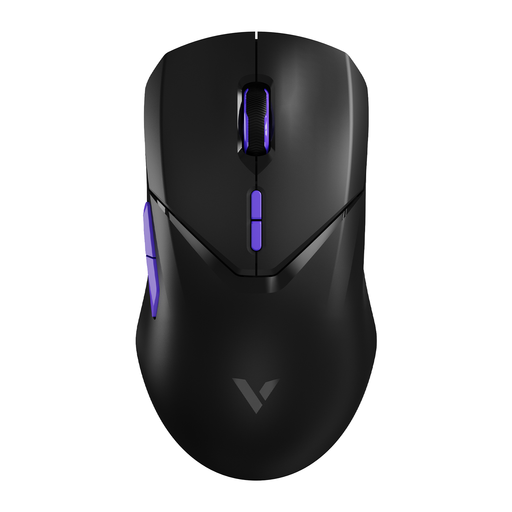
RAPOO VT9Pro 4K, BlackPurple
A good fit if you want a lightweight wireless mouse and the option to assign in-game actions to programmable buttons.
53 g; ten programmable buttons; the product name lists a PAW 3398 sensor and 26000 DPI.
Joybuy
 No image available
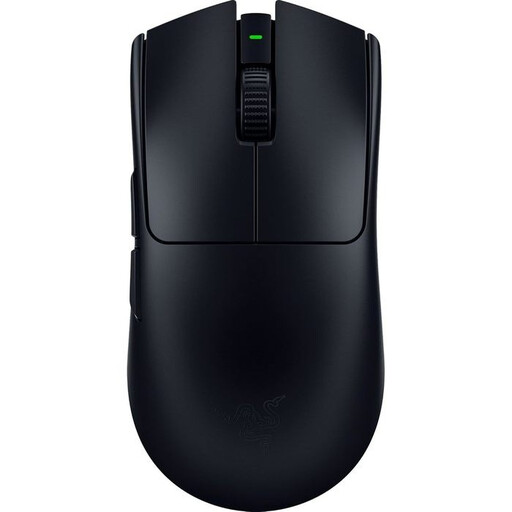
Razer Viper V3 Pro, black
A good fit if you aim frequently and want a lightweight wireless mouse with programmable controls.
Around 54 g for the black model; right-handed shape and eight programmable buttons. The product description lists a 35000 DPI sensor.
Joybuy
Frequently asked questions
Does RGB lighting help with tracking issues in a bright room?
RGB lighting has not been shown to solve stuttering tracking. For erratic cursor movement, Logitech recommends trying a flat, non-reflective mouse mat and cleaning the sensor and mouse feet.
How do you choose a sensitivity for a new multiplayer map?
Start with a setting you can use consistently, then adjust it to suit your game and available movement space. SteelSeries suggests 800 DPI as a starting point in its own advice, not as a required setting or a value that works for everyone.
What should you check when choosing a wireless gaming mouse?
Check which connection modes your device supports and whether the required receiver is included with the mouse. HyperX lists 2.4 GHz, Bluetooth and use via the charging cable for the Pulsefire Haste 2 Wireless; this does not automatically apply to other wireless mice.
Does a gaming mouse need a CE marking in the Netherlands?
Yes. According to the Dutch Authority for Digital Infrastructure, electrical and electronic equipment must have the correct CE marking. Check the marking on the specific device; a product title alone does not prove that the marking is present and correct.
What are your rights when buying online in the Netherlands?
When you buy from a business at a distance, you will generally have 14 days to change your mind, although exceptions depend on the circumstances. The Dutch government also states that you are entitled to a product that works as it should, and that the Netherlands does not have a fixed statutory two-year guarantee period for all products.


