
Players who want precise aim
You make quick movements or small aiming adjustments and are mainly looking for a shape and weight that suit your grip. RTINGS, Logitech G and Razer discuss shape, grip and weight as features to assess for each model.


First, choose a mouse shape that suits your hand and grip. Then decide whether precise aiming, easy-to-reach action buttons or freedom of movement matters most to you. A wired mouse avoids adding another wireless mouse connection; with a wireless mouse, you’ll need to consider its receiver and the ports available. Logitech Support describes possible interference in certain wireless setups and makes clear that pairing two LIGHTSPEED devices with one receiver does not work for headsets.
You make quick movements or small aiming adjustments and are mainly looking for a shape and weight that suit your grip. RTINGS, Logitech G and Razer discuss shape, grip and weight as features to assess for each model.
You want to play without cables, but you also need to consider available USB ports, receiver placement and possible interference in your particular setup. Logitech Support offers placement advice for certain combinations of wireless devices.
You want your in-game actions close to hand, so look for accessible buttons and compatible software without overlooking fit or connectivity. HyperX lists programmable buttons for the Pulsefire Haste 2 Wireless.
A good fit if: you don’t want an additional wireless mouse connection alongside your headset and don’t mind having a cable on your desk.
The trade-off: the cable may limit your movement; shape and room for the cable still matter.
A good fit if: you want to play without a mouse cable and can connect the required receiver to your device.
The trade-off: consider power, receiver placement and your headset’s connection. Bluetooth is only an option if the model you choose supports it.
| What to consider | What should you look for? | Who is this important for? |
|---|---|---|
| Shape, grip and weight | Compare the shape and dimensions with your hand and usual grip; check the weight of the exact version. | If I make lots of small adjustments, I want a shape that feels comfortable in my hand. Around 25% of consumers put fit and grip first. |
| Aiming control and responsiveness | Check adjustable sensitivity and polling rate for each version and connection mode; a high maximum DPI figure isn’t, by itself, a measure of performance. | For quick aiming movements, I want to tailor the settings to my game. Around 25% of consumers prioritise aiming control and responsiveness. |
| Connection with your headset | Check whether the headset connects by cable, Bluetooth or its own receiver, and how many ports the mouse needs. | If I use a wireless headset, I want to know where both receivers can go and which ports are free. Around 20% of consumers prioritise this combination. |
| Accessible action buttons | See how many buttons you can reach comfortably and check whether you can customise them on your device. | If I want to control in-game actions quickly with my thumb, I look at button placement and customisation. Around 15% of consumers make this their top priority when choosing. |
| Power and charging | Check the power source and, for a wireless version, the included cable or receiver and the stated battery life for each mode. | If I don’t want to think about charging while I play, I consider power alongside connectivity. Around 15% of consumers prioritise power and ease of use. |
A maximum specification doesn’t tell you whether the shape is comfortable or how the mouse feels in your game and connection mode. RTINGS lists hand size, grip and click latency alongside polling rate as relevant factors to consider.
Start with the shape, then compare the settings and, where available, independent measurements for that exact version.
Logitech Support says that the feature for pairing two LIGHTSPEED devices with one receiver applies to mice and keyboards, not headsets. Wireless interference can also occur in certain setups.
Check which receivers come with your models and whether you have enough ports. If you run into problems, adjust their placement in line with the manuals.
SteelSeries describes differences between the wired Aerox 3 Snow and the Aerox 3 Wireless Onyx, including their connection and stated weight. Another version may therefore suit your needs differently.
Check the full model name, version, connection and included accessories before you choose.
The PRO X SUPERLIGHT 2 is a wireless option to consider if a lightweight shape and 2.4GHz connection suit your preferences.
The wireless Viper V3 Pro and wired DeathAdder V3 offer different connections and shapes to compare side by side.
The Aerox 3 Wireless and wired Aerox 3 Snow are separate versions with different connection options.
The Pulsefire Haste 2 Wireless is worth comparing if you want to switch between 2.4GHz and Bluetooth and are looking for customisable buttons.
Corsair describes the M75 AIR as a symmetrical wireless mouse to compare if you’re looking for a wireless design.
This selection includes wired mice and wireless models with 2.4GHz and/or Bluetooth, so you can weigh up how each mouse connection works alongside your headset.
 Image unavailable
The wired connection may suit you if you don’t want an additional wireless mouse connection alongside your headset.
The product description lists a PMW3360 sensor, adjustable DPI, a polling rate of up to 1000 Hz and seven programmable buttons. It describes the shape as right-handed.
 Image unavailable
The three connection modes listed give you a choice of cable, 2.4GHz or Bluetooth; check which mode works with your headset and device.
The title lists 12.800 DPI and seven programmable macro buttons. The product description mentions adjustable DPI and a polling rate of up to 1000 Hz.
 Image unavailable
The listed 2.4GHz, Bluetooth or USB-C connections give you different options to consider alongside your headset.
The title lists a PAW3395 sensor, 26K DPI, a 56 g design and a 400 mAh battery. The description says it suits small to medium-sized hands and has a magnetic charging base; the base contains magnets.
 Image unavailable
The wired connection avoids adding another wireless mouse connection; interchangeable shape components give you options for adjusting your grip.
The product description lists a HyperX 26K sensor, adjustable DPI, a polling rate of up to 8000 Hz and 16 grip combinations using interchangeable parts. The title lists 26.000 DPI.
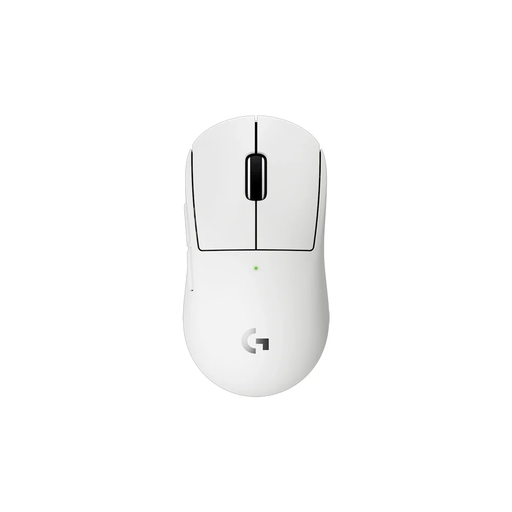 Image unavailable
The wireless version may suit you if you want to play without a mouse cable; remember to consider the receiver and power.
The product description lists LIGHTSPEED, a HERO 2 sensor, an included receiver and programmable buttons. It describes the design as compact, making it suitable for smaller hands or certain grip styles.
Don’t assume that it does. Logitech says that the feature for pairing two LIGHTSPEED devices with one receiver applies to mice and keyboards, not headsets. Check the receivers and ports required for your models.
First, check the power and connection, then see whether you can reposition the receivers. For a specific combination of wireless devices, Logitech Support recommends, among other things, using an extension cable to move the headset receiver further away from the mouse and keyboard receivers. Follow the guidance for your own models; interference has not been established for every combination.
For a typical online consumer purchase in the Netherlands, you generally have a statutory 14-day cooling-off period from delivery, with some exceptions. ACM ConsuWijzer advises checking the terms for trying out and returning the product, any reduction in value and the return shipping before use.
No. In addition to any manufacturer’s or seller’s warranty, you have statutory rights when making a consumer purchase in the Netherlands if the product does not perform as you could reasonably expect under normal use. ACM ConsuWijzer says there is no fixed period that automatically applies to every gaming mouse; contact the seller if you have a problem.
According to the Dutch Authority for Digital Infrastructure, manufacturers, importers and sellers of radio equipment must comply with the relevant European requirements; the manufacturer applies the CE mark to equipment that meets those requirements. Check the mark on the specific product and follow the instructions for use.