
Players practising large aim movements
Compare the shape with your hand and preferred grip before focusing on weight alone. RTINGS highlights how important a suitable mouse shape is for comfortable use.


For aim training, start by choosing a mouse shape that suits your hand and grip and lets you move with control. Then consider weight, connectivity and adjustability. A wired mouse avoids adding another wireless receiver, while a wireless mouse keeps the cable out of your way but means you’ll need to think about receiver placement and power management if you use a wireless headset. RTINGS highlights the importance of shape and grip; a high maximum DPI or polling rate alone doesn’t prove that you’ll aim better.
Compare the shape with your hand and preferred grip before focusing on weight alone. RTINGS highlights how important a suitable mouse shape is for comfortable use.
If both your mouse and headset are wireless, check how many receivers you need and where you can plug them in. Logitech recommends placing its receivers further apart if you experience interference with its devices.
Check which sensitivity and, where available, lift-off settings are offered by the exact model. Logitech and Razer list adjustment options for specific mouse models, but the available options vary by version.
First, choose between wired and wireless based on your available movement space and headset set-up. Then compare fit, adjustment options and any requirements for additional receivers.
Choose this if: you don’t want to manage a mouse battery or an extra wireless receiver.
The trade-off: the cable stays part of your set-up and may affect your freedom of movement.
Choose this if: you want to move without a mouse cable and can plug in the receiver where it works for you.
The trade-off: check the power supply, charging method and receiver placement, especially if you also use a wireless headset.
Choose this if: you want to switch between devices as well as practise your aim; according to SteelSeries, the Aerox 3 Wireless supports both connection types.
The trade-off: check which connection you’ll use while gaming; Bluetooth support alone doesn’t prove that both modes offer equivalent performance.
| What to consider | What to look for | Who should pay extra attention? |
|---|---|---|
| Shape and grip | Compare the dimensions and shape with your current mouse, and check that your preferred grip feels comfortable. | If I’m practising large sweeping movements, I want to be able to hold the mouse securely; around 33% of consumers give shape, grip and movement control top priority. |
| Headset connectivity | Check how your headset connects and which USB ports are available for any receivers. | If I’m using my headset and mouse at the same time, I want to be able to position the connections and receivers properly; around 25% of consumers prioritise having both connected. |
| Consistent settings | Check the adjustable sensitivity and any software or profile options for the exact version. | If I’m repeating aim training, I want to be able to find and set my sensitivity again; around 25% of consumers give repeatable settings top priority. |
| Power and extra hardware | Check the power supply, included receiver and whether any setting you want requires a separate accessory. | If I’m gaming wirelessly, I want to know how charging and any extra hardware will fit into my set-up; around 17% of consumers prioritise power management and additional hardware. |
A high maximum figure won’t tell you whether the shape suits your hand or helps you aim better. Also check the conditions attached to the advertised setting for the version you’re considering.
Compare shape and grip first, then check the adjustment options and any hardware required for the exact model.
According to Logitech, reaching up to 8 kHz on the Logitech PRO X SUPERLIGHT 2 SE requires a PRO LIGHTSPEED receiver, sold separately.
If you have connection problems, the position of your mouse receiver relative to other receivers may be a factor.
If you use a wireless headset, check which ports are available. If you have problems, try placing the receivers further apart. Logitech recommends this for its devices.
The Logitech PRO X SUPERLIGHT 2 and PRO X SUPERLIGHT 2 SE have different stated polling rate requirements, so check the full model name and version.
Compare the manufacturer’s specifications and check which receiver or other components come with the version you’ve chosen.
The PRO X SUPERLIGHT 2 and PRO X SUPERLIGHT 2 SE are separate wireless versions. Check the stated polling rate requirements for each model.
The Viper V3 Pro is a wireless FPS mouse; check that the shape and exact colour version suit you.
The Aerox 3 Wireless is worth considering if you want the option of using both 2.4GHz and Bluetooth.
The SABRE v2 PRO Ultralight Wireless is a specific version with a low stated weight and a high polling rate.
This selection includes wired and wireless gaming mice for a range of aim training set-ups. If you choose a wireless model, check how its receiver will fit alongside your headset’s receiver.
 No image available
A wired option if you don’t want an extra wireless mouse receiver; bear the cable in mind when making large sweeping movements.
The product listing states up to 26,000 DPI and 23 buttons. The description specifies an ergonomic shape for right-handed use.
 No image available
An option if you want to compare different connection types; check which mode you’ll use while gaming.
The product title lists wired, 2.4G and Bluetooth connectivity, up to 12,800 DPI and seven programmable macro keys.
 No image available
A wireless option with several listed connection methods; check which receiver or connection will work with your headset set-up.
The product information lists a PAW3395 sensor, adjustable DPI up to 26,000, 2.4G, USB-C and Bluetooth, a 400 mAh battery and a stated weight of 56 g. The magnetic charging dock contains magnets; the product warning specifies a distance of at least 15 cm from pacemakers.
 No image available
A wired option if you want to customise your grip with interchangeable parts; the cable will still take up some of your movement space.
The product information lists a weight of 69 g, 16 combinations of grip parts and adjustable DPI up to 26,000.
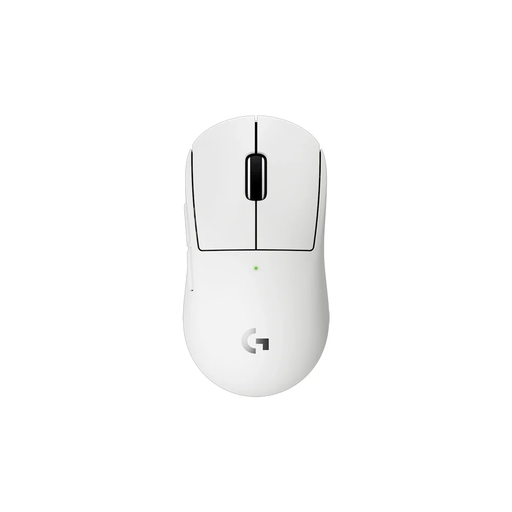 No image available
According to the product information, this compact version may be worth considering if you have smaller hands or particular grip preferences.
The product information lists a weight of 53 g, LIGHTSPEED wireless connectivity, a HERO 2 sensor and adjustable DPI.
No, that isn’t one of the criteria mentioned here. Do check how many receivers your devices use and which USB ports are available. If you experience interference, Logitech recommends placing its receivers further apart; this isn’t a general compatibility guarantee.
First, choose a grip that feels comfortable and a sensitivity setting you can repeat. Then check the options on the exact model: Logitech describes lift-off calibration for the PRO X SUPERLIGHT 2 SE, while Razer lists DPI adjustment in increments of one for the Viper V3 Pro.
No, a higher polling rate alone doesn’t prove that you’ll aim better. Corsair warns that higher polling rates may require more CPU usage. Logitech also specifies a receiver, sold separately, for up to 8 kHz on the PRO X SUPERLIGHT 2 SE.
The Dutch government states that there is no fixed statutory warranty period; you’re entitled to a product that meets what you could reasonably expect. Many online consumer purchases come with a 14-day cooling-off period, subject to exceptions. The cooling-off period and your rights if a product doesn’t meet expectations are separate matters, so check the terms that apply to your purchase.
For electrical equipment with a radio-frequency module, the Dutch business portal refers to the Radio Equipment Directive. According to Your Europe, CE marking isn’t a certificate issued by a single central EU body. If necessary, check what conformity documentation is available for the specific product in a particular listing.