
3D navigator
You rotate, pan and zoom around your spaceship, and want to know how your software uses the scroll wheel and middle mouse button. The Blender Foundation describes these controls for Blender; check the controls in your own application.


Start with the controls your game editor or design software actually uses. The middle mouse button and scroll wheel matter if your application uses them for 3D navigation, while programmable buttons are particularly useful for commands you repeat often. Then choose a shape that suits your hand and lighting you can customise. A wired mouse means you don't have to manage a mouse battery, while a wireless one gives you more freedom of movement but needs charging. A SpaceMouse can be a useful extra in software that supports it, but it doesn't automatically replace a gaming mouse.
You rotate, pan and zoom around your spaceship, and want to know how your software uses the scroll wheel and middle mouse button. The Blender Foundation describes these controls for Blender; check the controls in your own application.
You often repeat the same actions and want to assign commands to easy-to-reach mouse buttons. Think in advance about which commands you actually use and whether you can customise them in your software.
You want controls and lighting that work well in a dark room, without overlooking shape, grip and connectivity.
First check which mouse controls your software uses, then choose based on button layout, hand comfort, lighting and connectivity.
| What to consider | What should you check? | Who is this important for? |
|---|---|---|
| Navigation and cursor control | Test the middle click, scroll wheel modes and sensitivity settings in your own software. | I want to move smoothly around the 3D view while designing; around 33% of consumers put navigation first. |
| Programmable commands | Check which commands you can assign and what configuration software you need. | If I repeat a lot of actions, I want to assign them to easy-to-reach buttons; around 27% of consumers give shortcuts top priority. |
| Hand comfort and grip | Consider hand orientation, size and button reach; try the shape if you can. | For longer design sessions, I want a shape that suits my hand and grip; around 20% of consumers choose hand comfort as their first consideration. |
| Lighting | Check that you can set the lighting on the exact model to your liking. | In a dark room, I want to choose how my mouse lights up; around 13% of consumers base their choice mainly on customisable lighting. |
| Connectivity and charging | Check the connection, any receiver and the usage mode behind any battery-life claim. | If I don't want a cable on my desk, I also need to consider charging; around 7% of consumers give wireless use top priority. |
A high maximum DPI rating doesn't tell you whether the scroll wheel, middle click, button placement and grip suit your design work. The Blender Foundation describes using the middle mouse button to navigate in Blender, but other programmes may work differently.
First check the controls in your application, then decide whether the shape and scroll wheel feel comfortable to use.
Lighting specifications describe the lighting, not how accurately the mouse navigates or tracks.
Consider RGB as a separate preference and check whether you can customise the lighting on the exact model.
SteelSeries' claim of up to 180 hours for the Aerox 9 Wireless applies to 2.4GHz use in High Efficiency mode. It doesn't automatically apply with other settings.
Only compare battery-life claims under the stated usage conditions, and consider whether charging or a cable would work better for your setup.
With other settings, you may need to charge it more often than you expect.
Connectivity, lighting and controls can vary between versions, even when model names look similar.
Before you buy, check the full model name, connection type and features of the specific version.
The G502 range includes several wired and wireless versions; compare the full model name before choosing.
The wired Basilisk V3 is worth comparing if you're looking for a right-handed shape, assignable buttons, a tilting scroll wheel and RGB.
The Scimitar RGB Elite is designed for users who want to assign lots of separate commands to a mouse.
According to SteelSeries, the Aerox 9 Wireless combines wireless connectivity with a 12-button side panel.
This selection includes wired and wireless gaming mice, with different connection types and versions featuring RGB or programmable buttons. Check each model to see whether its controls suit your design software and hand.
 No image available
This wired version may suit you if you're looking for a cable connection and a right-handed shape.
25,600 DPI; right-handed; black.
 No image available
A wireless version to compare if you're looking for programmable buttons and RGB lighting.
PAW3335 sensor; 16,000 DPI; RGB lighting; 8 programmable buttons.
 No image available
This wireless version may suit you if you're looking for different connection options and RGB backlighting.
PAW3395 sensor; 26K DPI; 2.4G, USB-C and Bluetooth; 400 mAh battery; 56 g.
 No image available
A wireless version to compare if you want RGB and several connectivity options.
Bluetooth 5.0, 2.4G and USB-C; PAW3311 sensor; 12,000 DPI; 8KHz; 7 programmable buttons; 67 g; 400 mAh battery.
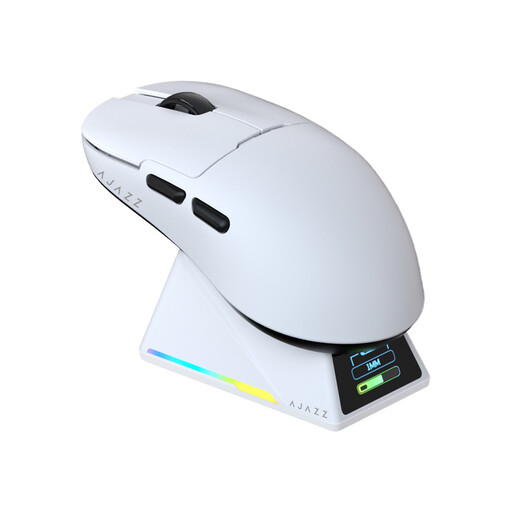 No image available
This wireless version may suit you if you're looking for RGB lighting and a magnetic charging base.
PAW3950 sensor; up to 42,000 DPI; 8K Hz return rate; symmetrical design for small and medium-sized hands.
No, not necessarily. The Blender Foundation mentions using the middle mouse button and scroll wheel for navigation in Blender, among other things. Extra buttons are most useful if you want to assign commands you use often in your programme; check the controls in the specific software you use.
Blender describes a setting that emulates a three-button mouse, but warns that it may conflict with some existing Alt-mouse actions. Check the alternatives in your own software rather than assuming every application has the same setting.
Start with a short list of commands you actually repeat. For the Scimitar RGB Elite, Corsair explains how to assign keys or macros using iCUE and save simple settings to a hardware profile; the steps and features may vary by model.
No. According to 3Dconnexion, the SpaceMouse Compact is designed for spatial navigation and has a 6DoF sensor and two programmable buttons. The manufacturer lists support for Blender on Windows and macOS; check whether your application is supported, and also consider which mouse controls you need.
According to the Dutch government, a 14-day cooling-off period applies in many cases to distance purchases. The applicable terms and exceptions may vary by purchase, so check what applies to your situation. The Dutch government also states that the Netherlands has no fixed statutory warranty period.