
Players who game during the day
If you play with windows or lamps nearby, you’ll want to see the game, opponents and dark scenes clearly. The room’s lighting, the screen coating and how it handles reflections are all worth considering.


Start by considering the light in your room: compare how well the screen handles reflections and how bright it is in normal use, rather than focusing only on its stated HDR peak brightness. Then choose Full HD if fast action and achievable frame rates are your priorities, or QHD if you need more detail for maps, text and interfaces. For every picture mode you want to use, check that your PC or console can support it through the connection you plan to use.
If you play with windows or lamps nearby, you’ll want to see the game, opponents and dark scenes clearly. The room’s lighting, the screen coating and how it handles reflections are all worth considering.
If you regularly play fast-paced tactical games, you may want to consider refresh rate and motion clarity. Your PC or console will also need to support the resolution and picture mode you choose.
If you want to keep an eye on small text, maps and interface elements all at once, weigh up screen size and native resolution against the performance your gaming system can deliver at those settings.
Start with reflections and brightness in normal use. Then decide whether motion, a readable interface, or a suitable combination of source and picture mode matters most. RTINGS.com explains that lighting conditions, brightness and reflection handling all affect what you see on screen.
| What to consider | What to look for | Who should prioritise this? |
|---|---|---|
| Visibility and reflections | Compare direct reflections, brightness in normal use and the screen coating. Also consider the position of windows and lamps. | If I play during the day, I want to be able to see maps and opponents despite incoming light. Around 33% of consumers say daylight visibility is their top priority. |
| Motion clarity | Look at independent motion tests and check which refresh rate and any VRR support are available through your connection. | When the camera moves quickly, I want the action to remain easy to follow. Around 27% of consumers prioritise motion clarity. |
| Maps and interfaces | Weigh up screen size and native resolution, and check the text and interface scaling in the games you play. | If I read a lot of map information and small text, I want it to be easy to take in. Around 20% of consumers say map and interface readability is their top priority. |
| Suitable picture mode | Check the resolution and Hz supported by each input, cable and device, then compare them with your PC or console’s performance in the game you’ve chosen. | I want to be sure my device can actually use the picture mode I choose. Around 20% of consumers name this compatibility as their main purchasing concern. |
A peak brightness figure alone won’t tell you how visible the picture will be in a bright room. Light sources and reflections matter too.
Compare brightness in normal use and reflection test results, and consider where windows and lamps are in relation to the screen.
A monitor may support a picture mode without your PC or console being able to deliver the same number of frames in a game.
Check the supported resolution and refresh rate for each input, then compare them with your device’s output and gaming performance.
A glossy coating can produce noticeable reflections. ASUS warns that prolonged exposure to static, high-contrast images can cause image retention or burn-in on OLED screens.
Check the coating on the exact model and consider your room’s lighting. Also review the care instructions and warranty terms.
These examples refer to the product lines and models mentioned; they aren’t a judgement on every screen from each brand. Manufacturer specifications can help you compare models, but they can’t replace checking how a screen handles reflections in your room.
TUF and ROG offer different options, from compact Full HD IPS models to QHD OLED models.
The Evnia 27M2N5500/00 is a QHD option for those weighing up map detail and a high refresh rate.
According to Dell, the AW2725QF offers two resolution modes for switching between detail and speed.
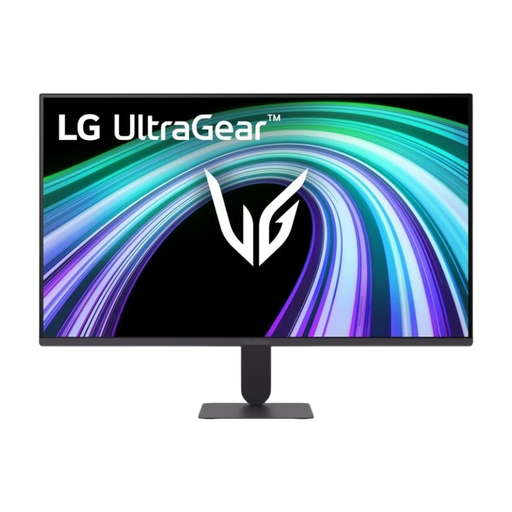
The UltraGear range includes a variety of QHD gaming models, including both IPS and OLED versions.
This selection includes QHD models for those weighing up map and interface detail against motion speed, and Full HD models for those who prioritise fast action. For each specific model, also compare reflections and brightness in normal use, and check which picture modes your device supports.
 No image available
A QHD model to consider when weighing up screen size, map detail and refresh rate.
32 inches; IPS; 2560 × 1440; 180 Hz.
 No image available
A 27-inch QHD model for those weighing up map and interface detail alongside fast-paced gameplay.
27 inches; 2560 × 1440; 180 Hz; 1 ms; FreeSync Premium; HDR10.
The product name lists 2 × HDMI 2.0 and 1 × DisplayPort 1.4.
 No image available
A Full HD model to consider if fast action matters and you’ve checked that your device supports the picture mode you want.
27 inches; 1920 × 1080; 240 Hz; AMD Adaptive Sync; HDR Ready.
The product name lists HDMI and VGA connections.
 No image available
A Full HD IPS model to consider when weighing up screen size, resolution and motion speed.
27 inches; 1920 × 1080; 144 Hz; IPS.
 No image available
A compact Full HD model to consider when fast tactical action matters more than extra resolution.
25 inches; 1920 × 1080; up to 300 Hz via DisplayPort and 240 Hz via HDMI.
No. RTINGS.com explains that matt and glossy coatings handle reflections differently. The position and strength of light sources, as well as the brightness of the specific screen, also make a difference. A matt coating alone doesn’t guarantee a clear picture.
First, check which resolution and refresh rate the exact model supports through the input you’ve chosen. Use a compatible source, then set the available picture mode on your device. For example, Dell lists separate modes for the AW2725QF: 4K at 180 Hz and Full HD at 360 Hz.
Yes. ASUS warns that prolonged static images can cause image retention or burn-in on OLED screens. Follow the care instructions and check the terms for the specific model.
For a standard online consumer purchase, you generally have a statutory cancellation period of up to 14 days after delivery, with some exceptions. ACM ConsuWijzer also explains that the statutory guarantee is separate from any manufacturer’s warranty. If a product doesn’t perform as you could reasonably expect under normal use, the seller is responsible for providing a solution.
Yes. According to Ondernemersplein, the Dutch government’s business information website, companies placing electrical or electronic equipment on the market must ensure it complies with the applicable European rules. The European Union’s Your Europe website explains that there is no central EU body that issues a permit or certificate to use the CE marking.