
Playing in a dark room
You mainly play atmospheric horror games and want to make out what’s happening in dark scenes without distracting bright patches or greyish blacks.


For survival horror in a dark room, black levels are an important point of comparison. OLED delivers deep blacks, while mini-LED with VA can be an alternative if you want to avoid the risk of OLED burn-in. Test findings vary between specific models: RTINGS reported some dark motion smearing and VRR flicker on the AOC Q27G3XMN it tested, and weaker black levels and HDR contrast on the Dell Alienware AW2725QF. You don’t need to connect your headphones to the monitor: check whether audio can come from your PC or console, or see if your chosen model has a suitable audio output.
You mainly play atmospheric horror games and want to make out what’s happening in dark scenes without distracting bright patches or greyish blacks.
You want the resolution, refresh rate and any VRR to work through the connection and on the system you actually use.
You use the same monitor for long periods with static windows on screen, so you factor in the risk of OLED burn-in when choosing a panel.
Choose this when: deep blacks and bright details against a dark background are your priorities.
Trade-off: according to RTINGS, displaying the same static elements for long periods carries a risk of burn-in. Check the warranty terms for the specific model too.
Choose this when: you want a dark picture and local dimming without opting for OLED.
Trade-off: RTINGS’ test of the AOC Q27G3XMN reported some black smearing and distracting VRR flicker at varying frame rates. This finding applies to the model tested.
Choose this when: you often play in a bright room or also use the monitor for work over long periods.
Trade-off: RTINGS found weaker black levels and HDR contrast on the Dell Alienware AW2725QF it tested. Its 4K and Full HD modes have different refresh rates.
| What to consider | What should you check? | Who is this important for? |
|---|---|---|
| Black levels | Compare tests of black uniformity and local dimming for the exact model, including scenes with bright objects against a dark background. | If I mainly play dark horror games, I don’t want bright patches or greyish blacks to distract me. Around 36% of consumers prioritise black levels and detail in dark scenes. |
| Picture mode on your system | Check the resolution, refresh rate and VRR for each input, and for the system and game you use. On PS5, you can test 1440p output via the video output settings. | If I switch between PC and console, I want to know which combination my system and game can actually deliver. Around 29% of consumers choose primarily according to the picture mode that suits their system. |
| Extended static use | Consider how much you expect to use static elements on screen, and read the care and warranty terms for the specific OLED model. | If my monitor also displays the same work windows for long periods, the risk of burn-in affects my choice of panel. Around 21% of consumers take extended mixed use into account. |
| Headphone audio | Decide whether audio will come from your PC, console or monitor. Check the monitor’s audio output only if you want to use that connection. | If I want to connect my headphones to the monitor, it needs to have a suitable output. Audio can also take a different route via a PC or console. Around 14% of consumers choose primarily based on a suitable headphone audio connection. |
RTINGS rated the black levels and HDR contrast of the Dell Alienware AW2725QF it tested as weak. An HDR label alone doesn’t tell you what dark scenes look like on that model.
Compare model tests of black levels, contrast and local dimming rather than relying on the HDR label alone.
According to Dell Netherlands, the Dell Alienware AW2725QF offers 4K at 180 Hz and Full HD at 360 Hz in separate modes. PlayStation notes that 120 Hz output also requires a compatible display and a supported game.
Check the resolution and refresh rate together for each input and gaming platform.
The AOC Q27G3XMN/BK is an example of the mini-LED/VA approach. AOC lists QHD, 180 Hz and 336 dimming zones for this version. Check the specifications for the exact version.
Dell Netherlands lists a 4K mode at 180 Hz and a Full HD mode at 360 Hz for the AW2725QF. The higher refresh rate is therefore available at the lower resolution.
LG describes the 27GS95QE-B as a QHD OLED monitor with a refresh rate of up to 240 Hz and a headphone output. LG lists this specific version as discontinued, so don’t take its specifications as confirmation that it’s currently available.
This Joybuy selection includes 27-inch gaming monitors with VA, IPS, mini-LED and OLED technology. Compare the picture mode, black levels and your preferred headphone audio connection for each model.
 Image unavailable
A QHD model with a VA panel, for weighing up your panel choice in relation to dark scenes.
QHD (2560 × 1440), 180 Hz, 1 ms, FreeSync Premium and HDR10. The product name lists two HDMI 2.0 ports and one DisplayPort 1.4.
 Image unavailable
A mini-LED model to compare if local dimming and a high refresh rate are important to you.
QHD, IPS display, 1,152 dimming zones and up to 275 Hz. The product name also lists FreeSync and an adjustable stand.
 Image unavailable
A mini-LED model with separate resolution and refresh rate modes to compare if you’re choosing between detail and a higher refresh rate.
Mini-LED with 1,152 zones and Fast IPS. The product name lists 4K at 160 Hz and Full HD at 320 Hz as separate modes.
 Image unavailable
A QD-OLED option with a headphone output, for anyone who wants to connect their headset directly to the monitor.
QHD (2560 × 1440), 280 Hz and a headphone output. RTINGS describes displaying static elements for long periods as a risk of OLED burn-in.
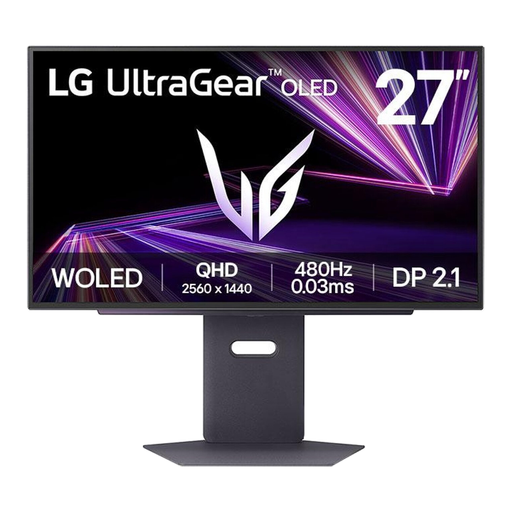 Image unavailable
A QHD OLED model with a headphone output. If you use it for extended periods with static content, factor in the risk of OLED burn-in.
The product information lists 480 Hz, DisplayPort 2.1 and an analogue 3.5 mm headphone output. RTINGS describes displaying the same static elements for long periods as a risk of OLED burn-in.
No, not if the audio goes from your PC or console to your headphones. If you want to connect your headphones to the monitor, check that the exact model has a suitable audio output. On PS5, you can set the audio output separately under Settings and Sound.
Test 1440p under Settings, Screen and Video, then Video Output. PlayStation offers tests there for 60 Hz, 120 Hz and VRR, among other settings. 120 Hz output also requires a compatible display and a game that supports 120 Hz.
Bear in mind the risk of burn-in if the same static elements remain on screen for long periods. RTINGS describes this as a risk with OLED; also read the care instructions and warranty terms for the specific model.
When you buy online from a business, you generally have a 14-day cooling-off period, according to the Dutch government. You’re also entitled to a product that works as it should; there’s no fixed statutory warranty period in the Netherlands. If a product is faulty, the retailer is your point of contact, and any additional manufacturer’s warranty doesn’t replace your statutory rights.