What should you look for when choosing?
First, measure the available space on your desk, including the area taken up by the stand. Then check whether your PC or console supports the resolution and refresh rate you want through the input you plan to use.
| What to consider |
What should you look for? |
Who is this important for? |
| Will the monitor fit on your desk? |
Measure the available width and depth, then compare them with the dimensions including the stand. Gigabyte lists a stand depth of 152 mm for the GS24F14A; BenQ lists 182,6 mm for the EX240N. Also check the VESA size if you’re considering a monitor arm. |
If I have a small desk, I want enough usable space left after setting up the stand; around 28% of consumers prioritise how well it fits. |
| Can you follow fast action clearly? |
Compare the standard refresh rate with any overclocked mode, and treat GtG and MPRT as separate measurement methods. Gigabyte lists 144 Hz as standard and 175 Hz when overclocked for the GS24F14A; AOC lists up to 180 Hz for the 24G4X. |
During fast-paced co-op action, I want to follow movement clearly without treating a single response-time figure as a complete measure of quality; around 22% of consumers prioritise motion handling. |
| Will the picture mode I want work with my device? |
Check your PC or console’s output, cable and the monitor’s input. For the Alienware AW2725DM, Dell lists up to 180 Hz at QHD via DisplayPort and 144 Hz via HDMI. |
I want to be able to use my intended resolution and refresh rate with my PC or console; around 22% of consumers prioritise compatibility with their device. |
| Is the extra image detail worth the space? |
Compare Full HD with QHD and check whether the larger screen will fit your desk and viewing distance. AOC lists the 24G4X as 23,8 inches with 1920 × 1080 pixels; Dell lists the AW2725DM as 27 inches with 2560 × 1440 pixels. |
If sharper environments matter to me, I’ll consider QHD as long as the larger screen fits my setup; around 17% of consumers prioritise extra image detail. |
| How important is contrast in dark scenes? |
Compare the panel type and quoted contrast ratio, but don’t treat them as a complete prediction of picture quality. BenQ lists a native contrast ratio of 3000:1 for the EX240N; its quoted response times of 4 ms GtG and 1 ms MPRT measure different things. |
For dark scenes, I want to take contrast into account without treating speed specifications as equivalent; around 11% of consumers prioritise contrast. |
Gaming monitors at Joybuy
This selection of Joybuy products is intended to help you compare gaming monitors for a small desk. Pay particular attention to the dimensions including the stand, the available connections and the refresh rate your device can use.
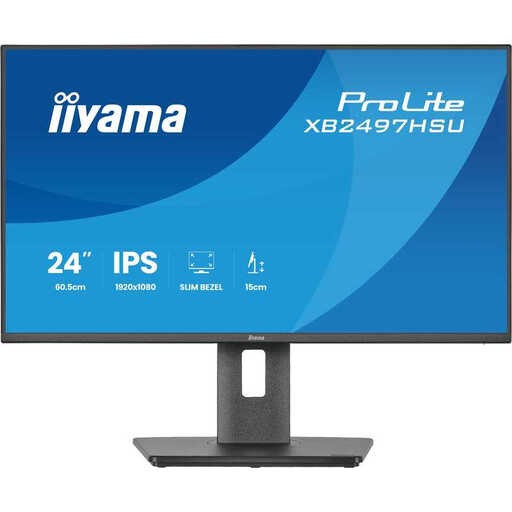 Image unavailable
Iiyama ProLite XB2497HSU-B1, 24-inch Full HD 120 Hz IPS monitor
A compact option if you’re looking for a 24-inch screen and an adjustable viewing position.
The product information lists Full HD, IPS, 120 Hz, Adaptive Sync, HDMI and DisplayPort. According to the product information, the stand is height-adjustable, tiltable, swivel-adjustable and rotatable.
View at Joybuy
 Image unavailable
Dell SE2425HG, 24-inch 200 Hz monitor
This 24-inch gaming monitor is worth comparing if you’re looking for a compact screen with a high quoted refresh rate.
The product information lists Full HD and IPS. According to the product description, DisplayPort 1.2 is required for the quoted 200 Hz; the refresh rate available via HDMI may depend on the source.
View at Joybuy
 Image unavailable
KTC H24B9S gaming monitor
A model to compare with other compact gaming monitors if you want to check that your device supports the resolution and picture mode you need.
Before choosing, check the screen size, resolution and refresh rate of the exact version, and compare them with the connections on your PC or console.
View at Joybuy
 Image unavailable
Gigabyte GS24F14A, 23,8-inch Full HD IPS gaming monitor
A compact option to compare if desk space and an IPS panel are important to you.
Gigabyte lists 144 Hz as standard and 175 Hz when overclocked. The manufacturer lists a stand depth of 152 mm; check that it will fit in your available space.
View at Joybuy
 Image unavailable
Titan Army C24A1H, Full HD VA gaming monitor
A compact VA option to consider if contrast in dark scenes is important to you.
The product information lists a 23,6-inch Full HD VA panel, 240 Hz and a contrast ratio of 3000:1. The stand depth is listed as 196,9 mm; check that it will fit on your desk.
View at Joybuy
Frequently asked questions
Do I need to change any settings after connecting the monitor to get the highest refresh rate?
Yes. Check which combination of resolution and refresh rate is supported through your input, then select a supported picture mode on your device. For the Alienware AW2725DM at QHD, Dell Netherlands lists up to 180 Hz via DisplayPort and 144 Hz via HDMI.
What mount should I use if the stand takes up too much desk space?
Check the VESA size and weight of the exact screen, and make sure the arm and desk can support it. Gigabyte lists VESA 75 × 75 mm for the GS24F14A; BenQ lists 100 × 100 mm for the EX240N. Check these measurements before choosing an arm.
Does 1 ms mean the same thing for every model?
No, the quoted figures may use different measurement methods. BenQ lists 4 ms GtG and, separately, 1 ms MPRT for the EX240N; Gigabyte lists 1 ms MPRT for the GS24F14A, while AOC quotes 1 ms GtG for the 24G4X. So don’t compare these figures as if they were measured in exactly the same way.
What are my rights when I buy a monitor online in the Netherlands?
According to the Dutch government, online purchases from a business generally come with a 14-day cooling-off period; this distance-selling rule doesn’t apply to purchases from a private individual. If a product is faulty, you can contact the retailer. The Dutch government notes that the Netherlands doesn’t have a fixed statutory two-year guarantee period for every product.
Where can I compare the energy consumption of monitors?
Compare the energy labels for the exact models. According to the European Commission, computer monitors are covered by energy labelling for electronic displays. The label shows details such as the energy class, screen diagonal and resolution, and includes a QR code linking to additional product information in EPREL.


