
PC shooter player
Wants to track movement and compares refresh rates, panels and connections. A manufacturer’s claim about motion clarity isn’t a guarantee of better aim.


If you mainly practise competitive shooters on a PC, choose a fast screen that suits your desk and your device’s connections; a high refresh rate alone doesn’t guarantee better aim. If the main issue is a lack of plug sockets, look for USB-C video with enough Power Delivery for your laptop. The monitor will still need its own mains power.
Wants to track movement and compares refresh rates, panels and connections. A manufacturer’s claim about motion clarity isn’t a guarantee of better aim.
Wants to check whether a single USB-C connection can transmit video and charge their laptop sufficiently. The monitor still needs its own mains power.
Also uses the same screen for things other than shooters, and weighs screen size and picture quality against the available space and the requirements of the desired display mode.
Choose this if: you mainly play shooters and want a relatively compact screen.
Bear in mind: a high refresh rate won’t automatically reduce the number of plug sockets you need.
Choose this if: your laptop supports video over USB-C and can be charged with the available power output.
Bear in mind: the monitor will still need mains power; also check that its size suits your desk and games.
Choose this if: you want a larger screen with a stated refresh rate of 240 Hz.
Bear in mind: check that Full HD across 27 inches suits your viewing distance and how you’ll use the screen.
| Consideration | What should you check? | Who should pay particular attention? |
|---|---|---|
| Few plug sockets | Check for USB-C video, your laptop’s charging requirements, the Power Delivery output of the exact model and how many mains plugs you’ll still need. | If I have few plug sockets, I want to know whether a single USB-C connection can charge my laptop and transmit video. Around 33% of consumers want to avoid using several separate power adapters. |
| Motion clarity when practising aim | Check that the connection you’re using and your PC support the refresh rate you want. Don’t treat response-time claims as a measure of total input lag. | When practising shooters, I want to be able to track movement without assuming that a specification will improve my playing ability. Around 27% of consumers prioritise motion clarity. |
| Connecting to gaming hardware | Compare the port, cable, resolution and supported display mode with the output on your own PC, laptop or console. | I want to make sure my device can output the intended combination of resolution and refresh rate through the connection I’ve chosen. Around 20% of consumers prioritise compatibility with their own gaming hardware. |
| Size and other uses | Measure the space available on your desk and check the resolution, aspect ratio and support offered by the games you play. | If I also use the screen for things other than shooters, I weigh the extra screen space against my desk space and the requirements of my games. Around 20% of consumers prioritise versatility and screen space. |
Power Delivery can power a compatible connected laptop, but the monitor itself will still need mains power.
Before you buy, compare your laptop’s charging requirements with the Power Delivery output of the exact monitor model.
If that output isn’t enough for your laptop, you’ll still need a separate laptop charger, which will take up another plug socket.
Dell states that the AW2724HF supports up to 360 Hz at Full HD via DisplayPort and 255 Hz via HDMI. The available mode therefore depends on the connection.
Check which combinations are supported by each port and compare them with the output on your own device.
The Fire Service warns against plugging extension leads into one another.
Plan your mains connections separately and follow the safety guidance; having extra sockets doesn’t automatically mean more power is available.
BenQ describes the XL2546X as a 24.5-inch Fast-TN monitor with a 240 Hz refresh rate, aimed at esports.
Samsung positions the Odyssey G4 LS25BG400EUXEN as a 25-inch Full HD IPS monitor with a 240 Hz refresh rate.
LG lists the UltraGear 34GX900A-B as a 34-inch 21:9 OLED screen with a 240 Hz refresh rate and 65 W USB-C Power Delivery.
ASUS lists the ROG Swift OLED PG32UCDM as a 32-inch 4K screen with a 240 Hz refresh rate and 90 W USB-C Power Delivery.
MSI lists the MAG 272F X24 as a 27-inch Full HD Rapid-IPS panel with a 240 Hz refresh rate.
This Joybuy selection includes gaming monitors with a stated refresh rate of 240 Hz for shooter practice. Also compare their size, resolution and connections with your own setup.
 No image available
An option to compare if you’re looking for a 27-inch gaming monitor with a 240 Hz refresh rate for shooter practice.
Joybuy lists Full HD (1920 × 1080), AMD Adaptive Sync and 0.5 ms. The product information states that it connects to mains power, so this model will take up a plug socket.
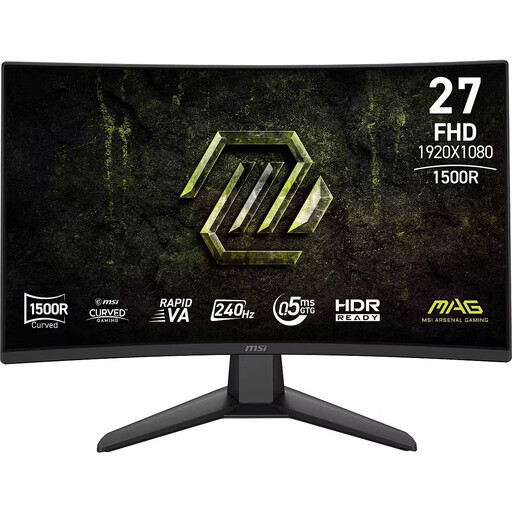 No image available
Compare this model if you want a curved 27-inch monitor with a 240 Hz refresh rate and don’t want to replace your laptop charger with the monitor.
Joybuy lists Full HD, a Rapid VA panel and 0.5 ms. The product information specifies an external power adapter and an earthed plug socket.
 No image available
An option to compare if you’re looking for a 27-inch screen with WQHD resolution for shooter practice.
Joybuy lists 2560 × 1440, a curved Rapid VA panel, 240 Hz, 0.5 ms and FreeSync Premium.
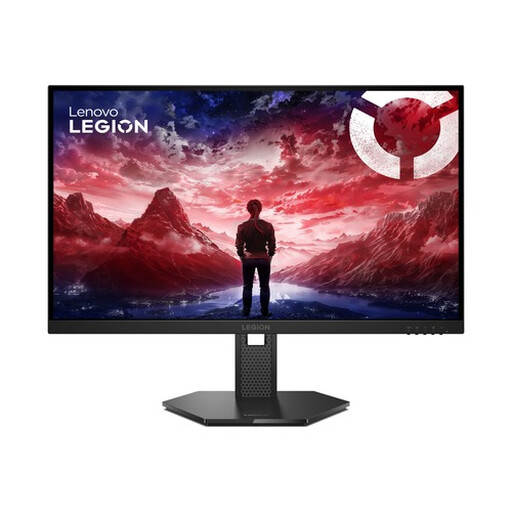 No image available
Compare this model if you’re looking for a 27-inch Full HD screen with a stated 240 Hz refresh rate for shooter practice.
Joybuy lists an IPS panel, 0.5 ms MPRT and support for G-SYNC Compatible and FreeSync Premium.
 No image available
An option to compare if you’re looking for a 27-inch OLED screen with QHD resolution as well as a monitor for shooter practice.
Joybuy lists 2560 × 1440, 240 Hz, HDMI 2.1 and DisplayPort 1.4. Check that your device supports the display mode you want through the connection you’ve chosen.
No. USB-C Power Delivery powers a compatible connected laptop, not the monitor itself. LG lists 65 W for the 34GX900A-B and ASUS lists 90 W for the PG32UCDM. Check that your laptop supports video over USB-C and can charge using the power output provided.
Use an input that supports the resolution and refresh rate combination you want, then select that display mode on your device. Dell states that the AW2724HF supports up to 360 Hz at Full HD via DisplayPort and 255 Hz via HDMI.
The Fire Service advises against plugging extension leads into one another. Plan the mains connections you need separately and follow the safety guidance.
According to ACM ConsuWijzer, the seller is responsible for the statutory guarantee in the Netherlands. If a product doesn’t meet what you could reasonably expect during normal use, you may be entitled to a free repair, replacement or refund; there isn’t one fixed statutory guarantee period for every monitor.
ASUS lists features for the PG32UCDM that are designed to reduce the risk of burn-in, but they don’t eliminate that risk. Follow the manual and check the warranty terms for the specific OLED model.