
Night-time space mission player
Wants to distinguish stars, shadows and bright objects in dark scenes, and weighs OLED contrast against the light in the room.


For space battles in a shared bedroom, 27 inches is a practical starting point; Tweakers also considers this size a good place to start. Choose QHD OLED if deep blacks are important to you, while bearing in mind the risk of static images remaining visible over time. IPS avoids the OLED burn-in risk mentioned here, but blacks are not as deep. An ultrawide is best suited to games that support the wider aspect ratio, provided there is enough room for both the screen and its stand.
Wants to distinguish stars, shadows and bright objects in dark scenes, and weighs OLED contrast against the light in the room.
Needs to fit the screen and stand on a shared desk, and wants to play in the bedroom without relying on built-in speakers. Dimensions and connections vary by model.
Alternates between gaming and desktop use, and considers static images, motion handling and the connections their system needs.
Best for: extended desktop use or anyone looking to avoid the risk of OLED burn-in.
Trade-off: RTINGS says IPS has less deep blacks than OLED.
Best for: gaming in a dark room when deep blacks are a priority.
Trade-off: RTINGS notes a risk of burn-in if the same static elements are displayed for long periods; tests have also observed VRR flicker on certain screens.
Best for: anyone looking for a wider cockpit view who has checked that the game supports the aspect ratio.
Trade-off: the larger screen takes up more space; Tweakers considers ultrawides less suitable for console gaming.
| What to consider | What to look for when buying | Who should consider this? |
|---|---|---|
| Dark space scenes | Compare panel types and black levels, and consider how much light falls on the screen. | I want to distinguish bright objects clearly during dark missions; around 33% of consumers give dark picture quality their highest purchasing priority. |
| Screen size and stand | Measure the available width and depth, then compare them with the dimensions including the stand. Also check whether the model has a headphone socket. | I need to fit the screen on a shared desk and don’t want to rely on monitor speakers; around 27% of consumers prioritise a suitable size. |
| Refresh rate and VRR | Check which resolution and refresh rate the input you use supports with your system; also look into reports of VRR performance when frame rates vary. | I want smooth motion during fast-paced battles, even when the frame rate fluctuates; around 20% of consumers prioritise motion handling. |
| Extended mixed use | Consider how long you use the screen for desktop work with static images, and read the model-specific panel care and warranty information. | I also use the same screen for long periods of desktop work and want to factor in the risk of OLED burn-in; around 20% of consumers give extended mixed use their highest priority. |
A native refresh rate and a higher overclocked figure are not the same thing. AOC lists the Q27G4ZR at 240 Hz native and up to 260 Hz when overclocked; fluctuating frame rates can also make VRR flicker visible on certain screens.
Check the native refresh rate, the connection you’ll use and findings on VRR performance when frame rates fluctuate.
Displaying the same static elements for long periods carries a risk of burn-in with OLED. IPS avoids that risk, but its blacks are less deep, according to RTINGS.
Think about how much you use the screen for desktop work, and read the care and warranty terms for the exact model.
The available desk space and support for the aspect ratio determine whether the extra width will be useful. Tweakers considers ultrawides less suitable for console gaming.
Measure the space required, including the stand, and check whether the game supports the aspect ratio before choosing a model.
The MO27Q2A is a 27-inch QHD QD-OLED model for anyone looking for deep blacks and a high refresh rate in a relatively compact size.
The Q27G4ZR is a 27-inch QHD Fast IPS model for anyone who prioritises speed but doesn’t want an OLED panel.
The AW3426DW is a 34-inch QD-OLED ultrawide for a wider PC setup, provided your desk and game can accommodate the extra width.
The MOBIUZ EX2710Q is a 27-inch QHD IPS model with connections and dimensions specified for the model.
These product picks focus on 27-inch QHD OLED monitors for dark space scenes; with OLED, bear in mind that static images can remain visible over time.
 No image available
The 27-inch OLED size suits anyone who values dark scenes and wants a manageable screen size for a shared desk.
WQHD resolution; 280 Hz as stated in the product name. Displaying the same static elements for long periods carries a risk of burn-in with OLED.
 No image available
This 27-inch OLED model is a good fit for anyone who prioritises dark scenes and wants QHD for a shared room.
QHD resolution of 2560 × 1440; 240 Hz and HDMI 2.1 as stated in the product name. OLED carries a risk of burn-in if the same static elements are displayed for long periods.
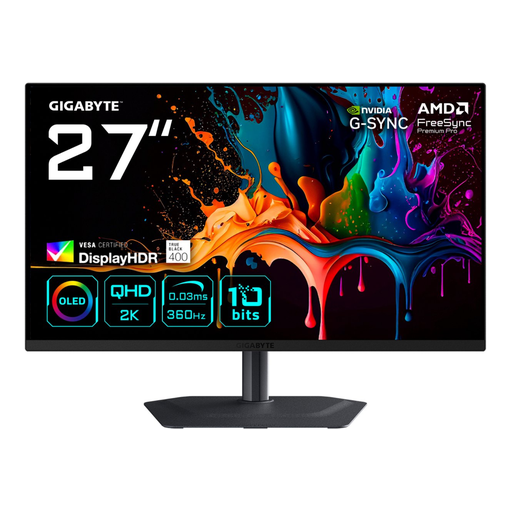 No image available
The 27-inch QD-OLED specification suits anyone looking for an OLED panel for dark games in a size that works well on a shared desk.
QHD resolution of 2560 × 1440 pixels. Bear in mind the risk of OLED burn-in if you use the screen for long periods with static images.
 No image available
This QD-OLED model is an option for anyone looking for deep blacks who feels a 26,5-inch screen is right for a shared room.
WQHD resolution, 16:9 aspect ratio and 240 Hz as stated in the product name. Displaying the same static elements for long periods carries a risk of burn-in with OLED.
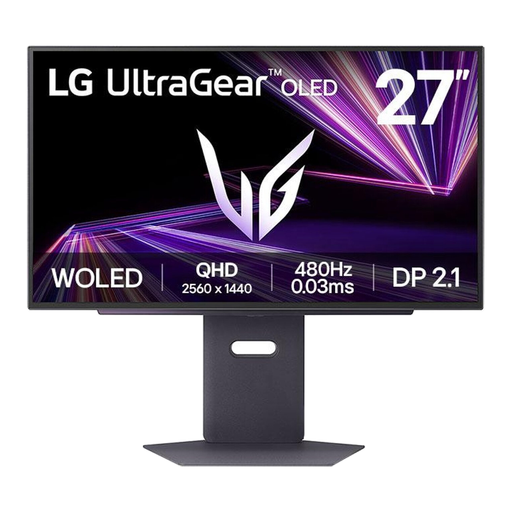 No image available
The 27-inch OLED size suits anyone who values dark scenes and wants a screen that isn’t ultrawide.
The product name lists a resolution of 2560 × 1440 pixels. With OLED, bear in mind the risk of burn-in from displaying the same static elements for long periods.
No. Choose an ultrawide only if the game supports the wider aspect ratio and there is enough room for both the screen and stand. Tweakers considers ultrawides less suitable for console gaming.
Compare the inputs on the exact model with the output on your PC or console, and measure the available space including the stand. Gigabyte lists HDMI 2.1 and DisplayPort 1.4 for the MO27Q2A; BenQ lists HDMI 2.0 and DisplayPort 1.4 for the EX2710Q. These model specifications don’t guarantee that your system can deliver every available refresh rate.
Avoid displaying the same static elements for long periods and follow the care instructions for your chosen model. RTINGS notes a risk of burn-in with OLED; this doesn’t mean an individual screen will suffer burn-in.
For online product purchases, ACM ConsuWijzer says you generally have a statutory cooling-off period of up to 14 days after delivery, with some exceptions. Your statutory guarantee is separate from the manufacturer’s warranty: if a product used normally doesn’t meet what you could reasonably expect, the seller is responsible for providing an appropriate solution free of charge.