
Map-maker working in daylight
You create game maps at a desk with plenty of light and want to reduce reflections without making the editor uncomfortable to read. BenQ, MSI and ASUS describe features and finishes that are relevant to this decision.


Start by considering the light in your room: look at the screen finish and compare typical brightness, not just an HDR peak figure. A matte QHD IPS monitor could suit you if you want to combine map editing with gaming; a larger 4K monitor gives you more pixels for maps and panels. With OLED, it’s worth bearing in mind that static elements can remain visible for long periods, and checking the care instructions for the specific model.
You create game maps at a desk with plenty of light and want to reduce reflections without making the editor uncomfortable to read. BenQ, MSI and ASUS describe features and finishes that are relevant to this decision.
You want to keep the map and tool panels in view at the same time, so you’re comparing QHD with the larger workspace of a 4K screen. The right screen size and scaling setting depend on your desk and setup; BenQ and MSI offer different screen sizes and resolutions.
You switch between editing maps and gaming, and want to know which refresh rate your computer’s connection to the monitor supports. MSI and LG list requirements that can vary by connection.
First, consider the light in your room and how much space you need for the editor. Then check whether the connection you use supports your desired refresh rate.
| What to consider | What should you check? | Who does this matter to? |
|---|---|---|
| Readability in bright conditions | Check the screen finish and compare typical or SDR brightness on the same basis. An HDR peak figure is not a measure of typical brightness. | If daylight or a lamp falls on your screen, you’ll want to see map details and editor panels clearly. Around 36% of consumers rank readability in bright conditions as their top priority. |
| Space for maps and panels | Compare the native resolution and screen size, and check that the monitor will fit on your desk. | If you want to see the map, palettes and other editor panels at the same time, the available workspace matters a great deal. Around 29% of consumers put workspace first. |
| Smooth gaming | Check the maximum refresh rate at the resolution and connection you’ll actually use. | If you switch between map-making and gaming, you’ll want your computer and chosen port to support the display performance you’re after. Around 21% of consumers put gaming speed first. |
| Long-term use and aftercare | For OLED, check the care instructions for the specific model and confirm who the seller is and what warranty terms apply. | If you spend long periods working with fixed editor panels, you may also want to consider possible image retention and after-sales support. Around 14% of consumers prioritise long-term use and aftercare. |
BenQ lists typical brightness of 700 nits and HDR peak brightness of 1000 nits for the EX321UX. Comparing only the higher figure could give you the wrong impression of the brightness you’ll get during extended use.
Compare typical or standard SDR brightness on the same basis, and also check the screen finish.
For the MSI MAG 272QPF E20 at QHD, MSI lists a maximum of 200 Hz via DisplayPort and 144 Hz via HDMI. For 240 Hz on the 27GR83Q-B, LG specifies a compatible DisplayPort 1.4 or HDMI 2.1 output.
Before buying, check that the monitor port, cable and computer output support your desired resolution and refresh rate together.
LG says that static elements left on screen for long periods, such as taskbars or game menus, can cause temporary image retention. Screen finishes also vary by model.
Check the screen finish, care instructions and warranty terms for the OLED model you’re considering.
The MOBIUZ EX321UX is worth comparing if you’re looking for a larger 4K workspace and a matte finish.
The MAG 272QPF E20 is an example of a 27-inch QHD IPS monitor with an anti-glare finish, suited to anyone who combines map-making with gaming.
The G2724D is a QHD IPS model to compare if an anti-glare finish and an adjustable stand matter to you.
The UltraGear 27GR83Q-B is a QHD IPS option for anyone combining map editing with gaming.
The ROG Strix XG27ACS is a 27-inch QHD Fast IPS model to compare if USB-C video is also important to you.
These Joybuy products are aimed at QHD game-map editing, with gaming as a secondary use. Check that each model’s connection and finish suit your room and computer.
 No image available
A QHD option for combining map editing and gaming on one screen. Check that your connection supports the refresh rate you want.
27 inches; 2560 × 1440; 200 Hz; overdrive up to 210 Hz.
 No image available
Worth a look if you want to combine a QHD screen for maps with gaming. Check that your computer and connection support the display performance you need.
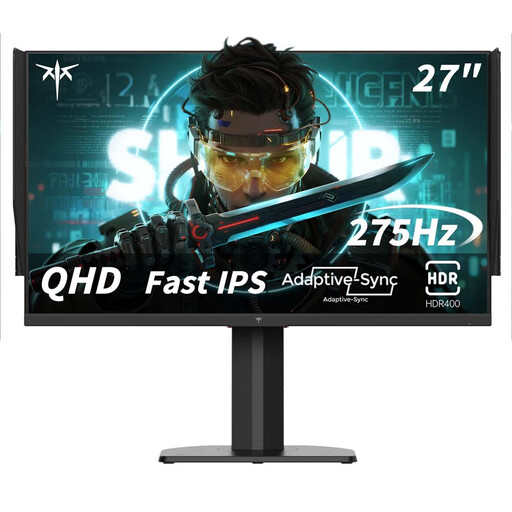
27 inches; 2560 × 1440; 240 Hz; overclocked to 275 Hz.
 No image available
The widescreen aspect ratio could be useful if you want to view your map and editor panels side by side. Check that the screen size suits your desk.
34 inches; 3440 × 1440; 144 Hz; 1500R curvature.
The product name indicates that it has no built-in speakers.
 No image available
A QHD IPS model to consider if you want to combine map editing with gaming. Check the connection and screen finish for the light in your room.
27 inches; 2560 × 1440; 200 Hz.
 No image available
A QHD model to consider if you want to combine map editing and fast-paced gaming on one screen. Check which refresh rate your computer supports via your chosen connection.
27 inches; 2560 × 1440; 240 Hz, overclocked to 275 Hz.
The product name lists HDMI 2.0, DisplayPort 1.4 and a height-adjustable stand.
No. First, check that the map and editor panels fit comfortably on screen and that the display is easy to read in your room’s lighting. Then check the refresh rate for the connection you use: MSI lists different maximum rates for DisplayPort and HDMI on the MAG 272QPF E20.
Follow the care instructions for your specific model. LG says that taskbars or game menus left on screen for long periods can cause temporary image retention, and provides information about pixel cleaning. The controls may vary by model.
According to ACM ConsuWijzer, the seller is responsible for the statutory guarantee if a product is faulty. For a standard online purchase, you generally have a statutory cooling-off period of up to 14 days after delivery; check in advance which exceptions apply.
If you’re a private customer buying a new electrical appliance of a similar type, the Dutch government says you can hand in your old appliance free of charge under the old-for-new scheme, including when you buy online. The Dutch government also lists collection points and municipal recycling centres. Ask the seller how collection is arranged when your new appliance is delivered.