
For players who want a wider view of the stars
You want more screen width while exploring and can check whether the game supports the aspect ratio, and whether your viewing distance and available space are suitable.


An ultrawide monitor suits a space game if the game displays 21:9 or 32:9 properly and you have enough room; check this before choosing. OLED is an option if dark scenes are a priority and you’re happy to factor in panel care and the risk of burn-in. LCD avoids OLED panel care, while 16:9 4K is a good fit if detail matters more than extra width. Make sure the resolution, refresh rate and connection are also compatible with your PC or console.
You want more screen width while exploring and can check whether the game supports the aspect ratio, and whether your viewing distance and available space are suitable.
You prioritise OLED for dark scenes and want to understand panel care and warranty terms before you buy.
You prefer a familiar aspect ratio and 4K detail over extra screen width, provided your system can handle the settings you want.
First, check that your game displays properly in your chosen format and that the monitor will fit in your room. Then weigh up the panel type and resolution against what your PC or console can handle.
| What to consider | What to look for | Who should prioritise this? |
|---|---|---|
| Width and aspect ratio | Compare 21:9 with 32:9; check game support and measure the space available. | If I want a wider view while exploring, I check that my game and setup are compatible. Around 28% of consumers prioritise screen width. |
| Dark scenes and OLED care | Compare OLED with LCD, read the care instructions and check the terms for panel coverage. | If dark scenes matter to you, you could consider OLED, but you should factor in panel care and coverage. Around 22% of consumers make this their top priority. |
| Refresh rate and connection | Check that your device supports your chosen resolution and refresh rate through the input you plan to use. | If smooth visuals are my main priority, I look at how the monitor, connection and system work together. Around 17% of consumers make this their top priority. |
| 16:9 4K | Compare 3840 × 2160 at 16:9 with 3440 × 1440 at 21:9, and check which settings your system can handle. | For consumers who prefer 4K detail in a familiar aspect ratio over extra width, this matters to around 17%. |
| Care, energy use and your purchase rights | Check the energy information for the exact model and review the warranty terms and your rights with the seller. | If predictable panel care, running costs and after-sales support are important to me, I factor them into my choice. Around 16% of consumers prioritise these points. |
A 21:9 or 32:9 specification doesn’t tell you how a particular game will display at that aspect ratio.
Before screen width becomes the deciding factor, check the aspect ratios and interface in the games you actually play.
MSI describes burn-in as a lasting risk. For the MAG 341CQP QD-OLED, MSI states that its three-year OLED panel coverage includes burn-in; the Joybuy product page lists a two-year manufacturer’s warranty. The terms that apply may therefore affect your purchase.
Check which terms apply to the exact model, seller and any panel burn-in. Distinguish between voluntary coverage and your statutory rights with the seller.
Panel care takes attention during use. Before buying, check which care instructions and warranty terms apply to your purchase.
A stated maximum isn’t automatically available with every connection or device. ASUS lists 160 Hz for the XG32UQ when overclocked; variable refresh requires compatible hardware and settings.
Check that your PC or console supports the combination of resolution, input and refresh rate you want.
The UltraGear 34GX900A-B is a 34-inch 21:9 OLED option for anyone looking for a wide picture and a high stated refresh rate.
The MAG 341CQP QD-OLED is a 34-inch 21:9 alternative with OLED Care 2.0.
The Evnia 34M2C3500L/00 is a 34-inch ultrawide Fast VA LCD option for anyone who would rather avoid OLED panel care.
The Odyssey G9 G95C, model LS49CG954EUXEN, is a 49-inch super-ultrawide LCD option for a spacious setup.
The ROG Strix XG32UQ is a 32-inch 4K Fast IPS option for anyone who doesn’t want an ultrawide format.
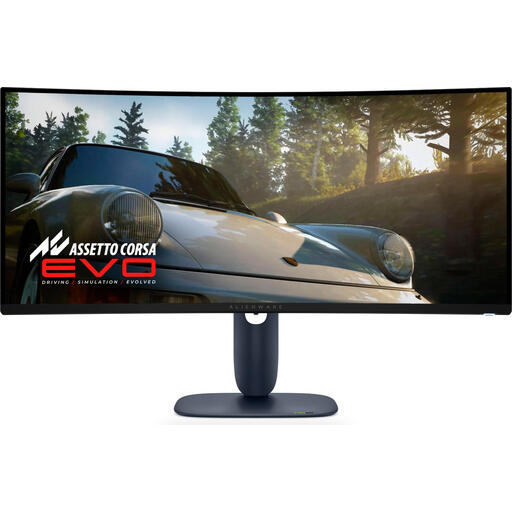
This selection includes ultrawide OLED and LCD monitors, as well as 4K monitors for weighing up a wide gaming view, dark scenes or detail in a familiar aspect ratio.
 No image available
A good fit if you’re looking for a wide OLED picture for gaming and want to factor in panel care.
21:9, 3440 × 1440, 240 Hz and OLED. The product details also list 800R curvature, HDMI 2.1 and Adaptive Sync.
OLED comes with a risk of burn-in; follow the care instructions for the model.
 No image available
An option if you’re looking for an extra-wide 32:9 picture and have enough room for the monitor.
VA panel, 5120 × 1440 and 165 Hz; the product details list 1500R curvature, HDMI 2.1, DisplayPort 1.4 and FreeSync.
The product description calls for a desk or mount with a load capacity of at least 15 kg and recommends assembly by two people.
 No image available
A good fit if you want 4K detail on a more familiar screen size with an OLED panel.
The product details list a 31.5-inch QD-OLED panel, 3840 × 2160, 165 Hz and HDMI 2.1. HDR True Black 400 is also listed.
OLED comes with a risk of burn-in; follow the care instructions for the model.
 No image available
An option if you want a wide OLED picture; check that your game displays 21:9 properly and bear panel care in mind.
21:9, 3440 × 1440 and 240 Hz. The product details also list QD-OLED, HDR10 and HDMI 2.1.
OLED comes with a risk of burn-in; follow the care instructions for the model.
 No image available
A good fit if you’re looking for a wide LCD screen and would rather not have OLED panel care to consider.
The product details list a curved 34-inch UWQHD VA LCD panel, 180 Hz and Adaptive Sync.
Not always. Check the input, settings and capabilities of your PC or console. For example, ASUS lists 160 Hz as an overclocked rate for the XG32UQ; AMD describes variable refresh as a feature that requires compatible hardware and settings.
Follow the panel care instructions for your chosen model. MSI describes OLED Care as a way to reduce the risk of burn-in, not as proof that burn-in is impossible. Also check the terms for panel coverage that apply to your purchase.
Look up the exact model on the EU energy label or in EPREL and compare the energy information shown. Costs also depend on how long you use the monitor and your settings, so base your calculations on your own usage rather than assuming a saving from the panel type alone.
For distance purchases, you generally have a 14-day cooling-off period, with some exceptions. You’re also entitled to a product that lasts as long as you could reasonably expect; if it develops a fault sooner, the seller must put things right in line with the rules. The manufacturer’s warranty does not, by itself, determine how long your statutory rights last.