
Gamers in bright rooms
If you often play in daylight or with the room lights on, pay attention to both reflection handling and SDR brightness. RTINGS.com describes both as factors that affect how well you can see the picture in a bright room.


Start by considering the light in your room: a high refresh rate is of little use if reflections make it difficult to see what’s happening on screen. Then choose the resolution and refresh rate your PC can actually deliver through the connection you plan to use. A fast LCD monitor is a practical choice in a bright room; OLED may suit you if you can control the light and take the risk of burn-in from prolonged static images into account.
If you often play in daylight or with the room lights on, pay attention to both reflection handling and SDR brightness. RTINGS.com describes both as factors that affect how well you can see the picture in a bright room.
If fast movement matters to you, look beyond the Hz rating and consider your PC’s performance, the input you use, and information about motion blur and input lag. RTINGS.com highlights these features as relevant for fast-paced games.
If you want more detail as well as fast-paced gaming, check whether your PC can handle your chosen resolution and refresh rate at the same time. AOC lists the Q27G4XF as offering QHD at 180 Hz.
First compare how well the screen handles light and reflections. Then decide which combination of resolution and refresh rate your PC can achieve through your chosen connection.
| What to consider | What should you check? | Who should consider this? |
|---|---|---|
| Visibility in daylight | Compare the exact model’s SDR brightness and reflection measurements. Also consider where windows and lights are in relation to the screen. | If I want to see in-game information clearly in daylight, I consider both brightness and reflections. Around 34% of consumers say visibility is their main concern. |
| Motion and responsiveness | Look at independent tests of motion handling and input lag. A quoted response time alone doesn’t tell you everything about performance at different refresh rates. | When fast movement in online matches matters more to me than extra resolution, I look beyond the Hz rating. Around 33% of consumers prioritise speed. |
| Detail and achievable refresh rate | Check how your PC performs in the games you play, and the resolution and refresh-rate combination supported by the exact monitor connection you use. | If I want QHD detail without choosing a refresh rate my PC can’t achieve, I compare both requirements together. Around 20% of consumers prioritise QHD detail and system compatibility. |
| Long-term use | Check the exact model’s energy label. For OLED, also consider prolonged static images and the warranty terms. | If usage time, energy consumption and aftercare matter more to me than the highest specifications, I factor them into my choice. Around 13% of consumers say this is their main concern. |
A high quoted refresh rate doesn’t guarantee low input lag or clear motion. The settings available may also vary between inputs.
Check the input specifications, the frame rate your PC achieves in your games, and independent motion measurements.
Direct reflections and SDR brightness are separate factors. An HDR label alone doesn’t tell you how visible the screen will be in your room.
Compare SDR and reflection tests, and take the position of windows and lights into account.
Displaying the same image elements for long periods can lead to burn-in on OLED screens. The amount of ambient light also affects your choice of panel.
Consider the light in your room and how often static images are displayed, and check the terms for the exact model.
The TUF Gaming VG259QM is an example of a compact Full HD IPS monitor with a high refresh rate.
The Q27G4XF is an example of a 27-inch QHD IPS monitor with a 180 Hz refresh rate.
The XL2566K is a Full HD TN option for anyone who prioritises a high refresh rate.
The UltraGear 27GS95QE-B is a QHD OLED model with a quoted refresh rate of 240 Hz.
The G2725D shows how the maximum QHD refresh rate can vary depending on the connection.
These Joybuy picks are suited to fast-paced online gaming, with Full HD and QHD models and specifications for different connections and use cases.
 No image available
Suited to anyone who plays fast-paced Full HD games and wants to check the limits of their chosen connection.
Product information lists Fast IPS and typical brightness of 300 cd/m².
Quoted maximum: 300 Hz via DisplayPort and 240 Hz via HDMI.
FreeSync Premium is listed.
 No image available
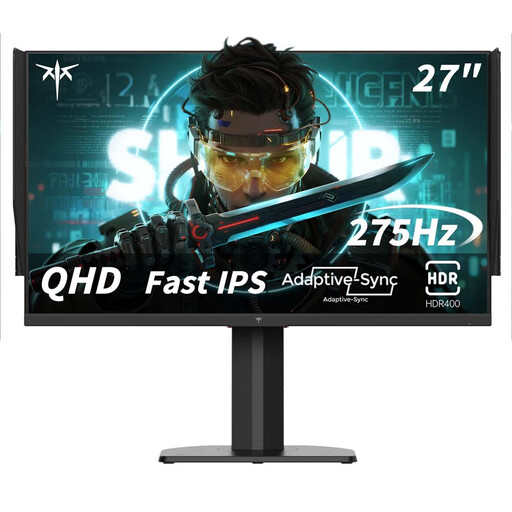
Suited to anyone looking to combine QHD detail with a high quoted refresh rate. Check whether your PC can handle it in the games you play.
The product title lists Fast IPS, 2560 × 1440, 240 Hz and an overclocking option up to 275 Hz.
FreeSync and G-Sync compatibility are listed.
 No image available
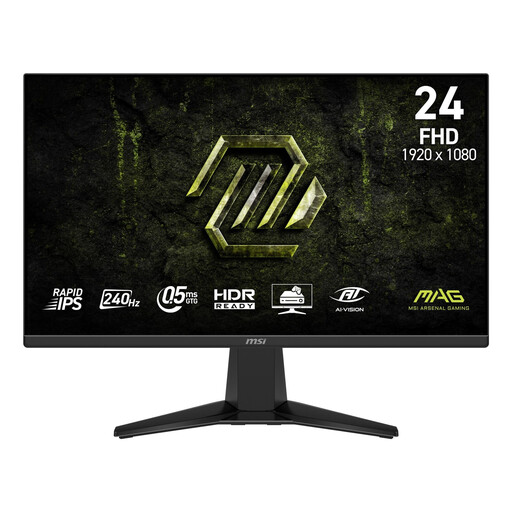
Suited to anyone looking for a compact Full HD monitor for fast-paced gaming, who also wants to consider anti-glare performance and brightness.
Product information lists Rapid IPS, an anti-glare surface and SDR brightness of 300 nits.
The title lists 240 Hz; Adaptive-Sync is mentioned in the product information.
 No image available
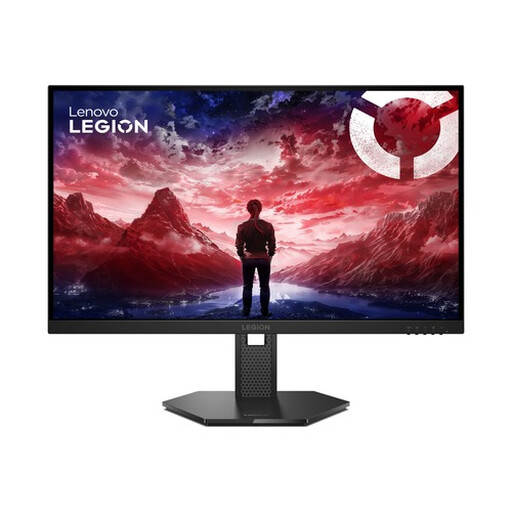
Suited to anyone looking to combine Full HD and 240 Hz, and who also considers the stated anti-glare performance and brightness when using the monitor in a bright room.
Product information lists IPS, 300 cd/m² and an anti-glare surface.
The title lists 240 Hz. G-SYNC compatibility and FreeSync Premium are mentioned.
 No image available
Suited to anyone looking for a compact Full HD screen with a high quoted refresh rate for fast-paced gaming.
Product information lists 320 Hz and 450 nits. These are specifications, not independent measurements of performance in your room.
The title mentions adjustable positioning.
No. An HDR label alone doesn’t tell you how visible a screen will be in a bright room. Look separately at SDR brightness and reflection handling; the term HDR10 alone doesn’t mean a display is DisplayHDR-certified.
Use an input that supports your chosen resolution and refresh-rate combination, then select that refresh rate in your system’s display settings. Check the specifications for the exact model: ASUS lists a maximum of 280 Hz via DisplayPort and 240 Hz via HDMI for the VG259QM.
Compare the exact model’s EU energy label. If you’re considering OLED, take the risk of burn-in into account if the same image elements are often displayed for long periods. Also read the applicable warranty terms; panel type alone doesn’t determine what’s covered.
According to the Dutch government, distance purchases generally come with a 14-day cooling-off period, subject to exceptions. In the Netherlands, there is no fixed statutory warranty period: if a product is faulty, the seller must provide a solution. This is separate from any manufacturer’s warranty.
The applicable EU rules cover computer monitors as electronic displays and set requirements for energy labels and product information, with exceptions for certain categories. For a specific model, check its label or EPREL listing.