
Players who want to see into dark scenes
If atmosphere and individual points of light matter most, compare black levels and uniformity before prioritising a higher refresh rate. RTINGS looks specifically at black uniformity in dark scenes.


If you mainly play in a dark room and deep blacks and small points of light matter to you, OLED suits those priorities. A mini-LED LCD is worth considering if you often have the same HUD on screen for long periods and want to avoid the specific risk of OLED burn-in. OLED can show VRR flicker, while mini-LED can produce halos around bright objects. Compare tests of the exact model and check that your PC or console can deliver your preferred resolution and refresh rate through the connection. RTINGS explains these differences between panel technologies.
If atmosphere and individual points of light matter most, compare black levels and uniformity before prioritising a higher refresh rate. RTINGS looks specifically at black uniformity in dark scenes.
If you keep maps, status bars or inventory menus on screen for long periods, you may want to weigh the risk of OLED burn-in against possible blooming on an LCD. RTINGS explains the risk of OLED elements remaining unchanged for extended periods.
If you want a steady image during movement, look beyond the quoted refresh rate. Check for VRR flicker and dark motion smearing too. RTINGS discusses these effects across different panel types.
Start with what you notice most in your games: dark details, a HUD that stays on screen for a long time, motion at variable frame rates, or the connection to your PC or console.
| What to consider | What should you check? | Who should weigh this more heavily? |
|---|---|---|
| Black levels | Compare black uniformity and, on LCDs, local dimming and halos around small points of light. Also check the picture mode you’ll actually use. | If I want to make out shadows and small light sources clearly, black levels come first. Around 38% of shoppers choosing a monitor have this as their top priority. |
| Fixed HUD | Read the care instructions for the exact OLED model and check the terms for any burn-in cover. | For long sessions with the same maps or status bars on screen, I want to factor in the risk of OLED burn-in. Around 23% of shoppers put fixed HUD elements first. |
| Motion and VRR | Look for tests of the exact model that check for VRR flicker and dark motion smearing, including at lower or variable frame rates. | If my frame rate often changes, I want an image that stays steady. Around 23% of shoppers prioritise smooth motion. |
| PC or console connection | Check that the resolution, refresh rate and VRR support you want are available on both your gaming device and the monitor connection you’ll use. | I want to be sure my PC or console can run the picture mode I’ve chosen. Around 16% of shoppers say compatibility with their system is the deciding factor. |
These labels don’t tell you on their own how uniform the blacks look or how local dimming performs in dark scenes. Mini-LED can show halos, and performance varies by model.
Compare black uniformity, HDR and VRR tests for the exact monitor, ideally with settings that match how you plan to use it.
VRR flicker can be visible when frame rates vary, and VA panels can also show dark motion smearing. The quoted refresh rate doesn’t tell you about these effects.
Check independent measurements of the exact model and make sure your PC or console supports the output you want.
A manufacturer may set conditions for extra cover, such as following specific screen-care instructions. This is separate from your statutory rights under Dutch consumer law, which apply to the retailer.
Read the care and warranty terms for the specific model and keep the product information. The Dutch government states that there is no fixed statutory warranty period in the Netherlands.
The Q27G3XMN/BK and Q27G4ZDR are different models: a mini-LED LCD and a QD-OLED monitor respectively.
The AW2726DM is a QHD QD-OLED model for those who prefer OLED to LCD.
The MAG 271QPX QD-OLED E2 is a 27-inch QHD QD-OLED model.
The UltraGear 27GS95QE-B is a WOLED model that can serve as a specifications reference.
This selection includes OLED monitors and mini-LED models for playing survival games in dark scenes. Check which trade-offs and picture modes suit the way you play for each model.
 No image available
QD-OLED is worth considering if you’re looking at OLED for dark scenes. If you play for long sessions with a fixed HUD, bear the risk of burn-in in mind too.
27 inches, QHD 2560 × 1440 and 280 Hz, according to the product name.
 No image available
This QD-OLED model is worth comparing if black levels in dark scenes are a priority. Factor in the risk of OLED burn-in if you often have the same HUD on screen.
26.5 inches, WQHD, 240 Hz and 16:9, according to the product name.
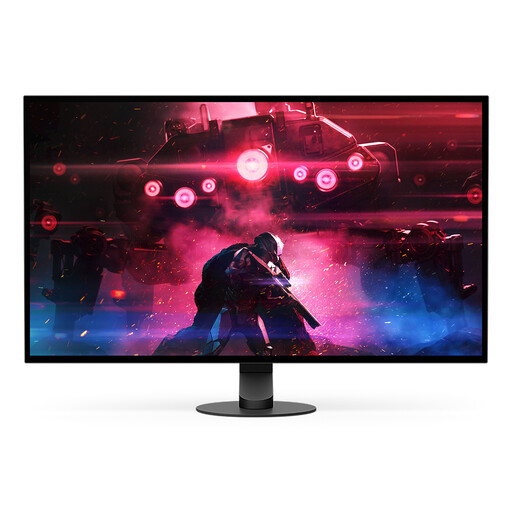 No image available
This OLED monitor is worth comparing if you’re considering OLED for dark scenes. Burn-in remains a consideration if you keep the same HUD on screen for long periods.
26.9 inches, OLED and 2560 × 1440, according to the product name.
 No image available
A mini-LED LCD is worth comparing if you’re looking for an LCD alternative with local dimming. Bear in mind that halos can appear around small, bright objects.
Mini LED, 1152 zones, QHD 2K and 275 Hz, according to the product name.
 No image available
This mini-LED model is worth comparing if you’re looking for local dimming in dark scenes. Mini-LED LCDs can still show halos around small points of light.
4K at 160 Hz or FHD at 320 Hz, according to the product name. Check that your PC or console supports the mode you want.
No. Check black uniformity too, and, on LCDs, how local dimming works and whether halos appear on the exact model. RTINGS highlights black uniformity as something to consider when viewing dark scenes.
On your PC or console and in the monitor menu, check which resolution, refresh rate, HDR mode and VRR setting are actually active. Test dark scenes using the settings and variable frame rates you expect while gaming.
Follow the care instructions for the exact model and read the terms of any manufacturer cover for burn-in. AOC says its stated burn-in cover for the Q27G4ZDR depends on following specific screen-care instructions; this isn’t a general condition for all OLED monitors.
No. The Dutch government says there is no fixed statutory warranty period in the Netherlands. You can expect a product to meet reasonable standards, and if something is wrong, the retailer must provide a solution. A manufacturer’s warranty is separate.
According to the Dutch government, when you buy a new, similar appliance, the free take-back scheme also applies to online delivery. When placing your order, ask how the return will be arranged if collection at the same time isn’t possible.