
Players tracking fast movement
You practise fast camera movements and want to assess how motion looks at the refresh rate your system actually achieves. BenQ ZOWIE and RTINGS both cover refresh rates and motion clarity as important factors.


There’s no single panel type that suits everyone practising in a dark room. Choose based on what bothers you most, whether that’s blurred movement, a lack of detail in dark scenes or screen flicker. OLED combines deep blacks with fast pixel transitions, while an esports-focused TN monitor or a fast IPS monitor involves different trade-offs. RTINGS does, however, note a risk of burn-in with OLED when static elements are displayed for long periods. Check that your PC or console can handle your chosen resolution and refresh rate over the connection you’ll be using, and assess strobing and VRR separately for flicker and brightness.
You practise fast camera movements and want to assess how motion looks at the refresh rate your system actually achieves. BenQ ZOWIE and RTINGS both cover refresh rates and motion clarity as important factors.
You play in a dark room and want to judge shadow detail without confusing deep blacks with a setting that brightens dark areas. RTINGS and Philips Netherlands describe these different picture options.
You want to find out whether strobing or VRR flicker feels comfortable, even when you’re trying to reduce motion blur or tearing. RTINGS discusses the potential effects of strobing on brightness and flicker, and of VRR on the picture.
Start with the issue you notice most while practising. Then compare the supported display mode and settings with your own PC, console and setup.
| Factor | What should you check? | Who is this important for? |
|---|---|---|
| Motion clarity | Check the refresh rate supported by your connection and test motion reduction using your usual settings. | When practising fast camera movements, I want to track motion clearly without an unpleasant picture as a side effect. Around 31% of consumers cite motion clarity as their main concern when buying. |
| Visibility in dark scenes | Compare black levels with any shadow or FPS mode in the same game. | I want to distinguish deep blacks from brightened shadows in a dark scene. Around 31% of consumers prioritise visibility in dark scenes. |
| Compatible display mode | Check the resolution and Hz supported by each input, then compare them with the output and settings of your PC or console. | I want to be able to use my chosen resolution and refresh rate with my own setup. Around 23% of consumers cite practical usability as their main concern when buying. |
| Comfort and maintenance | Assess strobing and VRR separately. For OLED, check the maintenance features and warranty terms for the specific version. | I want settings that remain comfortable during longer practice sessions, and I want to understand the maintenance trade-offs in advance. Around 15% of consumers prioritise visual comfort and maintenance. |
The stated refresh rate alone doesn’t tell you how motion will look when your system delivers fewer frames or uses a different signal mode. RTINGS discusses both refresh rates and motion measurements.
Check the resolution and refresh rate your PC or console can deliver through the input you’ve chosen, and compare motion measurements at relevant refresh rates.
Black levels and brightening dark areas are different picture options. Philips says the FPS mode on the 27M2N5500/01 brightens dark areas of the image; this isn’t the same as deeper blacks.
Compare the standard picture mode with any shadow mode in the same game, and see which display makes it easier to pick out the details you’re looking for.
RTINGS says backlight strobing can reduce motion blur, but it may also reduce brightness and cause flicker.
Check whether the mode is available at your chosen refresh rate, and test it separately from VRR in the games you play.
According to RTINGS, OLED displays can be at risk of burn-in if the same static elements are shown for long periods. A maintenance feature or warranty term doesn’t automatically mean there’s no risk.
Read the warranty terms for the exact version and check what’s covered. ACM ConsuWijzer also makes clear that, if a product is faulty under normal use, the seller is responsible for providing an appropriate solution free of charge.
The XL2566X+ is an example of an esports-focused Fast TN monitor. BenQ lists 400 Hz, DyAc 2 and Black eQualizer for this model.
The ROG Swift OLED PG27AQWP-W is an example of an OLED monitor with two stated modes: QHD at 540 Hz and HD at 720 Hz, according to ASUS.
The 27GX704A-B is an example of a QHD OLED monitor with a 240 Hz refresh rate, according to LG.
The 27M2N5500/01 is an example of a fast IPS monitor with QHD, 180 Hz, FreeSync and an FPS picture mode that brightens dark areas, according to Philips.
The MAG 272QP QD-OLED X50 is an example of a QHD QD-OLED monitor with a 500 Hz refresh rate and OLED Care 2.0, according to MSI.
This selection of Joybuy products includes VA, OLED and IPS gaming monitors for anyone weighing up fast movement and picture quality in dark scenes.
 No image available
A VA option for anyone looking for QHD at 240 Hz; the product description also mentions Night Vision.
The title lists FreeSync Premium and 0,5 ms. The stated refresh rate is achievable if your system and connection support the mode you want.
 No image available
A QD-OLED option for anyone looking for QHD at 240 Hz and deep blacks.
The product name lists 0,03 ms GtG, HDR10, G-SYNC Compatible and VESA Adaptive-Sync. OLED displays can be at risk of burn-in if static elements are shown for long periods.
 No image available
A QD-OLED model for anyone looking to combine QHD at 280 Hz with deep blacks.
The product name specifies a white version; the product description lists 0,03 ms GtG, G-SYNC compatibility and FreeSync Premium Pro. OLED displays can be at risk of burn-in if static images are shown for long periods.
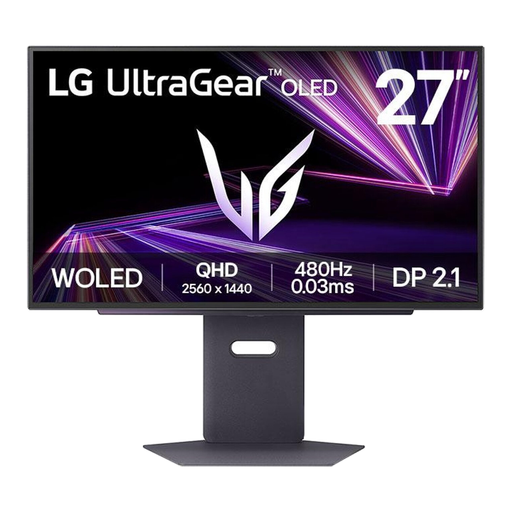 No image available
An OLED option for anyone looking for QHD and a high stated refresh rate; the product description lists 480 Hz.
The product description lists 0,03 ms GtG, DisplayPort 2.1 and compatibility with G-SYNC and FreeSync. Static images displayed for long periods can pose a risk of burn-in.
 No image available
A fast IPS option for anyone looking for 240 Hz who would rather avoid the risk of OLED burn-in. IPS generally has less deep blacks than OLED, according to RTINGS.
The product name lists Adaptive Sync and 0,5 ms. The product description mentions AI Vision for dark areas; assess this picture mode separately from the standard display.
No, OLED isn’t automatically the right choice for every player. OLED offers deep blacks, but static images displayed for long periods can pose a risk of burn-in. Also check the maintenance features and any VRR flicker on the specific model. A fast TN, IPS or tested VA monitor may be a better fit if you prioritise other factors.
Don’t enable both automatically; test the settings separately in your own game. RTINGS says strobing can reduce motion blur, but it may also reduce brightness and cause flicker. VRR can help reduce tearing when frame rates vary, although some monitors may visibly flicker when it’s enabled.
Compare the resolution and Hz supported by each input with the output and settings of your PC or console. ASUS lists QHD at 540 Hz and HD at 720 Hz for the ROG Swift OLED PG27AQWP-W, so the 720Hz mode isn’t QHD.
Check which pixel maintenance features the exact model has, and read the written warranty cover for burn-in. A commercial warranty is separate from your statutory rights. ACM ConsuWijzer says that, if a product is faulty under normal use, the seller is responsible for providing an appropriate solution free of charge. There isn’t one fixed statutory warranty period in the Netherlands that applies to every monitor.
Online purchases generally come with a 14-day cooling-off period after delivery, subject to applicable exceptions. ACM ConsuWijzer explains this cooling-off period for online purchases. EU rules on energy labels apply to monitors; compare the energy label and product information sheet for the exact model if energy use is a factor for you.