Start by asking whether you can make out details in dark scenes, then check how your device receives its picture and power. OLED can produce deep blacks, but static on-screen elements displayed repeatedly for long periods can pose a risk of burn-in, as RTINGS explains. USB-C Power Delivery can do away with a separate charger for a compatible laptop if the power output is sufficient while gaming; a monitor, console or desktop PC still needs its own mains power.
Who is this relevant to?
Laptop gamer with one spare power socket
You want to use one monitor for the picture and, if your laptop and monitor are compatible and the power output is sufficient, to charge your gaming laptop. LG Netherlands lists USB-C Power Delivery for the 34GX900A-B.
Stealth gamer looking for detail in the dark
You want to make out shadows in dark game environments and compare OLED with LCD without relying solely on an HDR logo. RTINGS discusses both OLED's ability to display blacks and considerations around dark details and burn-in.
Console or PC gamer with a fixed set-up
You want the size, aspect ratio and connections to suit your existing device. A video connection does not replace the mains power supply for a console or desktop PC.
What should you look for when choosing?
| Consideration |
What should you check? |
Who should give this more weight? |
| Fewer power sockets in use |
Check whether USB-C video is supported and compare the Power Delivery output with your laptop's needs while gaming. Also count the mains plugs required by your other devices. |
If you have only one spare socket, you'll want to know whether a single connection can provide both a picture and enough power for your laptop. Around 29% of consumers prioritise using fewer separate power supplies. |
| Visibility in dark stealth scenes |
Compare tests of the exact model in dark scenes and check how clearly shadows are shown. Don't judge HDR by its logo alone. |
If you want to spot hidden details in shadowy game environments, weigh black levels against shadow detail that's easy to make out. Around 29% of consumers prioritise picture quality in dark scenes. |
| Compatibility and space |
Check the resolution and Hz supported by each input, the aspect ratio and your device's connections. Also measure the space available on your desk. |
If you want to keep using your existing PC or console, the screen size and picture settings you want need to suit it. Around 24% of consumers cite system compatibility as a key consideration. |
| OLED use and aftercare |
Read the care instructions and warranty terms for the exact model; distinguish between a commercial warranty and your statutory rights. |
If you play games with a persistent HUD, you'll want to weigh up the risk of static images and the aftercare terms. Around 18% of consumers focus mainly on OLED use and lifespan. |
Pitfalls when buying with limited power sockets
-
Assuming USB-C on a monitor guarantees one-cable gaming
A USB-C port, video support and sufficient Power Delivery are separate requirements. If the power output isn't enough while gaming, you'll still need a separate laptop charger.
Check your laptop's USB-C video capabilities and the monitor's charging output before changing your power set-up.
-
Assuming deep OLED blacks always mean visible shadow detail
Deep blacks and clear visibility of dark details aren't the same thing. According to RTINGS, the way dark details appear and the effect of ambient light can vary between OLED types and situations.
Compare measurements for the exact model and check the settings in a gaming space similar to your own.
-
Assuming an OLED protection feature rules out burn-in
Protection features are designed to reduce risk, not prove that burn-in is impossible. A commercial warranty and your statutory rights are also not the same thing.
Follow the care instructions for the specific model and read the terms for panel and burn-in cover.
-
Choosing a high Hz rating without checking your gaming source
The resolution and refresh rate you can achieve also depend on the device, connection and picture setting you choose.
Compare the modes supported by each connection on both the monitor and your PC or console.
Brands with relevant monitor ranges
LG
According to LG Netherlands, the UltraGear 34GX900A-B combines a 34-inch 21:9 OLED screen with 65 W USB-C Power Delivery and built-in speakers.
- Worth comparing if you use a compatible laptop and want to combine video and charging over USB-C.
- 65 W doesn't guarantee that every gaming laptop can run without its own charger while you play; also bear in mind the risk of OLED burn-in.
MSI
The MPG 321URX QD-OLED is a 32-inch 4K model with 240 Hz; the MPG 341CQR QD-OLED X36 is a separate ultrawide option.
- MSI lists OLED Care 2.0 and HDMI 2.1 with support for 120 Hz on consoles for the MPG 321URX.
- These model specifications don't prove that the two versions have the same connections, power supply or performance.
Philips
According to Philips Netherlands, the Evnia 27M1C5500VL/01 is a 27-inch QHD LCD model with a stated maximum of 165 Hz.
- A specific LCD model to compare with OLED if you don't want to choose OLED.
- The stated resolution and refresh rate alone don't tell you how dark stealth scenes will look.
ASUS
According to ASUS, the ROG Swift OLED PG27AQDM has a 26.5-inch visible screen, QHD resolution and 240 Hz.
- A smaller OLED size to compare if desk space is a consideration.
- ASUS lists an anti-reflective coating and measures to reduce the risk of burn-in; this doesn't confirm that it can provide suitable power to your laptop.
Dell
According to Dell Netherlands, the Dell 27 Plus S2725DC is a 27-inch QHD IPS monitor with 144 Hz, USB-C and integrated speakers.
- This combination could be relevant if USB-C connectivity and built-in audio matter to you.
- Check the charging output of the exact version; IPS doesn't guarantee OLED-like contrast.
Joybuy products for this set-up
This selection includes OLED and LCD monitors to compare for dark games and a set-up with limited power sockets. USB-C charging will only help if your laptop supports video over USB-C and the power output is sufficient for your needs.
 No image available
LG UltraGear 34GX900A-B 34-inch WQHD OLED gaming monitor
Suited to anyone who wants to compare OLED with USB-C power for a compatible laptop.
34 inches, 3440 × 1440, 21:9 and 240 Hz. LG Netherlands lists 65 W USB-C Power Delivery; whether that's enough while gaming depends on the laptop.
OLED can be at risk of burn-in when static on-screen elements are displayed repeatedly for long periods.
View at Joybuy
 No image available
INNOCN CB27U1 27-inch 4K UHD monitor
Suited to anyone looking at an LCD alternative with USB-C Power Delivery for a compatible laptop.
27 inches, 3840 × 2160, IPS, 120 Hz and USB-C with 90 W Power Delivery.
View at Joybuy
 No image available
KTC M27P6 27-inch 4K Mini-LED gaming monitor
Suited to anyone comparing a Mini-LED option with OLED and considering USB-C power for a laptop.
The product name lists 4K at 160 Hz or FHD at 320 Hz, HDR1400 and Type-C with 65 W Power Delivery. Check which modes your device supports and whether the power output is sufficient for your laptop.
View at Joybuy
 No image available
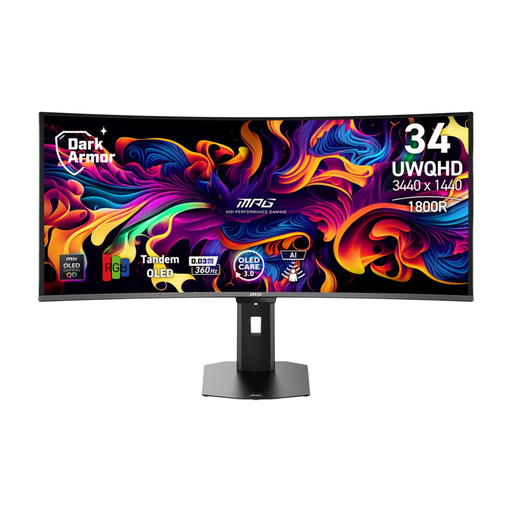
MSI MPG 341CQR QD-OLED X36 34-inch monitor
Suited to anyone comparing an ultrawide OLED monitor with USB-C Power Delivery for a compatible laptop.
3440 × 1440 and 21:9. The product specification lists up to 98 W USB-C Power Delivery for this model; check whether that's right for your laptop.
OLED can be at risk of burn-in when static on-screen elements are displayed repeatedly for long periods.
View at Joybuy
 No image available
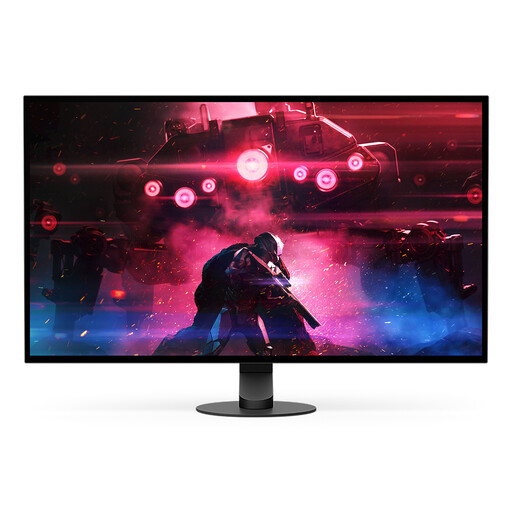
Sony INZONE M10S 26.9-inch QHD OLED monitor
Suited to anyone comparing a smaller QHD OLED screen for gaming.
The product name lists 2560 × 1440 pixels. OLED can be at risk of burn-in when static on-screen elements are displayed repeatedly for long periods.
View at Joybuy
Frequently asked questions
Can one USB-C cable provide both a picture and power to my gaming laptop?
Only if your laptop's USB-C port supports video output and the monitor's charging output is sufficient for your needs. LG lists 65 W for the 34GX900A-B; compare this with your laptop's power requirements while gaming. The monitor itself still needs to be connected to mains power.
How should you use an OLED monitor if a game displays the same HUD for a long time?
Follow the protection and care instructions for the exact model, and don't leave static elements on screen for longer than necessary. RTINGS identifies repeated static images as a burn-in risk. MSI describes OLED Care 2.0 as a feature to reduce that risk, not as a guarantee that burn-in can't happen.
What information can help you compare monitor power consumption?
Compare the EU energy label for specific models with the additional information in EPREL. The European Commission provides information on SDR and, where applicable, HDR; a high refresh rate alone doesn't tell you how much power a monitor uses in your set-up.
What applies in the Netherlands if your monitor develops a fault sooner than expected?
Alongside any manufacturer's warranty, you have a statutory guarantee: when used normally, the product must meet what you could reasonably expect. According to ACM ConsuWijzer, the seller is responsible for providing an appropriate remedy free of charge if the product is faulty. There isn't one fixed statutory guarantee period for every monitor.
Can you plug extension leads into one another if you don't have enough power sockets?
The Fire Service advises against connecting extension leads to one another or plugging too many devices into one extension lead. Don't use a daisy-chained set-up to make an unsuitable arrangement work.


