
Players who put movement first
You mainly practise tracking fast-moving targets and want to assess refresh rate, panel response and motion features together.


When choosing a gaming monitor for fast-paced practice sessions, start by considering the light and reflections in your room, then compare refresh rates. A fast TN monitor suits you if motion clarity is your top priority; fast IPS is a more versatile alternative, while OLED may be a good fit if reflections and the care requirements of that specific model suit your setup.
You mainly practise tracking fast-moving targets and want to assess refresh rate, panel response and motion features together.
You play during the day or with bright lights on, and want to avoid reflections making movement or dark details difficult to see.
You use the same monitor for competitive games, other games and everyday work, so you take size, resolution and overall use into account.
Start by checking for reflections where you play, then compare the monitor’s speed with what your PC and connection can deliver. RTINGS.com notes that distracting reflections can make the screen harder to see, even when it is bright.
| What to consider | What should you check? | Who should pay particular attention? |
|---|---|---|
| Motion clarity and speed | Check the maximum refresh rate for each connection and look at independent tests of the exact model’s motion performance. | If you mainly want to track fast-moving targets, focus on the display mode your PC can actually run. Around 36% of consumers put motion clarity first. |
| Visibility in bright conditions | Check reflection tests for the exact model and consider its standard SDR brightness alongside the position of windows and lights. | If you play during the day, you’ll want to avoid reflections disrupting the picture; a higher brightness alone is no guarantee. Around 29% of consumers prioritise visibility in bright conditions. |
| Size, resolution and versatility | Compare your viewing distance and desk space with your PC’s performance at your preferred resolution and refresh rate. | If you also use one screen for other games or everyday work, consider size and resolution as well as speed. Around 21% of consumers make versatility their top priority. |
| Purchase, care and warranty | Check the current total price, product condition and terms for the specific version; for OLED, also check the care recommendations. | If you mainly want to weigh up the overall cost and day-to-day use, consider whether the extra features are right for you. Around 14% of consumers put cost and terms of use first. |
A high brightness figure alone doesn’t tell you whether the screen will remain easy to see in your room. Reflections can still be distracting, and coatings vary between models.
Check tests of reflections and standard SDR brightness for the exact model, and take the position of your screen and light sources into account.
The BenQ ZOWIE XL2566X+ is listed as VRR-compatible with DyAc 2 switched off. You can’t automatically count on using both features at the same time.
Check which combinations are available on the model and choose the setting you want to use while practising.
According to ASUS, the ASUS ROG XG27AQDMG has a glossy finish. RTINGS.com describes direct, mirror-like reflections as a possible drawback of glossy screens in bright rooms.
Check whether a window or light is directly opposite the screen, and assess the model where you plan to use it.
You may need to reposition the screen or change your lighting setup.
The available refresh rate can vary by input. The Dutch specifications for the BenQ ZOWIE XL2566X+ list 1920 × 1080 at 400 Hz via DisplayPort 1.4.
Before choosing a display mode, check the combination of input, cable, resolution and PC output for your monitor.
The XL2566X+ is a specialist competitive gaming option featuring Fast TN, 400 Hz, DyAc 2 and a shading hood.
The 24G4X is a compact, 180 Hz Full HD Fast IPS monitor.
The MAG 274QRF QD E2 is a larger QHD Rapid IPS option for anyone who also wants to use their monitor for other things.
The XG27AQDMG is a 26.5-inch QHD WOLED option with a glossy finish.
The 24M2N3200A/01 is a compact Full HD Fast IPS monitor with 180 Hz and Smart MBR.
This Joybuy selection includes fast IPS monitors and an OLED gaming model. For each one, compare the connections, resolution and available display modes with your PC and room.
 No image available
An option if you’re looking for a fast Full HD monitor and want to match its speed to your PC and connection.
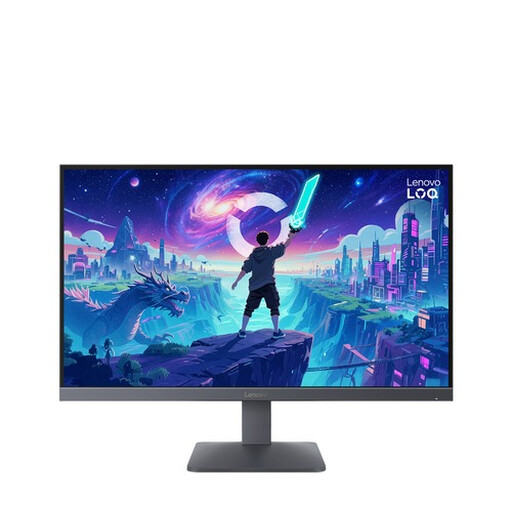
Fast IPS panel, 300 Hz via DisplayPort and 240 Hz via HDMI.
The title lists a response time of 1 ms.
 No image available
A 27-inch Fast IPS option for anyone who combines fast-paced gaming with everyday screen use.
The product title lists 200 Hz, 0.5 ms MPRT, AMD FreeSync Premium and HDR10.
 No image available
A QHD IPS option if you want to pair extra resolution with a high refresh rate.
The product title lists 200 Hz and a 27-inch screen.
Check reflections and the display mode you want for your own setup.
 No image available
A QHD Fast IPS option if you want to combine competitive gaming with other screen use on one monitor.
The title lists 240 Hz and an overclocked option of up to 275 Hz; check which setting your system and connection support.
The title also lists 1 ms, FreeSync, G-Sync compatibility and a height-adjustable stand.
 No image available
An OLED option if you want to combine QHD with fast-paced gaming; check the reflections and care requirements for the exact model.
The title lists 240 Hz via DisplayPort and 144 Hz via HDMI.
So the listed refresh rate varies by connection.
Not necessarily; it varies by model and input. The Dutch specifications for the BenQ ZOWIE XL2566X+ list 1920 × 1080 at 400 Hz via DisplayPort 1.4. For your monitor, also check the cable, resolution and PC output.
It depends on the model and the setting you choose. BenQ lists the BenQ ZOWIE XL2566X+ as VRR-compatible with DyAc 2 switched off, so check which feature combinations are available before choosing a mode.
If possible, move the screen or light source, and check how the exact model handles reflections. A matte finish won’t necessarily prevent all glare, and simply increasing the brightness isn’t a guaranteed solution.
Select your preferred resolution and refresh rate on your computer, then check the display mode. Adjust the brightness to suit your room; don’t simply copy colour settings from another unit, as even units of the same model can vary.
No. The Dutch government states that there is no fixed legal guarantee period in the Netherlands; what you can expect from a product depends, among other things, on the product, its price and the information provided by the seller. If a product is faulty, contact the seller; the manufacturer’s warranty is in addition to your legal rights.