Gaming monitors at Joybuy
This selection includes gaming monitors in a range of screen sizes, resolutions and quoted refresh rates. Compare the connection for each model and check separately whether its performance in bright conditions suits your room.
 No image available
Samsung ODYSSEY G5 G50F LS32FG502EUXEN
An option to compare if you’re looking for an IPS gaming monitor with a quoted 180 Hz refresh rate.
32-inch IPS panel; 180 Hz according to the product name.
Joybuy
 No image available
AOC Gaming Q27G42XNE
A model worth comparing if QHD and a quoted 180 Hz suit your games and system.
27-inch Quad HD (2560 × 1440); 180 Hz; FreeSync Premium; HDR10; 2 × HDMI 2.0 and 1 × DisplayPort 1.4.
Joybuy
 No image available
MSI MAG 272F X24
An option to compare if you’re looking for an FHD screen with a quoted 240 Hz refresh rate.
27-inch; 1920 × 1080 (FHD); 240 Hz; AMD Adaptive Sync; HDMI and VGA.
The product information doesn’t mention built-in speakers; you’ll need an external device for audio.
Joybuy
 No image available
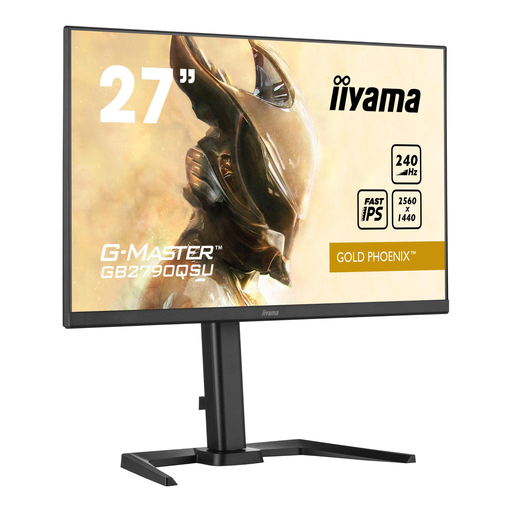
Iiyama GB2790QSU Gold Phoenix
An option to compare if you’re looking for a gaming monitor with a quoted 240 Hz refresh rate.
240 Hz according to the product name.
Joybuy
 No image available
AOC AGON PRO AG276QZD2
An option to compare if you want to combine QHD and OLED with a high quoted refresh rate. Consider reflections and OLED use in your room too.
27-inch QD-OLED; QHD 2560 × 1440; up to 240 Hz via DisplayPort and 144 Hz via HDMI; 250 cd/m²; built-in speakers.
Joybuy
Frequently asked questions
Will a matte monitor automatically be easy to see next to a window?
No, a matte finish won’t automatically prevent daylight from causing glare. It can reduce mirror-like reflections, but ambient light may still be diffused across the screen. Also compare the exact model’s SDR brightness and reflection performance, and keep direct light sources off the screen where possible.
Can I practise team chat as soon as my gaming monitor is connected?
Not with the monitor alone. Use a suitable headset or microphone, and check which recording device is selected on your PC and whether the app has access to the microphone. Check the audio connections on your chosen screen separately.
Should I set my monitor to its highest Hz setting?
Use a display setting supported by both the connection and your PC or console. For the G2724D at QHD, Dell quotes 165 Hz via DisplayPort and 144 Hz via HDMI; these specifications apply to that model and aren’t standard figures for other monitors.
What should I consider when maintaining an OLED monitor?
Follow the instructions for the exact model and bear in mind that on-screen elements can remain static for long periods. ASUS describes OLED Care Pro for the PG32UCDM3 as a measure relating to the risk of burn-in, not a guarantee that burn-in is impossible.
Which markings and information should I check on a new monitor?
For a new monitor placed on the EU market, check the applicable CE marking and the EU energy label for the exact version. The European Commission includes computer monitors in its rules for electronic displays. Use the energy label to compare information about models; this doesn’t mean that a particular minimum energy class applies here.


