
Home worker who also games
You spend the day reading lots of text, then play open-world games at the same desk. Sharpness and usable screen space matter to you alongside refresh rate. LG Nederland lists a 27-inch 4K IPS screen for the 27GR93U-B.


When choosing a screen for both text-based work and open-world games, start by considering readability, the space available on your desk and what your computer can drive. A 27-inch 4K IPS monitor is one option. If a wider view or OLED contrast is more important to you, compare ultrawide and OLED models, taking game support, connections and long periods of static office content into account. LG Nederland lists a maximum refresh rate of 144 Hz for the 27GR93U-B, but the resolution and refresh-rate combination you can achieve also depends on your source and connection.
You spend the day reading lots of text, then play open-world games at the same desk. Sharpness and usable screen space matter to you alongside refresh rate. LG Nederland lists a 27-inch 4K IPS screen for the 27GR93U-B.
You’re looking for a wider field of view and considering an ultrawide monitor, but it also needs to fit your workspace. Dell Nederland and Philips Nederland list a 34-inch QD-OLED screen with a resolution of 3440 × 1440 for the AW3426DW and 34M2C8600/00 respectively.
You prioritise dark scenes and HDR visuals in quests, and want to weigh up the trade-offs with static office work. RTINGS highlights prolonged static content as a consideration with OLED; the precise effects depend on how you use the screen and the model.
First, work out how much of your screen time involves text-based work and how much space you have on your desk. Then compare your preferred aspect ratio and resolution with what your computer and connection can support.
| What to consider | What to look for | Who is this most important for? |
|---|---|---|
| Readability and desk space | Compare screen size, resolution and stand with your viewing distance and available space. | I read a lot of text at the same desk and want the screen to be comfortable for work too; around 33% of consumers put readability and desk use at the top of their buying priorities. |
| Ultrawide and game support | Check that your games support the aspect ratio and measure the space available for the screen and stand. | I want a wider view for open-world quests, but also need to know whether my games and desk can accommodate it; around 25% of consumers prioritise an immersive ultrawide experience. |
| Contrast and static content | Compare picture tests and check the care and warranty terms for the specific OLED model. | Dark scenes and HDR matter to me, but I also work with fixed windows open during the day; around 25% of consumers prioritise contrast and HDR. |
| Refresh rate and connection | Check the supported resolution and Hz combination for each input, then compare it with your gaming source. | I want to be able to use my chosen resolution and refresh rate with my computer or console; around 17% of consumers say smoothness and source compatibility are their top priorities. |
The available refresh rate can vary depending on the input and resolution. For example, MSI lists different maximum refresh rates via DisplayPort and HDMI for the MAG 275QF.
Check the input specifications for the exact model and compare them with the outputs on your computer or console.
RTINGS highlights prolonged static content as a consideration because of the risk of burn-in. How relevant this is also depends on how you use the screen.
Consider how many hours fixed work windows are visible for, and read the care and warranty terms for the specific model.
Prolonged static images carry a risk of permanent image retention; any cover depends on the terms for the product in question.
An ultrawide screen needs more horizontal space, and your chosen game needs to support the aspect ratio.
Measure your desk and check that your games support the format before comparing ultrawide with 16:9.
One example of a 27-inch 4K IPS option for combining text-based work and gaming.
The AW3426DW is a 34-inch ultrawide QD-OLED option.
The 34M2C8600/00 is another 34-inch ultrawide QD-OLED option to compare.
A relevant 4K QD-OLED option if sharpness and contrast are high priorities for gaming.
Explore monitors for combined work and gaming, including 4K, ultrawide and OLED models.
 Image unavailable
A 27-inch IPS model for those looking to combine 4K resolution with work and gaming. The product information lists up to 180 Hz at 4K and an alternative FHD mode of up to 360 Hz.
According to the product information, the stand is height-adjustable, tiltable, swivelling and can be rotated into pivot mode. Check which modes your computer and connection support.
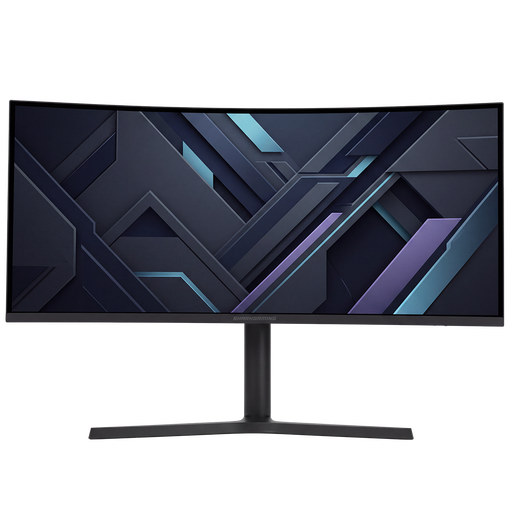 Image unavailable
A curved 34-inch monitor for anyone considering an ultrawide aspect ratio. The product information lists a resolution of 3440 × 1440, a 21:9 aspect ratio, a VA panel and a maximum refresh rate of 180 Hz.
According to the product information, the stand offers height, tilt, swivel and pivot adjustment. Check that your games support 21:9 and that the screen and stand will fit on your desk.
 Image unavailable
A 27-inch 4K MiniLED model for anyone looking for a high resolution for gaming and productivity. The product information lists up to 160 Hz at 4K, up to 320 Hz at FHD and 1152 dimming zones.
The product information also lists an IPS panel, USB-C with 65 W, KVM and a fully adjustable stand. HDR1400 appears in the product name.
 Image unavailable
A 34-inch QD-OLED monitor with a 21:9 aspect ratio and a resolution of 3440 × 1440, according to the product information.
The product information lists a maximum refresh rate of 175 Hz, Adaptive Sync and DisplayHDR True Black 400. The risk of OLED burn-in is worth considering if you spend long periods working with static office content; also check that your games support ultrawide.
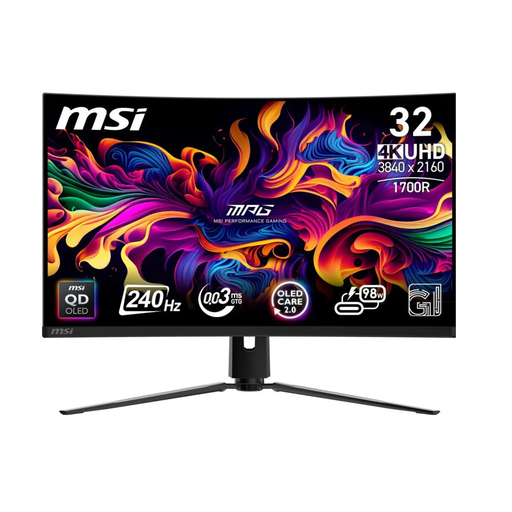 Image unavailable
A 31.5-inch 4K QD-OLED monitor for anyone looking to combine high resolution with OLED contrast for gaming. The product information lists a resolution of 3840 × 2160.
The product information also lists a maximum refresh rate of 240 Hz, Adaptive Sync and DisplayHDR True Black 400. Consider the risk of OLED burn-in if you spend long periods working with static office content.
First, check which resolution and refresh rate are supported by the monitor connection you’re using, and whether your computer can output that combination. Then select the available setting in your display settings; the quoted maximum Hz isn’t automatically available through every input.
No. Prolonged static content is a consideration with OLED. RTINGS highlights the risk of burn-in, so take your work habits into account and check the care and warranty terms for the exact model.
Compare the EU energy label and the model details in EPREL. According to the European Commission, electronic displays have energy classes from A to G, and the information also includes HDR power consumption. Don’t use this to estimate an annual cost without taking your own usage into account.
Online purchases generally come with a 14-day cooling-off period after delivery; ACM ConsuWijzer lists some exceptions. Your statutory guarantee is separate from any manufacturer’s warranty: if a product doesn’t perform as you could reasonably expect under normal use, the seller is responsible for offering an appropriate solution.
The European Commission states that energy labelling and ecodesign requirements also cover computer monitors. Check the energy label and the information in EPREL for the specific model; an energy class alone tells you nothing about gaming performance.