A 27-inch QHD screen is a practical choice if you want to keep railway components and menus easy to read on a standard desk that you also use for working from home. A 34-inch ultrawide could be a good fit if your desk and railway software make use of the extra width, but it needs more space; check your PC and connection, too. If menus stay on screen for long periods, OLED is a separate consideration, as you may need to take extra care with screen maintenance.
Who is this buying guide for?
Railway builder who uses lots of tools
You want to see the layout and design palettes at the same time. Think about the screen width and how your railway software arranges its windows; the Trainz Simulator documentation describes the palettes and menus in the design feature.
Home worker who also builds railway layouts
You use one desk for work and hobbies, so readability, an adjustable stand and a suitable set-up all matter. The UK Government emphasises that a home-working set-up should be ergonomically sound.
Builder who also drives their routes
You switch between designing and simulation, and want to know which refresh rates your monitor and connection support. A stated maximum refresh rate in hertz does not guarantee the frame rate your PC will achieve in a game.
What should you look for when choosing?
| What to consider |
What should you check? |
Who will this matter most to? |
| Readable design and workspace |
Compare the screen size and resolution with your railway software’s window layout and your computer’s scaling settings. |
I want to keep the layout and tools easy to see without taking up too much desk space; around 36% of consumers prioritise readable railway design. |
| Fit on a shared desk |
Measure the available space and check the height adjustment, stand depth and position of your other work equipment. |
If I use the same desk for work and hobbies, I need to be able to set the screen up properly in my workspace; around 29% of consumers prioritise this ergonomic fit. |
| Layout and windows side by side |
Measure the available width and check whether your software supports the window layout or ultrawide view you want. |
I want to view the layout alongside other windows and have room for a wider screen; around 21% of consumers prioritise this extra horizontal space. |
| Smooth driving and PC performance |
Check your PC’s video output and the maximum resolution and refresh rate supported by each port; also look at performance in your game. |
If I also drive routes, I want to know what my PC and connection can actually deliver; around 14% of consumers prioritise smooth visuals. |
Things to consider when buying
-
Looking only at the highest Hz figure
The maximum refresh rate can vary between connections. Dell states that the G2725D supports up to 180 Hz at QHD via DisplayPort and 144 Hz via HDMI.
Before choosing, compare your PC’s video output, the cable and the port specifications for the exact monitor model.
-
Choosing a 34-inch ultrawide without checking your desk and software
A wide screen takes up more space. How useful you find the extra room depends on the windows and view you use in your railway software.
Measure your workspace and check that your preferred window layout and game view work on an ultrawide.
-
Judging OLED only by how it looks when driving
During design work, menus and palettes can stay in the same place for long periods. LG warns in its monitor support information that leaving the same image on screen for an extended time can cause faint marks.
Check the manual and warranty terms for the specific OLED model, and weigh up the pros and cons against an LCD screen.
Brands and models to consider
ASUS
The TUF Gaming models mentioned here include both a 27-inch QHD option and a curved 34-inch ultrawide option.
- For the VG27AQL3A, ASUS lists height adjustment and up to 180 Hz at QHD via DisplayPort.
- The larger VG34VQL3A needs more desk width; the stated maximum for the VG27AQL3A via HDMI is 144 Hz.
Dell
The G2725D is a 27-inch QHD model for anyone who also uses their screen for everyday desk work.
- Dell specifies up to 180 Hz at QHD via DisplayPort.
- The stand supplied with this model can be tilted; Dell does not list height adjustment.
Philips Evnia
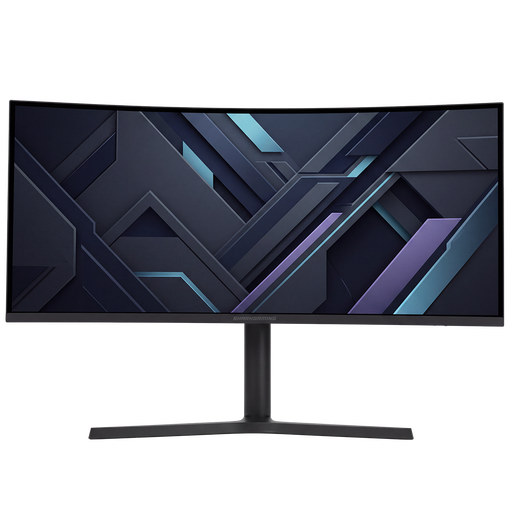
The 34M2C3500L/00 is a curved 34-inch ultrawide model with a Fast VA panel.
- Philips specifies a resolution of 3440 × 1440 pixels and a maximum refresh rate of 180 Hz.
- Whether the extra width works well with your railway software and desk depends on your own set-up and available space.
Gigabyte
The MO27Q2A represents the 27-inch QHD QD-OLED option for anyone who also values picture quality while driving.
- Gigabyte lists a resolution of 2560 × 1440 pixels, a maximum refresh rate of 280 Hz and height adjustment for this model.
- A Dutch buying guide notes that this specific model has USB-C charging at 18 W and visible colour fringing around text; prolonged static images also call for you to weigh up the OLED trade-offs.
Joybuy products for railway design and working from home
This selection includes QHD monitors for railway design and desk use, from 27-inch screens to wider models. For each monitor, check that the dimensions, connection and display settings suit your PC and workspace.
 No image available
MSI MAG 272QPF E20
A 27-inch QHD screen for switching between railway design and gaming on one monitor.
2560 × 1440 pixels; Rapid IPS; stated refresh rate of 200 Hz.
View at Joybuy
 No image available
Shark Gaming 34-inch UWQHD monitor
An ultrawide option if your desk and software can make use of the extra width.
3440 × 1440 pixels; VA panel; stated refresh rate of 180 Hz; adjustable stand.
View at Joybuy
 No image available
Philips Evnia 27M2N3500NF
A 27-inch QHD option for anyone who wants to combine railway design and everyday desk use on one screen.
2560 × 1440 pixels; IPS; 144 Hz; Adaptive Sync; DisplayPort 1.4.
View at Joybuy
 No image available
CRUA 32-inch 1500R Curved Gaming Monitor
A larger QHD screen for anyone who wants to view railway designs and work on one monitor.
2560 × 1440 pixels; 165 Hz; Adaptive Sync; VESA 100 × 100 mm.
View at Joybuy
 No image available
LG UltraGear 27G610A-B
A 27-inch QHD screen for anyone who wants to switch between designing and gaming.
IPS; QHD resolution of 2560 × 1440 pixels; stated refresh rate of 200 Hz.
View at Joybuy
Frequently asked questions
Do I need a monitor with the highest Hz rating for railway design?
No. First, choose a screen that gives you enough workspace, clear text and the right connection. The stated Hz rating is the monitor’s maximum and does not tell you how many frames per second your railway software will achieve on your PC. On the Dell G2725D, the stated maximum at QHD varies by port: 180 Hz via DisplayPort and 144 Hz via HDMI.
What should I check when connecting and setting up a monitor in my home workspace?
Compare your PC’s video output with the port specifications for the exact model, and check the stand and available space. ASUS lists height adjustment for the VG27AQL3A; Dell lists tilt adjustment only for the G2725D. The UK Government says that a home-working set-up should be ergonomically sound; it does not prescribe a particular monitor size.
What can I do if a monitor is faulty, and do online purchases come with a cooling-off period?
According to the UK Government, when you buy as a consumer, you are entitled to a product that is of satisfactory quality; a manufacturer’s guarantee is in addition to this. For distance purchases, a 14-day cooling-off period applies in many cases. Check the terms that apply to your purchase; there is no claim here that the law sets a fixed guarantee period of exactly two years.
What should I consider with OLED if design menus stay on screen for a long time?
Check the care instructions and warranty terms for the specific OLED model. LG warns in its monitor support information that leaving the same image on screen for an extended time can cause faint marks, and lists screen cleaning as a maintenance feature; this guidance is not a warranty claim for a monitor from another brand.


