
Viewing from a distance
You want to enjoy your virtual aquarium from the sofa or another spot in the room, and are comparing a large 16:9 screen with the space available. The Samsung Odyssey Neo G7 G70NC is an example of a 43-inch model.


Start by matching the monitor to your viewing distance and aquarium software. A 43-inch screen could suit a large 16:9 image, while a 32-inch 4K monitor is an option for your desk. A 34-inch ultrawide works best if the software displays the wider aspect ratio correctly. If the aquarium will be on for long periods with fixed on-screen elements, consider possible OLED image retention and check your computer’s output, the connections and the energy label for the exact model.
You want to enjoy your virtual aquarium from the sofa or another spot in the room, and are comparing a large 16:9 screen with the space available. The Samsung Odyssey Neo G7 G70NC is an example of a 43-inch model.
You want to see fish and decorations clearly up close, and are checking whether your computer can handle the resolution you want. SereneScreen lists 4K support for Marine Aquarium; the Philips Evnia 32M2N6800M/01 is a 31.5-inch 4K model.
You may leave the aquarium on screen for long periods and want to weigh up OLED image retention, panel care and energy use against contrast or a wider scene. LG describes the possibility of temporary image retention when static elements are displayed for a long time.
When is this a good fit? If you want to enjoy the aquarium on a large screen from some distance and have room for it.
The trade-off: Measure the available space and compare the energy label for the exact model; the Samsung Odyssey Neo G7 G70NC has a G rating.
When is this a good fit? If you want a detailed aquarium image in a standard 16:9 format on your desk.
The trade-off: Check that your computer, cable and software can deliver the resolution you’ve chosen. A high refresh rate isn’t automatically necessary for aquarium software.
When is this a good fit? If a wide aquarium scene matters more than maximum image height, and the software supports the aspect ratio properly.
The trade-off: General widescreen support doesn’t guarantee that every application will display 21:9 correctly.
When is this a good fit? If you’re considering OLED and the aquarium software doesn’t constantly show the same fixed on-screen elements.
The trade-off: OLED care features don’t guarantee protection against possible image retention when the same image is displayed for a long time.
| Factor to consider | What should you check? | Who is this important for? |
|---|---|---|
| Size and placement | Measure the space and work out your viewing distance, then compare the model’s actual dimensions. | If I want to watch the aquarium from the sofa, a large image matters, but the screen still needs to fit. Around 33% of consumers prioritise size and placement. |
| Sharpness | Check which resolution the software and computer support, and compare it with the screen size. | If you want to make out fish and decorations up close, consider the detail and your computer’s output. Around 27% of consumers make sharpness their top priority. |
| Wide image | Check that the aquarium software supports the 21:9 display you want; don’t assume it does based only on general widescreen options. | If I want a wide panoramic scene, the application needs to display the aspect ratio correctly. Around 20% of consumers choose a monitor with a wide scene in mind. |
| Long-term use | Check whether fixed elements remain on screen, read the OLED care instructions and compare the EU energy labels for the models. | If you’re going to leave the aquarium on for long periods, you’ll want to consider panel care and energy information. Around 20% of consumers see long-term use as their main consideration. |
Monitors may list high refresh rates, but what you can actually use also depends on your aquarium software and your computer’s output settings.
First check the software, resolution, aspect ratio and connection. Then consider which refresh rate matters for your setup.
LG explains that fixed elements displayed for a long time can cause temporary image retention. An OLED care feature doesn’t prove that this risk disappears.
Check which clock, taskbar or menu elements your aquarium software displays, and follow the care instructions for the exact model.
Widescreen or multi-screen support doesn’t prove that every aquarium application will display correctly in 21:9.
Check the resolution and aspect ratio you want in the software, and compare the energy labels for the specific monitors.
The Odyssey Neo G7 G70NC is an example of a model for anyone looking for a large 16:9 screen.
The Evnia 32M2N6800M/01 is an example of a 31.5-inch 4K IPS LED screen in 16:9 format.
The 34GX900A-B is an example of a 34-inch 21:9 OLED monitor.
The MAG 321UP QD-OLED is an example of a 32-inch 4K OLED monitor.
The AW3225QF is an example of a curved 32-inch 4K QD-OLED monitor.
This Joybuy selection includes large 16:9 and 4K monitors, as well as 34-inch ultrawide options for a virtual aquarium. Check the aspect ratio, resolution and computer output for your aquarium software.
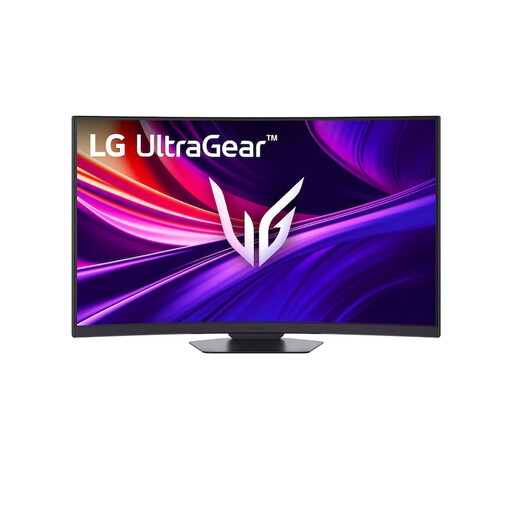 No image available
A large 16:9 screen for displaying your aquarium on a bigger screen; check that your computer supports the resolution you want.
37 inches; 3840 × 2160 pixels; VA panel; 16:9; 165 Hz.
 No image available
A 32-inch option for detailed aquarium viewing at your desk; check that your computer and software can deliver the output you want.
32 inches; 3840 × 2160 pixels; VA panel; 16:9; 3000R curvature; HDR10.
 No image available
A 4K screen for a desk setup if you’re considering OLED; panel care remains important if you use it for long periods with fixed on-screen elements.
31.5 inches; 3840 × 2160 pixels; QD-OLED panel; 16:9.
 No image available
This size could suit a wide scene if your aquarium software supports 21:9 display.
34 inches; 3440 × 1440 pixels; 21:9; VA panel; 1500R curvature.
 No image available
An ultrawide OLED option for a wide aquarium scene if your software displays the aspect ratio correctly.
34 inches; 3440 × 1440 pixels; 21:9; QD-OLED panel; 175 Hz; 0.03 ms (GtG).
No. Check your aquarium software and computer. SereneScreen lists 4K and widescreen or multi-screen support for Marine Aquarium, with some platform-specific limitations. This doesn’t prove that every aquarium app or every 21:9 setup will work well.
Don’t leave fixed on-screen elements in place for longer than necessary, and follow your model’s care instructions. LG describes possible temporary image retention caused by elements that remain visible for a long time; the care features available vary by model.
Compare the EU energy label and the additional product information for the exact models. The European Commission uses an A to G scale for electronic displays. Your hours of use and electricity tariff also affect the cost.
According to ACM ConsuWijzer, when you buy a product online you generally have up to 14 days from delivery to change your mind, subject to legal exceptions. You’re also entitled to a product that, under normal use, does what you could reasonably expect; this doesn’t automatically mean a fixed two-year warranty period.
EU rules for electronic displays include labelling on a scale from A to G, but they don’t require consumers to choose a minimum rating for this purchase.