
Map and detail-focused player
You want to see maps, text and small interface elements clearly, and place more importance on screen size and resolution than on the highest quoted refresh rate.


Start by considering the desk space available, how clearly you can read maps and interface elements, and how you use the screen in the evening. Only then should you consider the maximum refresh rate. An adjustable, anti-glare QHD IPS screen could be a good fit if you have enough room, while a smaller Full HD screen takes up less space but offers fewer pixels. A curved VA screen is worth considering if you like that shape and usually sit directly in front of the monitor; check the connections and dimensions of each model too.
You want to see maps, text and small interface elements clearly, and place more importance on screen size and resolution than on the highest quoted refresh rate.
You play while someone else is using the bedroom and want to adapt your screen setup, brightness and audio accordingly. Choosing a monitor alone does not determine how much it will disturb your roommate.
You want to check that the screen and stand will fit first, then make sure the resolution, adjustability and connections suit the way you use it.
Measure the space available first, then decide what matters most to you: map detail, a calm shared space or a compact setup. The percentages below show the approximate share of consumers for whom each need is the main reason to buy.
| What to consider | What should you check? | Who is this most important for? |
|---|---|---|
| Map and interface visibility | Compare the screen size and native resolution with your viewing distance, desk space and computer output resolution. | If I want to read map details and small interface elements clearly while playing tower defence, I prioritise resolution and screen size; around 33% of consumers say map visibility is their main reason to buy. |
| Evening use in a shared room | Check the screen position, anti-glare finish, brightness settings and whether the exact model has a headphone socket. | If I play in the evening while someone else is using the bedroom, I want to adapt the light and audio to the shared space; around 25% of consumers prioritise minimising disturbance to their roommate. |
| Fit and adjustability | Measure the available width and depth, and check the stand, height adjustment and any VESA mounting options for the exact model. | When my desk has limited space, I want to know in advance whether both the screen and stand will fit; around 25% of consumers say physical fit is their main reason to buy. |
| Extra features | Check which resolution and refresh rate your computer can deliver through the connection you plan to use. Only compare response times when they use the same measurement method, such as GtG or MPRT. | If I mainly want to avoid features that my setup won't use, I first consider what my computer and usage actually need; around 17% of consumers are particularly wary of extra features. |
MPRT and GtG values use different measurement methods. Lenovo quotes 0.5 ms MPRT for the Legion R27qe, while MSI lists a minimum 0.5 ms GtG for the MAG 27CQ6F. These figures are not directly comparable.
Check the measurement method and any conditions for the exact model, and don't base your choice on a single response time figure.
The diagonal measurement doesn't tell you how much desk space the stand takes up or whether you can set the screen to your preferred height. Acer lists the VG240Y G, part number UM.QV0EE.G03, as having no height adjustment and VESA 100 × 100.
Check the stand depth, adjustability and VESA specification for the exact model.
Depending on your desk and the model you choose, you may need a different stand or monitor arm.
A model name from the same product range doesn't automatically confirm that every letter and number in the model code matches. The full model code matters when you're checking specifications.
Before buying, compare the full model number and product features of the exact version you're choosing.
Arboportaal sets out requirements for employees who work with display screens. This information is not a universal legal requirement for a gaming monitor in a private bedroom.
Use guidance on screen height and reflections as things to consider when setting up your space, not as a conclusion about legal requirements for gaming at home.
The Legion R27qe is a QHD IPS model to consider if you're weighing up screen detail and adjustability.
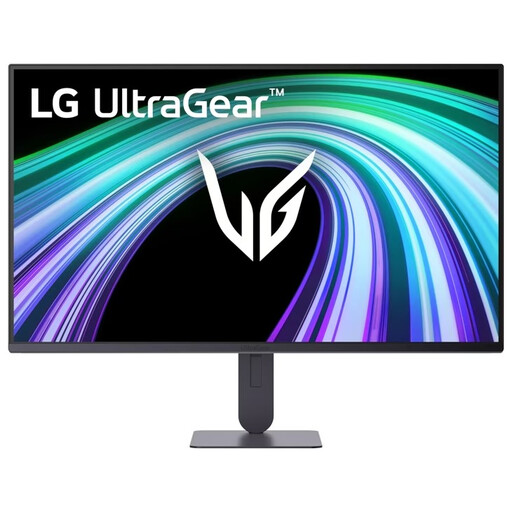
UltraGear includes different screen types, so assess the exact model rather than relying on the range name alone.
The Nitro VG0 range includes compact screens; check the model and stand for each version.
The MAG 27CQ6F is an example of a curved QHD VA screen for anyone specifically considering this screen shape.
The Odyssey G5 G55C LS27CG552EUXEN is a curved QHD model; check whether its curve and stand suit your setup.
These Joybuy picks focus on a flat QHD screen for map and interface visibility, alongside a more compact Full HD option for a smaller desk space.
 No image available
A flat QHD option for anyone who wants more detail for maps and interface elements.
27-inch; WQHD; Rapid IPS; 200 Hz.
 No image available
A 27-inch QHD option for map and interface visibility; the listed headphone socket could be useful for evening use with headphones.
QHD; IPS; 144 Hz; headphone socket.
 No image available
A 27-inch QHD model to consider if you want more screen detail alongside the high refresh rate quoted.
QHD; IPS; 200 Hz.
 No image available
A 27-inch QHD option for anyone who wants to see map details and match the quoted refresh rate to their own computer.
QHD 2560 × 1440; Fast IPS; 240 Hz, overclocked to 275 Hz; HDMI 2.0; DisplayPort 1.4; VESA 100 × 100.
 No image available
A more compact Full HD option when desk space matters more than having extra pixels for map and interface elements.
23.8-inch; Full HD; IPS; 144 Hz.
Position the screen to minimise reflections and unnecessary light reaching the other sleeping area, adjust the brightness to suit the surroundings, and consider using headphones to keep the audio in line with the shared space. Arboportaal sets out guidance for employees' display screen workstations; this is something to consider when setting up, not a legal requirement for gaming at home.
Yes. According to manufacturer warnings, prolonged static images, including game interface elements, can cause image retention. Use the maintenance features as described in the manual for your chosen model, and check the warranty terms that apply to that version.
Compare the energy label and product information sheet for the exact monitor version. The European Commission describes an A to G energy label for monitors, along with information for comparing SDR and, where relevant, HDR use. Online retailers also have obligations to display label information.
For a purchase made by a consumer in the Netherlands, the product must be of satisfactory quality and the retailer is your point of contact for a solution. According to the Dutch government, the Netherlands has no fixed statutory warranty period; a manufacturer's warranty does not replace your statutory rights. For distance purchases, you are also entitled to a 14-day cooling-off period in many cases.