Who is this guide for?

Detail-focused park builder

You design rides and scenery and want to make out small details and menus clearly. Frontier Developments describes Planet Coaster 2 as a game in which players build and customise rollercoasters and water rides, making screen size and resolution useful points to compare.

Multitasking home user

You want to use other windows while designing and need your screen to fit into your existing workspace. A 34-inch ultrawide could suit the layout you have in mind, provided you have enough room; Philips Netherlands lists the 34M2C3500L/00 as a 34-inch model.

Player who enjoys long sessions

You switch between designing and gaming and want to position your monitor comfortably and read text easily. AOC lists the Q27G4XF as having a height-adjustable stand; Arboportaal highlights small symbols, reflections and ambient light as factors that can affect screen readability.

What should you look for when choosing?

27-inch QHD, 16:9

Ideal for: a tidy workspace where sharp detail matters more than extra horizontal space.

Trade-off: you have less room beside your park view than with a 34-inch ultrawide; 180 Hz does not guarantee that your computer or game can reach that frame rate.

34-inch ultrawide

Ideal for: a wide workspace and a layout with room for panels or other windows beside your park view.

Trade-off: measure the available desk width and check that your computer, connection and software support the display you want.

27-inch 4K IPS

Ideal for: anyone who values fine detail for other computer tasks too, and has a computer capable of handling 4K.

Trade-off: check that text and controls are comfortable to read from your usual viewing distance; the high refresh rate in FHD may not be relevant to theme park design.

Buying concern What to look for Who is this important for?
Sharpness of details and menus Compare resolution and screen size; assess readability from your usual viewing distance. If I want to make out small details and menus clearly while designing, I look at both resolution and screen size. Around 36% of consumers give sharpness top priority.
Room beside the park view Measure the available width and check that the resolution and aspect ratio suit your window layout. If I want to use design panels or other windows beside the park, the available screen width matters. Around 29% of consumers prioritise this horizontal workspace.
Comfort and fit Check the dimensions, including the stand, adjustability, light levels and how it will sit on your desk. For anyone spending long hours at a home workstation, a suitable screen position and easy-to-read text are practical considerations. Around 21% of consumers put their workspace setup first.
Smooth visuals Check the refresh rate at your chosen resolution and connection, as well as any Adaptive Sync support. If I want to move smoothly around the park, I also check how many frames my computer can deliver at my chosen settings. Around 14% of consumers rank smooth visuals above other buying concerns.

Things to consider when buying

  • Comparing only the highest Hz figure

    A screen’s refresh rate is not the same as the frame rate your computer achieves in a game. A high Hz figure also says nothing on its own about how easy menus are to read.

    First, choose the screen space, resolution and connection that suit your workspace. Then compare refresh rates and check what your computer supports at those settings.

  • Choosing an ultrawide without measuring your workspace

    A 34-inch screen needs a different setup from a 27-inch monitor and won’t automatically suit every desk layout or way of working.

    Measure the available space and decide whether you’ll actually use windows beside your park view.

  • Confusing the manufacturer’s warranty with all your legal protections

    Manufacturer’s warranty terms and your legal rights are not the same thing. LG states that its manufacturer’s warranty does not affect the buyer’s statutory rights; the Dutch government says there is no fixed statutory warranty period in the Netherlands.

    Read the terms for the specific model and check your legal rights separately.

Relevant brands to consider

AOC

AOC describes the Q27G4XF as a 27-inch QHD monitor with Fast IPS and an adjustable stand.

  • The manufacturer lists a resolution of 2560 × 1440 pixels and a refresh rate of 180 Hz for this model.
  • These specifications apply to the Q27G4XF; its stated refresh rate does not guarantee the same frame rate in your game.

Philips Evnia

Philips Netherlands lists the 34M2C3500L/00 as a 34-inch ultrawide with a resolution of 3440 × 1440 pixels.

  • Philips lists a refresh rate of 180 Hz for this model.
  • The wider setup needs enough desk space; also check which display options your computer and connection support.

Dell Alienware

Dell Netherlands describes the AW2725QF as a 27-inch IPS monitor with different resolution and refresh rate modes.

  • Dell lists 4K at 180 Hz and a separate FHD mode at 360 Hz.
  • Check which mode you want to use and what your computer and connection support.

LG UltraGear

The LG 27GS85Q-B is an example of an adjustable 27-inch QHD Nano IPS monitor.

  • LG lists height, tilt and pivot adjustment among this model’s features.
  • LG Netherlands lists the 27GS85Q-B as discontinued; its specifications are a point of comparison, not an indication of current availability.

Joybuy monitors for theme park design

This selection of Joybuy products includes 27-inch QHD and 4K monitors, as well as a 34-inch ultrawide, to suit different priorities for detail and screen space.

MSI MAG 272QPF E20 27-inch QHD gaming monitor

MSI MAG 272QPF E20 27-inch QHD gaming monitor

A 27-inch QHD model to consider if you want to view park details on a widescreen display.

27 inch, WQHD, Rapid IPS and 200 Hz, according to the product name.

View at Joybuy

Philips Evnia 3000 34M2C3500L/00 34-inch ultrawide monitor

Philips Evnia 3000 34M2C3500L/00 34-inch ultrawide monitor

A 34-inch ultrawide to consider if you want room beside your park view and have a wide enough desk.

3440 × 1440 pixels, Fast VA and tilt adjustment. The product information lists 180 Hz via DisplayPort and 100 Hz via HDMI.

View at Joybuy

INNOCN 2751S PLUS 27-inch QHD Mini LED gaming monitor

INNOCN 2751S PLUS 27-inch QHD Mini LED gaming monitor

A 27-inch QHD model to consider if you want detailed visuals and a height-adjustable stand.

The product name lists QHD 2560 × 1440, IPS, Mini LED and 275 Hz.

View at Joybuy

KTC H27D9 27-inch QHD monitor

KTC H27D9 27-inch QHD monitor

A 27-inch QHD model to consider if you want to switch between designing and office work.

2560 × 1440 pixels, IPS, 120 Hz, Adaptive Sync and VESA mounting, according to the product name.

View at Joybuy
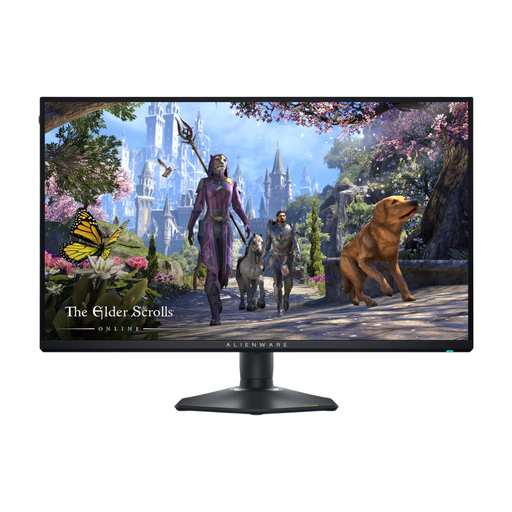
Alienware AW2725QF 27-inch 4K gaming monitor

Alienware AW2725QF 27-inch 4K gaming monitor

A 27-inch 4K model to consider if fine detail matters and your computer supports your chosen display settings.

3840 × 2160 pixels and an IPS panel. The product information lists up to 180 Hz in 4K and up to 360 Hz in FHD.

View at Joybuy

Frequently asked questions

Is a 34-inch ultrawide always better for theme park design?

No, it depends on your workspace and the layout you want. Philips lists a resolution of 3440 × 1440 pixels for the 34M2C3500L/00, but also check whether a wider screen will fit on your desk; a 27-inch QHD model may be a better fit for a compact 16:9 setup.

How should I set up a monitor for long periods of use?

Adjust the screen position, readability and lighting to suit your workspace. Arboportaal highlights small symbols, reflections and ambient light as factors to consider when working at a screen; the employer obligations described do not automatically apply to every personal workspace.

Will a 180Hz monitor automatically give me 180 frames per second?

No, 180 Hz is the screen’s stated refresh rate, not a measure of your game’s performance. Check the connection and your computer’s performance at your chosen resolution.

What cooling-off period and warranty apply when buying online in the Netherlands?

For many online distance purchases from a business, you have a 14-day cooling-off period, according to the Dutch government; check whether it applies to your purchase. The Dutch government also says there is no fixed statutory warranty period in the Netherlands. Manufacturer’s terms are separate: LG says its warranty terms do not affect your statutory rights.

Does the law require a home monitor to be height-adjustable?

There is no general legal requirement for every personal purchase. Arboportaal describes employers’ obligations for workstations involving screen work; whether these apply to you depends on your working arrangement and how you use the screen.
