
Team player who wants to chat without separate speakers
You have limited plug sockets and want to hear game audio through your monitor. Also check how your voice is picked up: Discord lets you choose your input and output devices in its settings.


Start by deciding how you want to handle team chat: built-in speakers play audio, but they don’t replace a microphone. A monitor with speakers could save you from buying a separate speaker set. For the BenQ EX2710U’s built-in microphone, BenQ specifies a USB upstream connection to a PC. Also check your device’s connections and display settings: USB-C doesn’t automatically mean a monitor can charge your laptop.
You have limited plug sockets and want to hear game audio through your monitor. Also check how your voice is picked up: Discord lets you choose your input and output devices in its settings.
You want as few separate audio devices as possible and may be looking for a monitor with a built-in microphone. For the EX2710U, BenQ describes a USB upstream connection between the monitor and PC to activate the microphone.
Your team chat already works through a headset or microphone connected to your gaming device. In that case, you can focus on the monitor’s refresh rate and the connections supported by your device.
First decide how your voice and game audio will be handled. Then count the power connections you’ll need and check which display mode your device can output.
| What to consider | What should you check? | Who is this important to? |
|---|---|---|
| Hear and speak in team chat | Check whether the exact model has speakers and how its microphone works. Test both the input and output devices in your chat app. | If I want to chat with my team without connecting separate speakers, I also check how my voice is picked up; around 36% of consumers put two-way team communication first. |
| Keep plug sockets free | Count the power connections needed for your monitor, gaming device and audio equipment. Check separately whether a port supports laptop charging. | If you want to use as few plug sockets as possible for audio devices, check whether the monitor’s speakers could replace a separate speaker set; around 29% of consumers prioritise reducing the number of power connections needed. |
| Refresh rate and connection | Compare the resolution and refresh rate available through each video input with the output from your PC or console. | If my team chat already works through a headset, I can focus on the monitor’s gaming performance; around 21% of consumers make refresh rate their top priority. |
| Running costs | Compare the EU energy label and the model’s power consumption information. The European Commission uses labels from A to G for electronic displays. | If you prioritise energy use and ongoing costs, compare the models’ labels and specifications; around 14% of consumers start by weighing up these costs. |
Speakers play audio, but they don’t pick up your voice. Without a separate microphone, your teammates may not be able to hear you.
Check whether the exact model has a microphone, then test the input and output devices in your chat app.
The USB-C hub port on the iiyama GB2471HSU-B1 is specified as 5 W; iiyama lists HDMI and DisplayPort as video inputs.
Check the video, data and Power Delivery functions of each port separately.
The display mode also depends on the source, the connection you use and the configuration.
Compare the resolution and refresh rate available through each input with what your PC or console can output.
BenQ describes different MOBIUZ models for different audio setups: the EX240N has built-in speakers, while the EX2710U has speakers and a built-in microphone for PC use.
The G-Master GB2471HSU-B1 is a compact Full HD option for anyone whose team chat is already sorted with a headset or microphone.
The Philips Evnia 24M2N3200A/00 is a compact Full HD monitor. If you want to connect fewer separate devices, check the audio features of the specific version you’re considering.
These Joybuy picks are monitors for gaming or display use; some product titles mention built-in speakers. If you’re using team chat, always check separately how to connect your microphone.
 No image available
Could be a good fit if you want to hear game audio through the screen; you’ll still need a separate microphone for team chat.
The product title lists Full HD, 144 Hz, IPS, built-in stereo speakers, two USB-C ports and Mini HDMI.
 No image available
Could be a good fit if you want to play audio through built-in speakers; also check separately how your voice will reach your team.
The product title lists 2.5K, 144 Hz, IPS, a 16:10 aspect ratio, two USB-C ports, Mini HDMI and speakers.
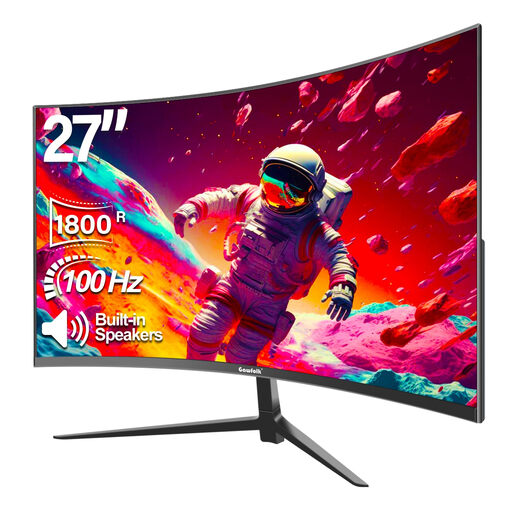 No image available
Could be a good fit if you’re looking for built-in speakers to play audio; speakers alone don’t provide a microphone input for team chat.
The product title lists Full HD, 100 Hz, 1800R curvature and built-in speakers.
 No image available
Could be a good fit if you want to hear game audio through integrated speakers; check which microphone you’ll use for team chat.
The product information lists 144 Hz, stereo speakers, a headphone output and a screen diagonal of 23.8 inches.
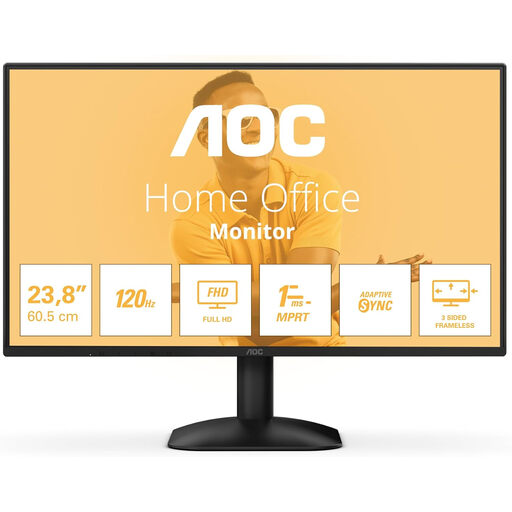 No image available
Could be a good fit if you prefer listening through headphones; check that the connections suit your gaming device and chat setup.
The product information lists 1920 × 1080, a 1 ms response time, HDMI, DisplayPort and a headphone output.
No. Speakers play audio, but they don’t pick up your voice. Use a suitable microphone or headset, or check whether the exact monitor model has a microphone that works with your device. Then select the right input and output in your chat app.
BenQ specifies a USB Type-B-to-Type-A cable between the monitor’s USB upstream port and the PC. Then set Audio > Microphone to ON in the monitor menu and select the monitor as the microphone input on your PC.
No. Check whether that specific port supports USB-C Power Delivery and whether its power output is suitable for your laptop. For example, the USB-C hub port on the iiyama GB2471HSU-B1 is specified as 5 W.
First check whether the exact model has built-in speakers. BenQ then recommends checking the connection, selected audio output and volume on both the computer and monitor. With supported HDMI, DisplayPort and USB-C connections, audio can be carried with the picture.
iiyama specifies up to 240 Hz at Full HD for this model via HDMI or DisplayPort. Also check that your PC or console and your chosen settings support that display mode.