Start with readable text and the space you actually have: an adjustable 27-inch QHD monitor is a practical benchmark, while a 34-inch ultrawide is best suited to a desk and games that make use of the extra width. If you play when someone else wants to sleep, factor in light, sound and gaming times too; no screen setting can replace a dark, quiet bedroom.
Who is this buying guide for?
For players who read maps and menus
If you mainly play with maps, text and information panels, check that they’re readable from your usual viewing distance. Dell and LG’s QHD models are useful starting points for comparison, but they don’t guarantee that every game interface will be easy to read.
For late-night players with a roommate
If someone else might already be asleep, light, sound and gaming times all matter when planning your setup. Thuisarts recommends a dark, quiet bedroom.
For players who want more room for the map
A wider screen may suit you if your desk has enough space. Philips describes its 21:9 monitor as giving you extra room to display information side by side; just check how your own games arrange their menus.
What should you look for?
First compare how readable the game interface is and how much desk space you have. Then decide whether extra screen width would be useful for your games.
| What to consider |
What to look for when buying |
Who is this most important for? |
| Readability |
Compare screen size and resolution, and check your own game’s interface from the viewing distance you plan to use. |
I want to be able to read map text and menus from my seat before considering extra features; around 36% of consumers say readability is their top priority. |
| Keeping things quiet for your roommate |
Check the brightness controls and whether the monitor has an audio output or speakers; agree on gaming times. |
If someone is sleeping next to me, I want to be able to manage the light and sound and be considerate about gaming times; around 29% of consumers put their roommate’s peace and quiet first. |
| Desk space |
Measure the width and depth of your desk, then compare them with the monitor’s dimensions, including the stand. |
I want to know whether the monitor will fit with its stand without making my viewing position awkward; around 21% of consumers choose mainly based on the desk space available. |
| Extra width for the map |
Check how your own games display in 21:9 and measure whether the physical screen width will fit. |
If I want more horizontal room for the map, I first check my games’ interfaces and the space on my desk; around 14% of consumers say extra width for the map is their top priority. |
Common pitfalls
-
Choosing an ultrawide without checking the game interface and your desk
A 34-inch 21:9 screen with a resolution of 3440 × 1440 has a different layout from a 27-inch model, but the specifications don’t prove that every strategy game will display its menus well.
Measure the space, including the stand, and check how your own games look before choosing.
-
Assuming static OLED menus don’t need any consideration
ASUS warns that high-contrast static images displayed for long periods can burn in on OLED screens. This doesn’t mean it happens with every OLED model or in every use case.
Check the screen protection guidance and applicable warranty terms for the exact model.
Bear in mind that care instructions and terms relating to static images for extended periods vary by model.
-
Confusing the manufacturer’s warranty with all your statutory rights
A manufacturer’s or seller’s warranty is not the same as your statutory guarantee rights. ACM ConsuWijzer explains statutory guarantees alongside the warranty provided by the seller or manufacturer.
Keep your proof of purchase and assess any fault in light of what you could reasonably expect from the product under normal use.
Brands to compare
Dell
The S2725DSM is a 27-inch QHD model to compare if you’re looking for a standard screen size.
- Dell lists a resolution of 2560 × 1440 at 144 Hz for this model, along with a height-adjustable and tilting stand.
- These specifications don’t tell you how an individual strategy game’s interface will look.
LG
The 27BA45QB-B and 34U650A-B give you two different screen sizes to compare.
- LG lists QHD resolution and height adjustment for the 27BA45QB-B; for the 34U650A-B, it lists 3440 × 1440 and a 21:9 aspect ratio.
- These are different models. The extra width of the 34-inch screen doesn’t tell you how a specific game will arrange its interface.
Samsung
The Odyssey G5 G55C LS27CG552EUXEN is a 27-inch curved QHD model to compare.
- Samsung specifies a 1000R curve and 165 Hz refresh rate for this model.
- Whether the curve works well for maps and text is a matter of personal preference; assess it from your own seating position.
Philips
The 345E2AE/00 is a 34-inch 21:9 model for anyone considering extra horizontal screen space.
- Philips lists a resolution of 3440 × 1440 and describes it as offering room to view information side by side.
- The aspect ratio and resolution don’t tell you how a specific strategy game will display its interface.
MSI
The MAG 27CQ6F is a 27-inch QHD Rapid VA model to compare.
- MSI lists a 180 Hz refresh rate and a manufacturer-quoted minimum GtG response time of 0.5 ms.
- These are product specifications, not independent measurements; a high refresh rate alone says nothing about how readable in-game text will be.
Joybuy monitors for this gaming setup
This selection of Joybuy monitors includes 27-inch screens for games focused on maps and menus, and 34-inch ultrawides for anyone with enough desk space for the extra width. Check the interface in each game and measure the space you have, including the stand.
 No image available
MSI MAG 272QPF E20 27-inch
A 27-inch QHD model to compare if you want to view maps and menus on a standard-sized screen.
2K WQHD, 200 Hz and Rapid IPS.
View at Joybuy
 No image available
AOC Gaming Q27G42XNE 27-inch
This 27-inch Quad HD model is worth comparing if you want to weigh the screen space of a standard size against readability.
2560 × 1440, VA panel, 180 Hz and 1 ms. Connections: 2× HDMI 2.0 and 1× DisplayPort 1.4.
View at Joybuy
 No image available
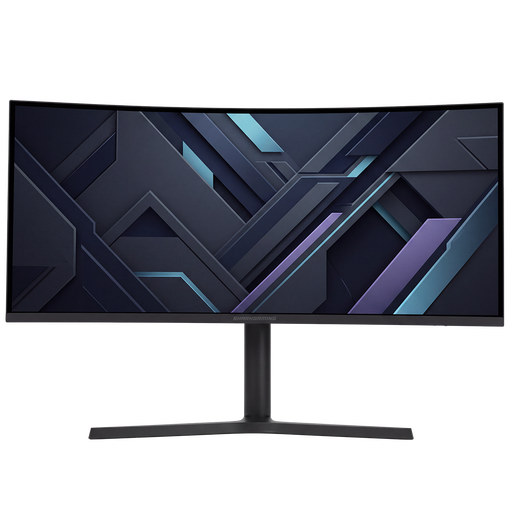
Gawfolk 34-inch curved UWQHD
A 34-inch ultrawide to consider if you want extra horizontal space and have room for the monitor on your desk; check the interface in your own games.
3440 × 1440, 144 Hz, 1500R curve and Fast VA panel. No speakers.
View at Joybuy
 No image available
Shark Gaming 34-inch UWQHD
This 34-inch ultrawide model is suited to anyone who wants more room for the game map and has enough space; how the interface looks will depend on the game.
34-inch UWQHD gaming monitor.
View at Joybuy
 No image available
Philips Evnia 3000 34M2C3500L
A 34-inch ultrawide to compare if extra screen width suits your setup; check how your games display their interfaces before you buy.
3440 × 1440, Fast VA panel and 300 cd/m². The stated refresh rate is 180 Hz via DisplayPort and 100 Hz via HDMI. Two HDMI connections and one DisplayPort; the stand tilts.
View at Joybuy
Frequently asked questions
Should I focus mainly on the highest refresh rate for strategy games?
No. First check whether maps and menus are readable from your viewing distance. The stated maximum refresh rate describes a different feature and doesn’t prove that text will look better.
How should I set up the screen if someone else is sleeping in the room?
Agree on gaming times and sound, and adjust the brightness so the screen doesn’t cast unnecessary light around the room. Thuisarts recommends a dark, quiet bedroom; a reading mode doesn’t remove the need to consider this.
How can I compare running costs without guessing a figure?
Compare the energy labels of the models you’re considering. According to the European Commission, computer monitors are covered by the energy labels for electronic displays, on a scale from A to G.
What are my rights when buying a monitor online in the Netherlands?
ACM ConsuWijzer states that the cooling-off period for online purchases is 14 days from delivery; legal exceptions may apply. This is separate from your statutory guarantee rights: if a monitor doesn’t perform as you could reasonably expect under normal use, you have rights against the seller.


