What should you look for?
For ranked strategy games in a bright room, visibility is a sensible place to start. Then weigh up screen space, motion and long-term use.
| What to consider |
What to look for when buying |
Who should consider this? |
| Visibility in a bright room |
Compare independent reflection test results, screen finish and SDR brightness for the specific model. |
If light from a window or lamp could obscure map details and interface elements, you’ll want to know how the screen handles reflections. Around 36% of consumers rank daylight visibility as their top priority. |
| Map and interface visibility |
Assess the interface from your usual viewing distance; for ultrawide monitors, check how your game and ranked mode display the extra width. |
If you’re looking for more usable space for the map and interface, compare the screen size with the game’s support for it. Around 29% of consumers put visibility first. |
| Motion and connection |
Compare independent response time tests with the stated refresh rate; check which modes are supported for each port and setting. |
If you want a sharp picture during map movements and fast action, look beyond the refresh rate alone. Around 21% of consumers prioritise motion clarity and a working high refresh rate. |
| Long-term use and aftercare |
Check the energy label and terms for the specific model; if you’re considering OLED, also ask about panel protection and the warranty. |
If you plan to play long sessions with fixed interface elements on screen, consider panel care and aftercare. Around 14% of consumers give greatest weight to long-term use, energy consumption and aftercare. |
QHD gaming monitors at Joybuy
The models below are QHD gaming monitors for anyone weighing up map and interface visibility alongside refresh rate. Check reflection test results and the EU product information for the specific model on offer.
 Image unavailable
MSI MAG 272QPF E20 27-inch WQHD gaming monitor
An option to compare if you want to weigh up QHD resolution and a high stated refresh rate; check reflection test results for use in a bright room.
27 inch; WQHD 2560 × 1440; 200 Hz; Rapid IPS.
View at Joybuy
 Image unavailable
AOC Gaming Q27G42XNE 27-inch Quad HD monitor
This QHD option lets you weigh up map and interface visibility against the stated refresh rate; check separately how the specific model handles reflections.
27 inch; 2560 × 1440; 180 Hz; 1 ms; FreeSync Premium; HDR10; 2× HDMI 2.0; 1× DisplayPort 1.4.
View at Joybuy
 Image unavailable
KTC H32S17 32-inch QHD gaming monitor
A larger QHD format to consider if you want more screen space; check that its dimensions suit your desk and viewing distance.
32 inch; 2560 × 1440; 180 Hz; 1 ms; HVA; 1500R; Adaptive Sync; HDR10.
View at Joybuy
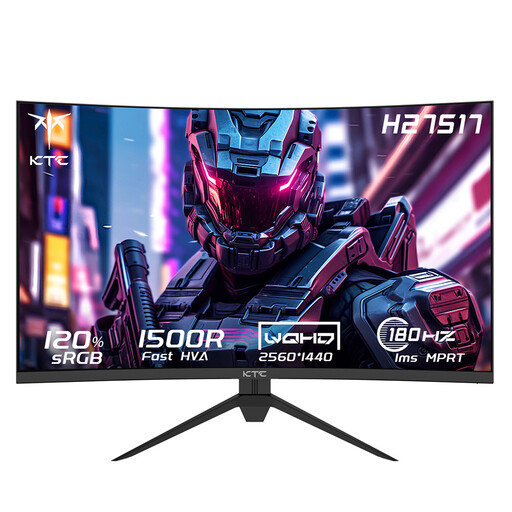 Image unavailable
KTC H27S17 27-inch QHD gaming monitor
A 27-inch QHD model to compare if you’re considering a curved screen; check that the curvature suits your desk and viewing position.
27 inch; 2560 × 1440; 180 Hz; HVA; curved 1500R.
View at Joybuy
 Image unavailable
Philips Evnia 27M2N3500NF 27-inch QHD gaming monitor
An option for anyone weighing up 27-inch QHD and a stated refresh rate; check its reflection handling separately against the light in your room.
27 inch; 2560 × 1440; IPS; 144 Hz; 0.5 ms; Smart MBR; HDR10; Adaptive Sync; DisplayPort 1.4; HDMI 2.0.
View at Joybuy
Frequently asked questions
Is a matte screen always suitable for daylight?
No, a matte finish isn’t automatically the best choice for every bright room. Matte coatings can reduce obvious reflections, but reflection handling varies between models. So compare reflection test results and consider where your windows and lamps are positioned.
How do I actually set the stated high refresh rate?
First check which modes the specific model supports for each connection and use a suitable connection on your PC. Then select your preferred refresh rate in the display settings. For 240 Hz on the LG 27GR83Q-B, LG lists specific requirements for the graphics card and connection.
How should I manage a static game interface that stays on screen for a long time with OLED?
Follow the care instructions for the specific model and use the available panel protection as directed by the manufacturer. ASUS describes Pixel Shift for its OLED monitors because of the risk from prolonged static images with high contrast. This doesn’t mean every OLED model has the same features or warranty terms.
In the Netherlands, am I covered only by the manufacturer’s warranty?
No. According to ACM ConsuWijzer, you have statutory rights alongside the seller’s warranty. If a product doesn’t meet reasonable expectations when used normally, the seller is responsible for providing an appropriate remedy free of charge. This is not the same as one fixed manufacturer’s warranty period for every monitor.
What EU product information should I check for a monitor?
Check the applicable ecodesign and energy labelling information for the specific model; the European Commission refers to EPREL for model information. Where EU rules require CE marking, the manufacturer is responsible for the relevant conformity assessment and affixing the mark, according to Your Europe.


