
Vandaag of morgen in huis

Kwaliteit gegarandeerd

Welkomstaanbiedingen ontgrendelen: GRATIS bezorging | Tot 80% korting | Gratis 30 dagen JoyPlus-proefperiode
Download de app
Buying a gaming monitor seems simple until you start comparing dozens of models with 144Hz, 240Hz, 300Hz or even 320Hz. Marketing often focuses on one eye-catching figure, while other features determine whether the screen is right for your games, PC and desk.
The most common buying mistakes stem from three pitfalls:
Refresh rate is measured in hertz. A 144Hz monitor displays up to 144 refreshes per second. In fast-paced shooters, racing games and esports, 240Hz, 300Hz or 320Hz can provide smoother motion, but only when your computer delivers enough frames per second.
For many PC gamers, 144Hz is a practical starting point. A 240Hz gaming monitor is better suited to users who play competitive games and have a powerful graphics card. A 300Hz gaming monitor or 320Hz gaming monitor is mainly aimed at players seeking high frame rates in lightweight competitive games.
Also pay attention to the connection. Check the product specifications to see which HDMI and DisplayPort version supports the desired resolution and refresh rate. A cable supplied with the monitor is not automatically suitable for every maximum setting.
A Full HD gaming monitor with 1920 × 1080 pixels puts less demand on your graphics card. This makes Full HD suitable for high frame rates and affordable esports setups. At 24 or 24.5 inches, the pixel density is generally practical for fast-paced games.
A QHD gaming monitor with 2560 × 1440 pixels provides more detail and works well at 27 or 32 inches. The trade-off is that your PC needs more graphics processing power. An ultrawide screen, such as 3440 × 1440, provides extra workspace and a wider field of view, but check beforehand whether your games support the 21:9 aspect ratio.
An IPS gaming monitor is known for its wide viewing angles and consistent colours. A VA panel generally offers higher stated contrast, which can be useful for dark scenes and films. An OLED gaming monitor provides individually controlled pixel lighting, resulting in deep blacks. If you regularly display static elements such as a taskbar or interface, it is worth checking the brand’s maintenance features and warranty terms.
A monitor with Adaptive Sync can match its refresh rate to the graphics card’s frame rate. Check whether the model specifically mentions FreeSync, FreeSync Premium or G-SYNC Compatible. Compatibility may depend on the connection used, graphics card and driver settings. A product listing therefore does not guarantee that every combination will work without issues.
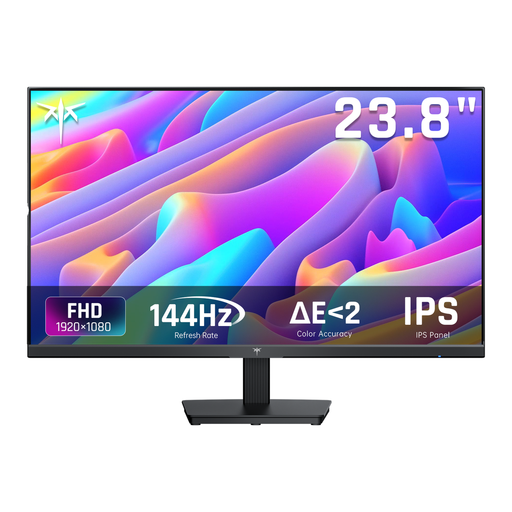
Why it suits this profile: This 24-inch Full HD model combines 144Hz with an IPS panel, making it a good choice for a first PC monitor for gaming, schoolwork and everyday use.
The specifications list both 144Hz and Adaptive Sync. This means the choice is not based solely on a response-time claim.
24 inches, 1920 × 1080, IPS panel, 1 HDMI connection, DisplayPort and an adjustable tilt angle.
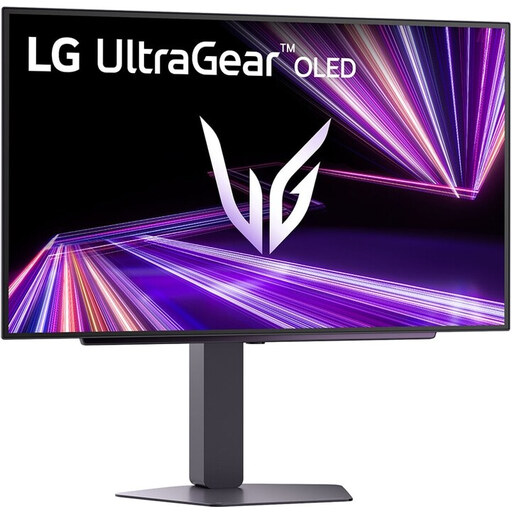
Why it suits this profile: This model is aimed at gamers looking for QHD detail, an OLED panel and a high refresh rate in one screen.
The choice is not based solely on speed: the product specifications list 2560 × 1440, HDMI 2.1, DisplayPort 1.4 and support for G-SYNC Compatible and FreeSync Premium Pro.
27-inch OLED, QHD resolution, 240Hz, stated response time of 0.03ms, HDR True Black 400 and a height-adjustable stand.

Why it suits this profile: A suitable choice for esports enthusiasts looking for a 24.5-inch screen, Full HD and an extremely high refresh rate for competitive PC games.
The compact Full HD format reduces the load compared with QHD or 4K. The monitor also lists G-SYNC Compatible and FreeSync Premium.
320Hz, 24.5 inches, Fast IPS, stated brightness of 400 cd/m², USB hub and a stand with height, swivel and tilt adjustment.
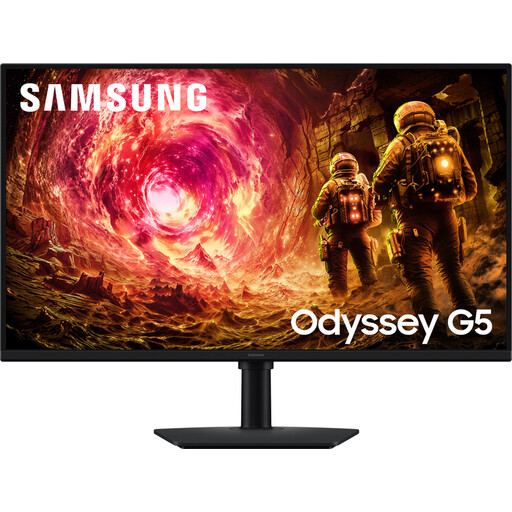
Why it suits this profile: This QHD screen combines a large workspace with 180Hz and ergonomic adjustment options for gaming, streaming and multitasking.
The product specifications make both the resolution and synchronisation clear: QHD, 180Hz, G-SYNC Compatible and FreeSync. However, check your PC’s performance beforehand.
32-inch IPS, 2560 × 1440 pixels, 180Hz, HDR10, 99% sRGB and a stand with height, swivel and tilt adjustment.
We have put together a complete, up-to-date list of products that fully meet these strict selection criteria and the applicable European safety regulations.
For many players, 144Hz is a significant step up from 60Hz. It provides smoother motion without requiring your PC to achieve the same high frame rates as 240Hz or 320Hz. A higher refresh rate can be worthwhile for competitive esports games, provided your system can deliver that level of performance.
Lifespan depends on usage, heat, power supply and handling. Position the screen securely, do not block the ventilation openings and do not use damaged cables. With an OLED gaming monitor, it is advisable to use the built-in screen maintenance features and read the warranty terms regarding prolonged display of static images.
Power consumption varies according to screen size, panel type, brightness and HDR setting. A 24-inch Full HD monitor will generally use less electricity than a large QHD, 4K or OLED screen. Check the energy label and product specifications if electricity costs are an important consideration for you.
