
Vandaag of morgen in huis

Kwaliteit gegarandeerd

Welkomstaanbiedingen ontgrendelen: GRATIS bezorging | Tot 80% korting | Gratis 30 dagen JoyPlus-proefperiode
Download de app
Buying a new gaming monitor might seem simple: choose a high refresh rate, a low response time and a large screen. But many buyers end up paying for specifications that aren’t suited to their PC, desk or needs. For example, a 240Hz monitor offers little benefit if your computer can’t deliver a high frame rate in your favourite game. And a large 4K monitor can produce a stunning picture, but it also demands more graphics processing power.
The main pitfalls are:
Full HD, with 1920 × 1080 pixels, is a practical choice for an affordable PC gaming monitor. At 24 inches, it generally looks suitably sharp. At 27 inches, QHD with 2560 × 1440 pixels can deliver a noticeably clearer picture. A 4K monitor with 3840 × 2160 pixels is a good option for large screens, creative work and detailed images, but it puts more strain on your graphics card.
An ultrawide monitor usually has a 21:9 or 32:9 aspect ratio. This gives you extra horizontal space for games, timelines and multiple windows. Just check that your desk is deep and wide enough first. A curved monitor can make a wide screen feel easier to take in at a glance, but the curvature is a matter of personal preference.
The refresh rate tells you how many times the picture is updated per second. 100Hz or 120Hz already looks noticeably smoother than 60Hz for everyday use. For fast-paced shooters and racing games, 144Hz, 165Hz, 180Hz, 200Hz or 240Hz are all possible options.
Consider how the monitor will work with your hardware:
A monitor with FreeSync or another Adaptive Sync technology can adjust its refresh rate to match the graphics card’s output. This can help reduce tearing and stuttering, but check compatibility with your graphics card and chosen connection.
An IPS monitor is known for its wide viewing angles and consistent colour reproduction. This makes IPS a good choice for gaming, working from home and creative software. According to product specifications, a VA monitor often offers higher static contrast, which can affect how dark scenes appear. An OLED gaming monitor stands out because its pixels can switch off individually. If you choose OLED, it’s sensible to follow the user manual and use the screen maintenance features. Static elements displayed for long periods may need extra attention on OLED panels.
HDR10 means that the monitor can process HDR10 signals. On its own, this doesn’t tell you how much contrast or brightness you’ll experience in every situation. Check the brightness, panel type and specific HDR specifications too.
For working from home, height adjustment, tilt, swivel, VESA compatibility and a USB-C connection are often more important than an extremely high refresh rate. A monitor for working from home can also make a good second screen for gaming, as long as its connections and refresh rate suit your needs.
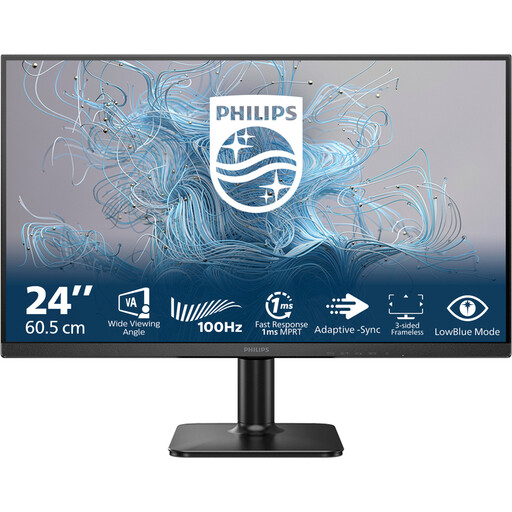
Why it suits this profile: This 24-inch Full HD monitor combines 100Hz with a VA panel, making it suitable for everyday work, multimedia and casual gaming.
The resolution and screen size make a practical pairing, without paying for a refresh rate that not every PC needs.
24 inches, Full HD, VA panel, 100Hz and a 4ms response time according to the product information.
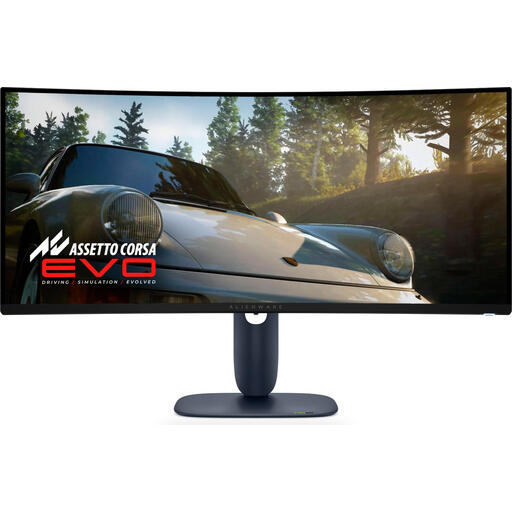
Why it suits this profile: This 34.2-inch ultrawide QD-OLED screen is designed for users who want to combine gaming, multitasking and media viewing.
The product specifications cover resolution, connections and ergonomic adjustment, so you don’t have to rely on the OLED label alone.
3440 × 1440, 21:9, 240Hz, QD-OLED, HDR10, plus DisplayPort, HDMI and USB connections according to the product details.
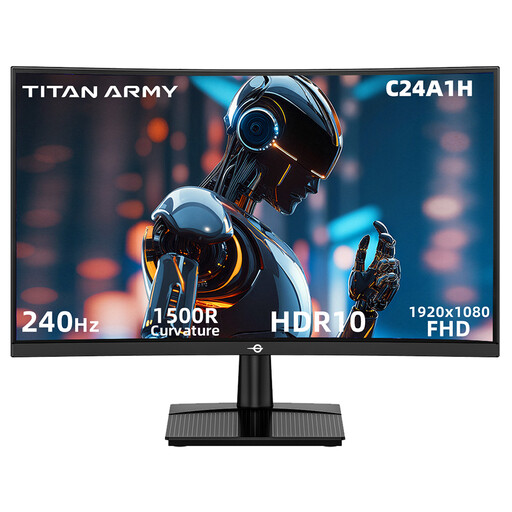
Why it suits this profile: This 23.6-inch curved monitor is designed for fast Full HD gaming, with a 240Hz refresh rate.
The HDMI 2.0 and DisplayPort 1.2 specifications explicitly state support for 1920 × 1080 at 240Hz. Check that this works with your own cable and graphics card.
FHD resolution, 240Hz, 1500R curvature, VA panel, HDR10 and FreeSync compatibility according to the product specifications.
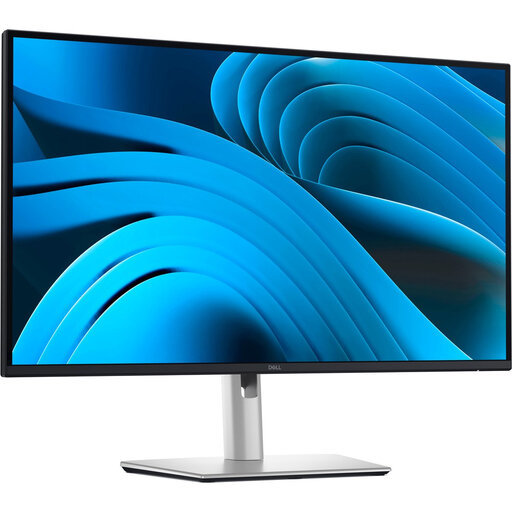
Why it suits this profile: This 27-inch IPS monitor is designed for productivity, but can also serve as a versatile screen for everyday gaming.
The fully adjustable stand and USB-C connection help prevent ergonomic and connectivity issues from cropping up after purchase.
QHD, IPS, 100Hz, USB-C with up to 90W Power Delivery, RJ45, plus height, swivel and tilt adjustment.
We’ve put together a complete, up-to-date list of products that meet these strict selection criteria and current European safety regulations.
For many gamers, 144Hz is a practical balance between smooth visuals and hardware demands. A 165Hz or 180Hz monitor may be worth considering if your PC consistently delivers higher frame rates in your games. Also check that your DisplayPort or HDMI connection supports the setting you want.
Its lifespan depends on build quality, hours of use, heat, transport and panel technology. Keep the ventilation openings clear, use a suitable stand and clean the screen with a soft cloth. If you have an OLED gaming monitor, it’s a good idea to use the automatic pixel or panel maintenance features as instructed in the manual.
Power consumption varies according to size, brightness, resolution and panel type. A 34-inch ultrawide monitor or 4K monitor may use more power than a compact Full HD monitor. For a specific comparison, check the stated power consumption and energy label, and switch the screen off when you won’t be using it for a while.
