
Vandaag of morgen in huis

Kwaliteit gegarandeerd

Welkomstaanbiedingen ontgrendelen: GRATIS bezorging | Tot 80% korting | Gratis 30 dagen JoyPlus-proefperiode
Download de app
Buying a new gaming monitor seems straightforward, until you have to choose between Full HD, QHD, OLED, 144Hz and 240Hz. Marketing copy often focuses on one standout figure, even though other features can be just as important. A high refresh rate, for example, is of little use if your PC can’t deliver that frame rate.
Keep an eye out for these three common pitfalls:
A 27-inch gaming monitor is a practical mid-sized option for a desk. At 27 inches, QHD, or 2560 × 1440 pixels, generally offers more detail than Full HD. However, a Full HD gaming monitor can be a sensible choice if you mainly play competitive games and a high frame rate matters more to you than extra sharpness.
A 32-inch gaming monitor gives you more screen space, but Full HD looks less sharp at this size because of the lower pixel density. For a 32-inch screen, QHD is therefore a better choice if you also work, stream or play lots of open-world games. For simulation and racing games, an ultrawide gaming monitor with a 21:9 or 32:9 aspect ratio can give you a wider field of view. Just make sure your desk is deep and wide enough.
Refresh rate is measured in hertz. A 144Hz gaming monitor can display up to 144 frames per second and feels noticeably smoother than a standard 60Hz screen. A 240Hz gaming monitor is particularly appealing to players who achieve very high frame rates in esports games.
Check the connection, too. Some screens only reach their maximum refresh rate via DisplayPort. For example, the Samsung Odyssey G4 G40H supports up to 300Hz via DisplayPort and up to 240Hz via HDMI, depending on the source device and cable.
A quoted response time of 0,03 ms for OLED panels is a manufacturer’s product specification. With LCD screens, a distinction is often made between MPRT and GTG. So don’t compare figures as if they were measured under the same conditions.
An IPS gaming monitor is known for its wide viewing angles and consistent colours. According to product specifications, VA panels often offer higher static contrast, which can be useful in dark scenes. OLED and QD-OLED panels switch pixels on and off individually. According to manufacturers’ product information, this can deliver deep blacks and a very low quoted response time.
There are a few things to bear in mind, though. OLED screens are less suited to displaying static elements for long periods, such as a fixed taskbar or game interface. The MSI MPG 491CQP therefore explicitly advises against displaying a static image for long periods to reduce the risk of burn-in.
FreeSync monitors and G-SYNC Compatible monitors can adjust their refresh rate to match the graphics card’s frame rate. This can help reduce tearing and stuttering, but the feature requires a compatible GPU, cable, driver and setting. A certification is therefore more meaningful than a standalone claim in a product description. For example, the MSI MPG 491CQP is listed as not officially G-SYNC Compatible, although it may work with G-SYNC. According to the product information, use in this way is at your own risk.
For HDR gaming monitors, check the brightness and certification as well as HDR10 or HDR Ready. DisplayHDR True Black 400 on an OLED screen is a different designation from a LCD screen that only supports HDR10.
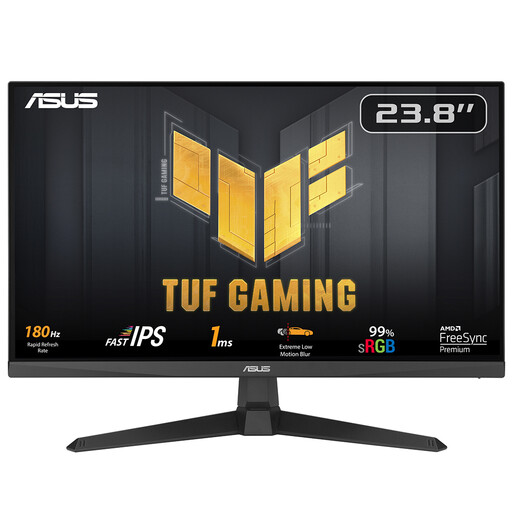
Why it suits this profile: This 23,8-inch Full HD screen keeps the resolution manageable and offers 180Hz, 1 ms and FreeSync Premium for an affordable PC gaming setup.
The specifications state both the refresh rate and Full HD resolution, helping you assess the GPU performance you’ll need.
IPS panel, 180Hz, 1 ms and VESA 100 × 100 mm.
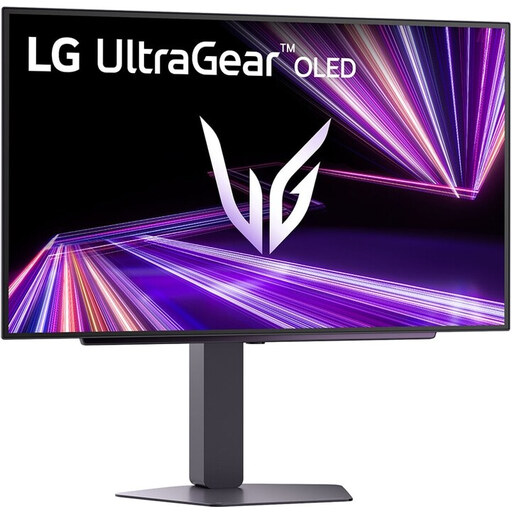
Why it suits this profile: This 27-inch QHD OLED model is designed for gamers who want to combine sharp detail, 240Hz and deep contrast in a single monitor for PC gaming.
The product specifications clearly list DisplayHDR True Black 400, OLED Care, FreeSync Premium Pro and G-SYNC Compatible. Bear in mind how OLED performs with static images.
2560 × 1440, 240Hz, quoted response time of 0,03 ms and HDMI 2.1.
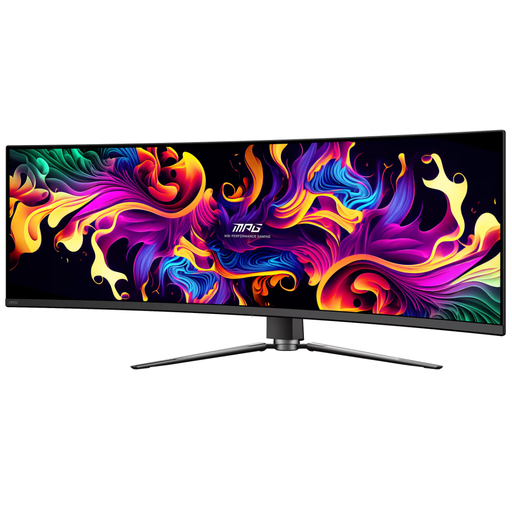
Why it suits this profile: This 49-inch ultrawide gaming monitor, with its 32:9 aspect ratio, is designed for simulation and racing games, as well as multitasking across multiple windows.
The high resolution of 5120 × 1440 makes the wide workspace useful for multitasking. Check in advance that your desk, graphics card and games support the 32:9 aspect ratio.
QD-OLED, 144Hz, 1800R curvature, USB-C with up to 90W Power Delivery and FreeSync.
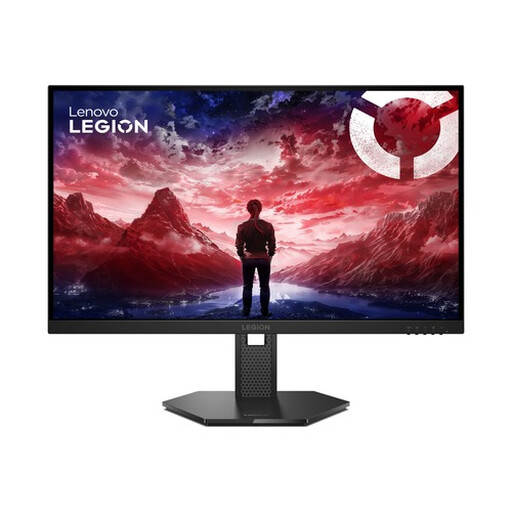
Why it suits this profile: The combination of 27 inches, Full HD and 240Hz is a good fit for players looking for high frame rates in shooters and other fast-paced games.
The manufacturer lists both FreeSync Premium and G-SYNC Compatible, and states that HDR10 depends on compatible hardware and settings.
IPS panel, 240Hz, 0,5 ms MPRT, HDMI 2.1 and a fully adjustable stand.
We’ve put together a complete, up-to-date list of products that meet these strict selection criteria and the applicable European safety regulations.
For many players, 144Hz is a practical choice. The picture looks smoother than at 60Hz, while the required frame rate is often easier to achieve than with 240Hz. For competitive games and a powerful PC, 240Hz or higher may be worth considering.
QHD displays more detail, particularly on screens that are 27 inches or larger. Full HD puts less demand on your graphics card, which can make a higher frame rate possible. The right choice depends on your games, screen size and hardware.
It varies by model and how you use it. Check the energy label for SDR and HDR consumption. With OLED, power consumption can also vary depending on the brightness and what’s on screen.
