
Spaceflight gamer with room for an ultrawide
You want a wide cockpit view during PC gaming sessions and can check in advance that the game, connection and available desk space are suitable.


A 34-inch ultrawide is best suited to a PC game with good 21:9 support and a desk with enough space. A more compact 16:9 screen is more practical if you share a bedroom or play on a console. Weigh up OLED’s performance in dark scenes against the risk of burn-in from a cockpit HUD that stays on screen for long periods, and check the dimensions and connection options for each model.
You want a wide cockpit view during PC gaming sessions and can check in advance that the game, connection and available desk space are suitable.
You need to choose a screen size that works on a shared desk and want to listen to game audio through headphones. So check the dimensions and audio connection on the specific model.
You value dark scenes, but with OLED you also consider the risk of static information remaining on screen for long periods, along with the relevant maintenance conditions.
A good fit if: you play on a PC, the specific game supports 21:9 and your desk has room for a wide screen.
The trade-off: a 34-inch screen takes up space; RTINGS notes that consoles do not support ultrawide aspect ratios.
A good fit if: desk space or using a standard aspect ratio matters more to you than extra horizontal screen space.
The trade-off: you get less horizontal screen space than with 3440 × 1440; for the Dell Alienware AW2725DM, Dell Netherlands specifies a maximum of 180 Hz via DisplayPort and 144 Hz via HDMI at QHD.
A good fit if: deep blacks matter to you and you’re happy to follow the care instructions for your chosen model.
The trade-off: RTINGS and ASUS warn that static images displayed for long periods can cause burn-in on OLED screens; AOC’s stated burn-in cover for the AG346UCD is conditional on following AOC’s care instructions.
| Buying priority | What should you check? | Who is it for? |
|---|---|---|
| Wide cockpit view | Check that the specific PC game supports 21:9 and measure the available desk space. | I want a wider view during PC gaming, but only if my game displays it properly. Around 30% of consumers give cockpit width top priority. |
| Suitable screen and audio | Measure the space, including the stand, and check whether the model has the audio connection you need. | If I share a room, I want the screen to fit on the desk and to be able to listen through headphones. Around 30% of consumers prioritise suitability for a shared space. |
| Dark scenes and a fixed HUD | Check the panel type, care instructions and any conditions for burn-in cover. | I care about dark scenes, but I also want to know what a cockpit HUD that stays on screen for long periods means for my choice of display. Around 20% of consumers prioritise how dark scenes are displayed. |
| Resolution and refresh rate | Compare the resolution and refresh rate in hertz for each port with your PC or console’s output. | I want to make sure my connection can handle the resolution and refresh rate I choose. Around 20% of consumers give PC and connection compatibility top priority. |
For the MSI MAG 342CQR E2, MSI specifies a maximum of 180 Hz via DisplayPort and 100 Hz via HDMI at 3440 × 1440.
Before buying, check the resolution and refresh rate supported by the monitor port and the connected device.
A wide aspect ratio depends on support from the specific game, and a 34-inch screen takes up desk space.
Check the aspect ratio in the game and measure the available space, including the stand. Consider 16:9 if those requirements aren’t a good fit.
High-contrast elements displayed for long periods can cause burn-in on OLED screens. AOC’s stated burn-in cover for the AG346UCD is conditional on caring for the screen according to AOC’s instructions.
Read the care and warranty terms for the exact model. Consider LCD if you don’t want to take these conditions into account.
According to Samsung Netherlands, the Odyssey G5 LC34G55TWWPXEN is an example of Samsung’s 34-inch 21:9 LCD model, with a resolution of 3440 × 1440 and a specified refresh rate of 165 Hz.
Dell Netherlands lists both the 34-inch AW3425DWM with 3440 × 1440 and the 27-inch AW2725DM with 2560 × 1440.
MSI specifies the MAG 342CQR E2 as a 34-inch 21:9 VA LCD with 3440 × 1440, a headphone output and a height-adjustable stand.
AOC positions the AGON PRO AG346UCD as a 34-inch QD-OLED ultrawide and lists a three-year warranty for this model, including burn-in cover.
ASUS ROG lists the Swift OLED PG34WCDN as a 34-inch WQHD QD-OLED monitor with a specified refresh rate of 360 Hz.
These Joybuy picks are aimed at a wide 34-inch gaming setup. Check that your game supports the aspect ratio and that the screen fits on your desk.
 No image available
A wide monitor option for a PC game that supports the aspect ratio; check in advance that a 34-inch screen will fit on your desk.
34-inch; WQHD; VA panel; 1800R curvature; 120 Hz.
 No image available
A 34-inch curved monitor option for a PC cockpit, provided your game supports the wide view and your desk has enough room.
34-inch; UWQHD 3440 × 1440; VA panel; 1500R curvature; 165 Hz.
 No image available
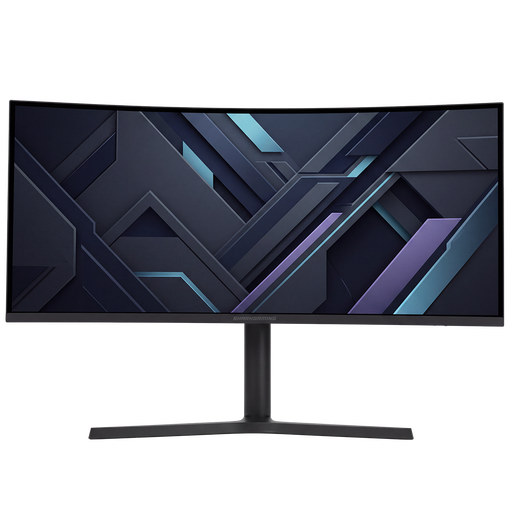
A 34-inch UWQHD option for a wide PC cockpit; check that your game supports it and that there’s room on your shared desk.
34-inch; UWQHD.
 No image available
A wide monitor option for PC games that support the aspect ratio; measure the space, including the stand, before choosing.
34-inch; 3440 × 1440; VA panel; 1500R curvature; DisplayPort up to 180 Hz and HDMI up to 100 Hz; 2 HDMI ports and DisplayPort.
 No image available
A curved UWQHD option for a wide PC cockpit; check game support and whether a 34-inch screen will fit in your shared space.
34-inch; UWQHD; 21:9; 1500R curvature; 200 Hz.
No. Choose 21:9 only if you’re playing on a compatible PC, the specific game displays that aspect ratio properly and the screen fits. RTINGS notes that consoles do not support ultrawide aspect ratios, so 16:9 is a practical option for console gaming.
Check whether your chosen model has a headphone output that suits your setup, or connect your headphones directly to your PC or console. MSI lists a headphone output for the MAG 342CQR E2; check the connections again if you choose a different model.
Check the care instructions for the exact model and bear in mind the risk of burn-in from static images displayed for long periods. ASUS warns about this and describes Pixel Shift as a protective feature; AOC’s stated burn-in cover for the AG346UCD is conditional on following its care instructions. These measures do not eliminate the risk.
No. According to ACM ConsuWijzer, consumers in the Netherlands also have a legal guarantee with no fixed time limit; what you can expect depends, among other things, on normal use. The retailer is your point of contact for this legal guarantee.
According to ACM ConsuWijzer, a standard online consumer purchase usually comes with a statutory cooling-off period of up to 14 days after delivery. Before buying, check the applicable exceptions and the terms for unpacking, trying out and returning the monitor.