
Single-screen cockpit pilot
Wants a wider view during a route without adding a second monitor, so checks whether their game supports ultrawide. This is in line with information from MSI, Samsung and Lenovo.


A 21:9 monitor is a good fit if you want a wide cockpit view on a single screen and your game supports the format well. Consider a 27-inch 16:9 monitor if desk space is limited or you want your PC to handle fewer pixels. A 32:9 model is worth considering if both your game and your setup can accommodate an extra-wide screen. With OLED, contrast in dark scenes is a factor, but if your HUD stays on screen for long periods, also consider image retention and the model’s care instructions.
Wants a wider view during a route without adding a second monitor, so checks whether their game supports ultrawide. This is in line with information from MSI, Samsung and Lenovo.
Prioritises legible text and navigation data, comparing resolution, screen size and available desk space. ASUS, MSI and Lenovo outline relevant factors to consider.
Weighs contrast and smooth motion against the demands on their PC and, with OLED, interface elements that stay on screen for long periods. MSI and Dell provide model-specific information to help with this decision.
Start with the aspect ratio your game supports, then weigh resolution and refresh rate against your PC’s capabilities and the space available on your desk.
| What to consider | What should you check? | Who should consider this? |
|---|---|---|
| Horizontal cockpit view | Check whether your game supports 21:9 or 32:9, and measure the space available on your desk. | If I want a wider cockpit view on a single screen, game support is crucial. Around 31% of consumers prioritise cockpit width above all else. |
| Instrument legibility | Compare the native resolution with the screen size, and check text and HUD scaling in your game. | I want to be able to read route data and cockpit text at a glance. Around 25% of consumers put instrument legibility at the top of their list. |
| Smooth visuals and PC performance | Check the resolution, video output and refresh rate supported by the monitor for each connection. | If I want smooth motion without putting more strain on my PC than necessary, I look at the combination of resolution and refresh rate. Around 19% of consumers say PC performance and smoothness are their top concerns. |
| Dark scenes and a static HUD | Compare panel types and read the care instructions and warranty terms for the specific OLED model. | I weigh contrast in dark scenes against a fixed cockpit interface during long sessions. Around 13% of consumers prioritise contrast and HUD elements that remain on screen for long periods. |
| Desk space | Compare the monitor’s full dimensions with your workspace, viewing distance and preferred mounting setup. | If my desk has little spare room, the screen needs to fit into my existing setup. Around 12% of consumers say available desk space is their top buying priority. |
The supported refresh rate can vary by input and does not tell you how many frames your PC will actually deliver in a game. ASUS lists different maximum refresh rates via HDMI and DisplayPort for the VG27AQ3A.
Check the resolution and refresh rate for each connection, and make sure your choice suits your PC’s capabilities.
A wide aspect ratio does not guarantee that a game will display the edges of the screen, HUD or field of view correctly. Lenovo identifies game support and PC performance as relevant factors.
Before choosing an extra-wide screen, check the settings for the game you play, including its aspect ratio and field of view.
For the MSI MAG 342CQR E2, MSI lists 1 ms MPRT and 4 ms GtG separately; these use different measurement methods.
Only compare response time figures that use the same definition, and consider them alongside resolution and refresh rate.
Dell describes pixel shift on the AW3425DW as a measure to help prevent image retention, not as a guarantee that image retention is impossible.
Read the care instructions and warranty terms for the exact OLED model before you decide.
The TUF Gaming VG27AQ3A is an example of a 27-inch 16:9 QHD IPS monitor.
The MAG 342CQR E2 is an example of a 34-inch 21:9 UWQHD VA monitor for a wide view on a single screen.
The AW3425DW is an example of a 34-inch 21:9 QD-OLED monitor.
The Odyssey G9 G95C is an example of a 49-inch super-ultrawide monitor.
These options range from compact 27-inch 16:9 models to 34-inch 21:9 and 49-inch 32:9 monitors. Check that your game supports the aspect ratio you choose.
 No image available
A 34-inch ultrawide option if your game supports 21:9 and you have enough room on your desk.
3440 × 1440 pixels and a 21:9 aspect ratio. The title lists a maximum refresh rate of 180 Hz via DisplayPort and 100 Hz via HDMI; check which connection you use.
 No image available
A 32:9 screen for anyone who wants plenty of horizontal space on one monitor and has enough room on their desk.
5120 × 1440 pixels, VA panel, 165 Hz and FreeSync according to the product title. The listing recommends a desk or VESA mount that can support more than 15 kg, and installation by two people.
 No image available
A wide OLED option if your game supports 32:9 and contrast in dark scenes is a priority.
The product title lists 5120 × 1440 pixels, 240 Hz and FreeSync Premium Pro. The listing recommends avoiding static images for extremely long periods, so bear this in mind if you use a fixed cockpit HUD. The stated weight is 13,96 kg.
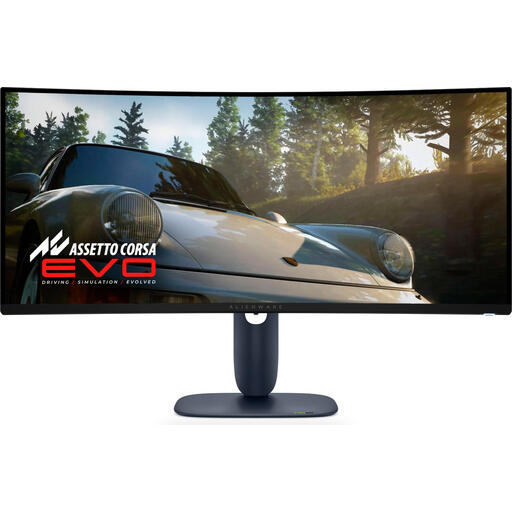 No image available
A 21:9 option if your game supports ultrawide and dark scenes and contrast matter to you.
3440 × 1440 pixels and QD-OLED according to the product listing. Dell specifies a maximum refresh rate of 240 Hz for this model and describes pixel shift as a measure to help prevent image retention; this does not make a static HUD displayed for long periods risk-free.
 No image available
A more compact 16:9 option if desk space and QHD visuals matter more than extra horizontal cockpit space.
2560 × 1440 pixels, IPS, 144 Hz and Adaptive Sync according to the product title. The 16:9 aspect ratio does not offer the extra width of a 21:9 or 32:9 screen.
Use a connection that supports your chosen resolution and refresh rate, then select the native resolution and the correct refresh rate on your PC and monitor. ASUS lists different maximum refresh rates for each input on the VG27AQ3A. Also check the aspect ratio, text scaling and field of view settings in your game.
Follow the instructions for the exact model and leave its dedicated care features enabled. Dell lists pixel shift on the AW3425DW as a measure to help prevent image retention; this does not mean that static HUD elements displayed for long periods are risk-free.
According to the European Commission, the EU energy label for displays helps you compare energy efficiency and also includes information about HDR performance. Calculate your own electricity costs based on the chosen model’s power consumption, your usage hours and your electricity tariff. A manufacturer’s warranty or paid protection plan does not replace your rights with the retailer.
According to the Dutch government, when you buy from a business at a distance, you generally have a 14-day cooling-off period, with exceptions for some purchases. European energy labelling rules also apply to computer monitors.