Gaming monitors at Joybuy
This selection includes compact 16:9 screens for a shared setup and a 34-inch ultrawide for a compatible PC simulator.
 No image available
Philips Evnia 27M2N3500NF 27-inch QHD monitor
A compact QHD option for a shared desk; the product listing also mentions a headphone output.
27 inches; 2560 × 1440; IPS; 144 Hz; Adaptive Sync; headphone output.
View at Joybuy
 No image available
MSI MAG 272QP QD-OLED X24 26.5-inch
A compact QHD option for anyone considering QD-OLED and weighing up the points to consider with static game interfaces.
2560 × 1440; 16:9; QD-OLED; 240 Hz; DisplayHDR True Black 400.
If cockpit or HUD elements remain static for long periods, panel maintenance and the risk of burn-in need consideration.
View at Joybuy
 No image available
LG 27GS85Q-B 27-inch QHD monitor
An adjustable 27-inch option if you want to set the screen height to suit your seating position.
2560 × 1440; IPS; 180 Hz, overclockable to 200 Hz; 110 mm height adjustment.
View at Joybuy
 No image available
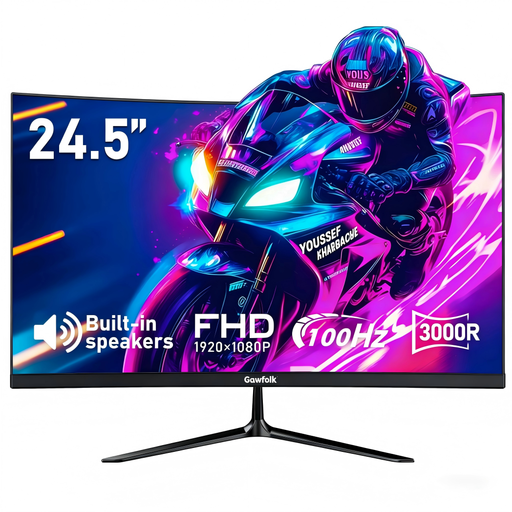
Gawfolk 24.5-inch Curved FHD monitor
A smaller screen size to consider when choosing a monitor for a shared space.
24.5 inches; FHD; 3000R curved; 100 Hz; built-in speakers.
View at Joybuy
 No image available
Philips Evnia 3000 34M2C3500L 34-inch ultrawide
A wide-screen option for a PC simulator that supports 21:9; measure the available space in advance.
3440 × 1440; 21:9; Fast VA; up to 180 Hz via DisplayPort and 100 Hz via HDMI.
View at Joybuy
Frequently asked questions
Will an ultrawide work with my space game or console?
First check whether your specific game supports 21:9. Tweakers describes ultrawide as suitable for some PC simulators, but not every game makes use of the format, and consoles don’t output an ultrawide picture.
How can I set up the monitor without disturbing my roommate?
Measure the space for the screen and stand. If the model is adjustable, set the height to suit your seating position, and use headphones if you like. Check whether the exact monitor has a headphone socket; ASUS lists one for the VG28UQL1A, for example.
What should I do about cockpit instruments that stay on screen for a long time on an OLED monitor?
Follow the maintenance instructions for your model and avoid leaving static images on screen for long periods where the manufacturer advises this. Samsung describes fixed game interfaces as a potential burn-in risk on OLED monitors; maintenance features vary by screen.
Is an energy label relevant for a monitor in the Netherlands?
Yes. The European Commission lists computer monitors among the electronic displays that require energy labels. Compare the label and energy consumption information for the exact model.
What cooling-off period and warranty apply to an online purchase?
According to the Dutch Government, online purchases from a business usually come with a 14-day cooling-off period. There’s no fixed term for statutory warranty in the Netherlands: if you have a valid complaint, contact the seller. A manufacturer’s warranty or an extended warranty is in addition to this; check the terms for the exact product, including any exclusions for OLED damage.


