
Cockpit gamer looking for a wider view
You want one wide screen for your cockpit and are comparing 21:9 with 32:9, the space available and what your PC can handle.


Choose 21:9 for a wide cockpit setup, 32:9 if you have the extra screen width and space, or 16:9 if 4K detail matters more than an ultrawide view. Then check that your game supports the aspect ratio and that your PC can handle the chosen resolution. With OLED, you’ll also need to consider maintenance and HUD elements that stay on screen for long periods.
You want one wide screen for your cockpit and are comparing 21:9 with 32:9, the space available and what your PC can handle.
You value contrast in dark scenes and are weighing up OLED against the maintenance involved when HUD elements stay on screen for long periods.
You’re comparing VA LCD and OLED for motion handling, connections and maintenance during extended gaming sessions.
First, work out how much screen width your setup and game can make use of. Then compare panel type, preferred picture mode and connection. The percentages show how many consumers in these scenarios consider each factor their top priority.
| What to consider | What to look for | Who should pay particular attention? |
|---|---|---|
| Screen width and positioning | Check that your game supports 21:9 or 32:9, measure the monitor with its stand, and make sure your PC can perform at the chosen resolution. MSI lists 3440 × 1440 for the MAG 341CQP and 5120 × 1440 for the MPG 491CQP. | I want a wide cockpit view, but I need to know in advance whether the monitor and resolution will suit my space and PC. Around 33% of consumers put screen width first. |
| Contrast in dark scenes | Compare panel types and HDR specifications, and take the room’s lighting and the exact model’s maintenance instructions into account. | I want to assess contrast in dark space scenes and weigh up OLED against the care needed when displaying the same image for long periods. Around 27% of consumers prioritise contrast. |
| Motion handling and connection | Check the resolution, refresh rate and input combination for each model; the maximum mode may vary by port. ASUS lists up to 180 Hz for the VG34VQL3A, while Dell specifies 165 Hz via DisplayPort and 100 Hz via HDMI at 3440 × 1440 for the AW3423DWF. | I want to follow fast-moving action clearly, so I check which mode my PC can achieve through the chosen connection. Around 20% of consumers consider motion handling their top priority. |
| Long-term use and maintenance | Read the maintenance guidance and any burn-in terms for the exact model, and check the terms that apply to your purchase in the Netherlands. LG warns that displaying the same image for long periods on an OLED screen can cause image retention. | I play for long periods with fixed HUD elements and want to know in advance what maintenance and terms apply. Around 20% of consumers put long-term use and maintenance ahead of other buying factors. |
The achievable refresh rate may depend on the input you use. For the AW3423DWF at 3440 × 1440, Dell lists different maximum rates via DisplayPort and HDMI.
Before buying, compare the resolution and refresh rate you want for each port with the connections on your PC.
MSI lists the MPG 491CQP as 1195 mm wide with its stand. This may mean you need to make changes to your desk or mounting setup too.
Measure the available width and depth. If you want to use a monitor arm, check the mounting details for the exact model.
A commercial warranty and your statutory rights are not the same thing. ACM ConsuWijzer explains that statutory guarantees apply alongside commercial warranties.
Read the terms for the exact product and seller before paying for additional cover.
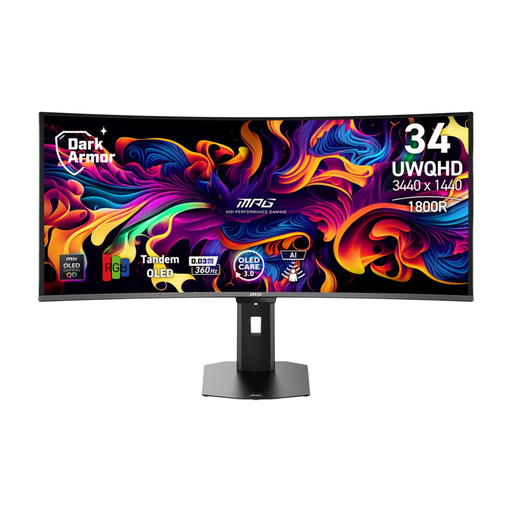
The MAG 341CQP reviewed here is a 34-inch 21:9 QD-OLED model; the MPG 491CQP has a 49-inch 32:9 setup.
The Dutch product page for the UltraGear 34GX900A-B describes a 34-inch 21:9 OLED monitor with 3440 × 1440 and 240 Hz.
The TUF Gaming VG34VQL3A is a 34-inch 21:9 VA LCD monitor reviewed here.
The AW3423DWF is a 34-inch 21:9 QD-OLED model for which your choice of input matters.
The AGON PRO AG326UD is a 31.5-inch 16:9 QD-OLED option reviewed here, for those who value 4K detail over extra screen width.
This selection includes 16:9 4K models, 21:9 ultrawides and 49-inch 32:9 monitors, to suit different preferences for screen width and detail.
 No image available
A 16:9 option if you’d rather prioritise 4K detail over extra screen width; check that your PC can achieve the desired frame rate at 4K.
QD-OLED; 3840 × 2160; 165 Hz.
 No image available
A 21:9 option for a wide cockpit view; check game support and whether your PC can handle the resolution.
34 inches; 21:9; 3440 × 1440; 175 Hz; QD-OLED.
 No image available
A 34-inch VA LCD option if you want to compare ultrawides without choosing an OLED panel; check your preferred input and gaming mode.
34 inches; 21:9; UWQHD; 1500R; 200 Hz.
 No image available
A very wide 32:9 option if you have room for a large cockpit display; check game support and your PC’s performance at the chosen resolution.
49 inches; 5120 × 1440; 240 Hz; QD-OLED.
The product information warns against displaying static images for long periods.
 No image available
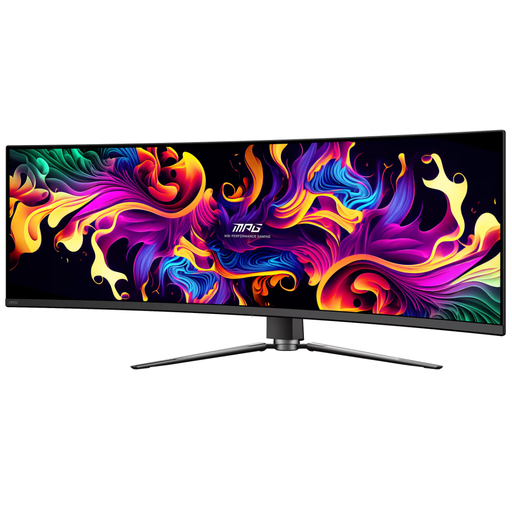
A 32:9 cockpit option if you want extra screen width and have plenty of desk space; also check how your game displays the aspect ratio.
49 inches; 5120 × 1440; 144 Hz; QD-OLED.
The product information warns against displaying static images for long periods. Check the maintenance and warranty terms that apply to your purchase in the Netherlands.
No, you can’t tell that from the monitor specifications. Check whether your specific game supports 32:9 and how it displays the field of view and HUD.
Compare the resolution and refresh rate you want for each input with your PC’s output. For example, Dell lists 165 Hz via DisplayPort and 100 Hz via HDMI at 3440 × 1440 for the AW3423DWF.
Follow the maintenance instructions for the exact model. LG warns that displaying the same image for long periods can cause image retention and describes a screen-cleaning function in the settings of its OLED monitors; this is not a guarantee against burn-in.
No. According to ACM ConsuWijzer, statutory rights apply alongside commercial warranties; what you can expect from a product depends, among other things, on normal use. If a product is faulty, the seller is responsible for providing an appropriate solution.
ACM ConsuWijzer explains that online product purchases generally come with a statutory cooling-off period of up to 14 days after delivery, subject to applicable exceptions. Check the terms that apply to your purchase.