If you game on PC and your game supports ultrawide, a 34-inch 21:9 monitor gives you more room to see the cockpit. Just check that your PC can handle 3440 × 1440 at your preferred refresh rate. If you game on console or want to drive fewer pixels, start by looking at 16:9, then choose based on motion handling, contrast, the headphone connection and the monitor’s care requirements.
Which screen is right for you?
PC pilot looking for a wider view
You want to see more of the cockpit and your surroundings at once. Check that your game supports ultrawide and that your PC can handle your preferred resolution; Tweakers discusses this as a trade-off when gaming on ultrawide screens.
Pilot looking for smooth aiming
You prioritise consistent motion handling when the frame rate varies during combat. VESA explains how unsynchronised refresh can cause tearing and stuttering.
Console pilot with a headset
You want to know in advance which display modes your console recognises and where to connect your headphones and, if needed, microphone. PlayStation explains how to test 1440p output on PS5; check your headset’s audio connection separately.
What should you look for when choosing?
| What to consider |
What should you check? |
Who will find this important? |
| Wide cockpit view |
Check that your game supports 21:9 and that your PC can handle 3440 × 1440. |
If I want to see more of the cockpit and my surroundings at once, I first check whether my game and PC support it. Around 40% of consumers put a wide cockpit view first. |
| Smooth motion |
Check the resolution and maximum Hz for each input, as well as the VRR support of your source device. |
If smooth motion is my priority when aiming, I look at what my source device and monitor can do together. Around 30% of consumers put smooth action first. |
| Contrast and HUD care |
Read the care instructions and burn-in coverage terms for the exact model. |
If dark scenes matter to me but I play for long periods with a visible cockpit HUD, I weigh up picture quality and panel care. Around 20% of consumers put contrast and panel care first. |
| Platform and headset |
Check which display modes are recognised and whether the connection also works with your headset’s microphone. |
If I want to use my console and headphones without connection surprises, I check both the video and audio connections in advance. Around 10% of consumers put their platform and headset first. |
Common buying mistakes
-
Choosing ultrawide without checking your game
You can only use the extra-wide view if your game and source device support the format.
Before choosing, check the aspect ratio your game outputs on your PC or console.
-
Assuming the highest Hz rating guarantees better gaming performance
The stated maximum refresh rate depends on the input, source device and settings. Your game won’t automatically deliver the same number of frames per second.
Compare the supported resolution and Hz for each input, and check the output modes on your own equipment.
-
Leaving OLED care until after you’ve bought
If a HUD stays on screen for long periods, the care instructions and warranty terms for your chosen model matter.
Read the model-specific instructions and burn-in coverage terms before choosing between LCD and OLED.
-
Assuming a headphone output also supports the microphone
A listed audio output on its own doesn’t confirm that the full headset connection will work.
Check the headphone and microphone connections separately for your equipment.
Brands to consider
The models mentioned here show a range of screen sizes and panel types. Always compare the specifications and terms for the exact model.
AOC
The CU34G2XP/BK and AG346UCD are two 34-inch 21:9 models with different panel types.
- AOC lists a Fast VA panel, 3440 × 1440 and up to 180 Hz for the CU34G2XP/BK. For the AG346UCD, AOC specifies the same resolution and up to 175 Hz.
- To qualify for the burn-in coverage AOC lists for the AG346UCD, you must follow the prescribed screen-care routine.
LG
The UltraGear 34GS95QE-B is a 34-inch 21:9 OLED monitor with a pronounced curve.
- LG specifies 3440 × 1440, an 800R curve, up to 240 Hz and a four-pole headphone output.
- Whether you like the curve is a matter of personal preference. If you have a headset with a microphone, check separately that the full audio connection works.
MSI
The MPG 341CQPX QD-OLED is a 34-inch 21:9 model with OLED care features.
- MSI specifies a resolution of 3440 × 1440, an 1800R curve and up to 240 Hz for this model.
- MSI says OLED Care 2.0 reduces the risk of burn-in. This doesn’t guarantee that a static HUD won’t leave marks.
Dell Alienware
The AW3425DWM is a 34-inch 3440 × 1440 LCD option that has been reviewed.
- Dell lists up to 180 Hz and AdaptiveSync for this model.
- Check the supported display modes for each input, and note that the AW3425DWM is not the same model as the AW3423DWF QD-OLED.
Gigabyte
The MO27Q2A is a compact, flat 27-inch QHD QD-OLED option alongside the ultrawide models reviewed.
- Gigabyte lists a QHD panel and up to 280 Hz for this model.
- The 16:9 format doesn’t offer the extra horizontal screen space of a 21:9 monitor. Check the panel-care requirements and which display mode your source device supports.
Joybuy monitors for a wider view
These Joybuy products are ultrawide monitors. Check whether each game and source device supports the aspect ratio and your preferred output mode.
 No image available
LG UltraWide 34U601B-B WQHD VA monitor, 34 inch, 120 Hz
A 34-inch ultrawide model for anyone who wants a wide cockpit view in a supported PC game.
WQHD, VA panel, 1800R curve and 120 Hz.
Joybuy
 No image available
Gawfolk 34-inch curved UWQHD gaming monitor, 144 Hz
This curved ultrawide is worth considering if your PC game supports the wider format.
3440 × 1440, 1500R curve, Fast VA and 144 Hz. The product name doesn’t mention speakers.
Joybuy
 No image available
LG 45GX900A-B OLED monitor, 44.5 inch
An ultrawide OLED model to consider if your game and PC support the format and you want to factor OLED care into your choice.
3440 × 1440 and OLED. If static HUD elements stay on screen for long periods, the care instructions for the exact model are important.
Joybuy
 No image available
CRUA 49-inch curved ultrawide gaming monitor, DQHD 165 Hz
This wide model is designed for a setup where your game and PC can handle the 32:9 format.
5120 × 1440, 32:9, 1500R curve, VA panel and FreeSync. The PC performance you’ll need depends on your setup.
Joybuy
 No image available
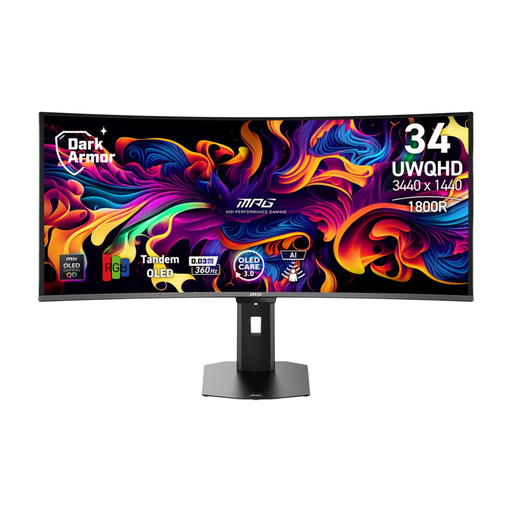
MSI MPG 341CQR QD-OLED X36 monitor, 34 inch
A 34-inch QD-OLED option for anyone looking to combine ultrawide gaming with strong picture quality in dark scenes, in a supported game.
3440 × 1440 and QD-OLED. Check the care instructions for the exact model if a static HUD stays on screen for long periods.
Joybuy
Frequently asked questions
How do I set the right display mode after connecting everything?
On your PC, check the resolution and refresh rate you’ve selected, and enable compatible VRR if needed. On a PS5, go to Settings > Screen and Video to view information about the connected HDMI device and test 1440p output, including 60 Hz, 120 Hz and VRR. Availability depends on your equipment and game.
Should I plug my headphones into the monitor?
No, choose the audio connection that suits your PC or console and headset. LG lists a four-pole headphone output for the 34GS95QE-B, but check that the microphone works with your setup separately; an audio output alone doesn’t confirm this.
What care does an OLED monitor need during long sessions with a cockpit HUD?
Check the care instructions for the exact model and, where possible, avoid leaving static images on screen for long periods. MSI describes OLED Care as a way to reduce the risk; AOC makes the burn-in coverage listed for the AG346UCD conditional on following the screen-care instructions.
What are my rights in the Netherlands if the monitor I bought online is faulty or I change my mind?
According to the Dutch government, when you buy from a business online, you usually have 14 days to change your mind. Products must also be of satisfactory quality, and the retailer is your point of contact if something is wrong. The Dutch government says there is no single fixed statutory warranty period for all products; a manufacturer’s warranty is separate from your statutory rights.


