
Sim racer with a narrow setup
You want to fit a single screen without further restricting your walking space or the area for your wheel and pedals. The screen’s width, stand depth and viewing distance all affect whether it will fit.


Start by measuring the available width and depth, as well as the distance between your eyes and the screen. A 23.8-inch monitor is the more compact option, while a 27-inch QHD monitor offers more pixels if it fits and your system can handle the resolution. Choose a 34-inch ultrawide only if its extra width, support from your racing simulator and demands on your system suit your setup. A monitor alone won’t make the wet racing line easier to see.
You want to fit a single screen without further restricting your walking space or the area for your wheel and pedals. The screen’s width, stand depth and viewing distance all affect whether it will fit.
You have room for a mid-sized screen and want to weigh up resolution, connectivity and achievable frame rates when viewing track markings and wet conditions.
You’re considering one ultrawide instead of several screens, but want to check the available width and your racing simulator’s display settings first.
Choose this option if: available width is your priority and you can position a single screen close to your usual racing position.
Trade-off: you’ll have less horizontal screen space than with an ultrawide. The right display settings still depend on your actual viewing distance and screen width.
Choose this option if: the screen and stand fit your setup, and your system can handle QHD in your racing simulator. ASUS specifies a resolution of 2560 × 1440 for the VG27AQ3A.
Trade-off: according to ASUS, the VG27AQ3A has no height adjustment. More pixels alone don’t prove that you’ll be better at recognising grip in wet conditions.
Choose this option if: a wider field of view matters to you, and your setup can accommodate the extra width, game display and PC performance requirements.
Trade-off: the extra width won’t fix incorrect display settings or a viewing distance that’s too great. Check that there’s room for the stand, too, and consider the extra demands the additional pixels place on your system.
| What to consider | What should you check? | Who is this important for? |
|---|---|---|
| Space for the screen and stand | Measure the width and depth of your setup, including the stand. ASUS lists the VG27AQ3A’s dimensions with stand as 61,50 × 45,50 × 21,40 cm; compare these with the space for your wheel and pedals. | If the monitor needs to fit alongside my wheel and pedals, I want to know how much room the whole setup will take up first. Around 36% of consumers rank available space as their top purchase priority. |
| Resolution and track detail | Compare 1920 × 1080 on the Philips 24M2N3200A/01 with 2560 × 1440 on the ASUS VG27AQ3A, and check that your system can handle your chosen resolution in your racing simulator. iRacing describes puddles, reflections and spray as simulation effects. | If you want to assess track markings and wet conditions, resolution and your own system’s performance are important considerations. Around 29% of consumers rank track detail as their top purchase priority. |
| Width and display settings | Measure to make sure the screen and stand will fit, and check whether your game supports 21:9. According to Samsung, the LC34G55TWWPXEN is 34 inches, 21:9 and 3440 × 1440. iRacing Support uses screen width and eye distance when setting up the display for a single screen. | If I want a wider field of view, the screen needs to fit my setup and display the image correctly. Around 21% of consumers rank a wider field of view as their top purchase priority. |
| Connection and refresh rate | Check the resolution and refresh rate you want against the port, cable and system you’ll be using. ASUS lists a maximum of 180 Hz via DisplayPort and 144 Hz via HDMI for the VG27AQ3A; the Philips 24M2N3200A/01 has a specified maximum of 180 Hz. | If a smooth picture matters to me, I want to know what refresh rate my chosen connection and system can actually handle. Around 14% of consumers rank achievable frame rate as their top purchase priority. |
The diagonal measurement doesn’t tell you how much desk depth the stand needs. The distance from your eyes to the screen also affects the display settings; iRacing Support recommends measuring this from your usual racing position.
Measure your whole setup before choosing. If you’re using an arm, check the VESA size and weight capacity for the exact model, too.
A wider screen can’t replace a suitable viewing distance, correct display settings or game support. Rain and track effects depend on the racing simulator and the content it supports.
Check that rain and your chosen track are supported, measure the available space and set up the display from your usual seating position.
The Dell Alienware AW2725D is a QD-OLED model. The Alienware AW2725DM sold on Joybuy is described as an IPS monitor; these are different model numbers and panel types.
Before buying, compare the full model number and panel type on the product page.
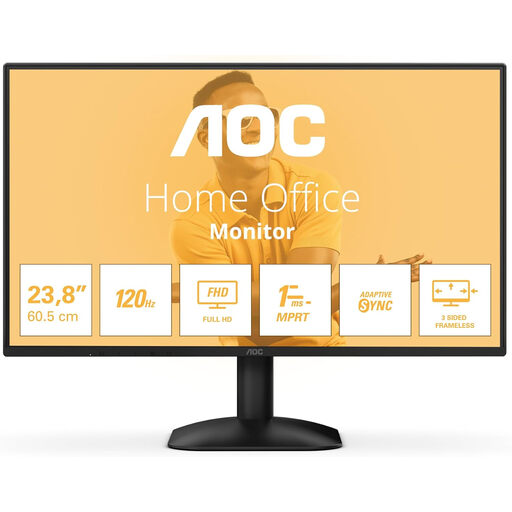
The Philips 24M2N3200A/01 is an example of a compact 23.8-inch Full HD option.
The TUF Gaming VG27AQ3A is an example of a 27-inch QHD option for a setup with enough space.
The Odyssey G5 LC34G55TWWPXEN is an example of a single curved 34-inch ultrawide with a 21:9 aspect ratio.
The Alienware AW2725D is a 27-inch QHD QD-OLED model for anyone specifically considering this panel type.
This selection includes compact monitors for a single-screen setup. For each model, measure the full external dimensions, including the stand, before deciding how much space you’ll need.
 No image available
A Full HD model for a compact single-screen setup; check the overall dimensions and space needed for the stand.
24 inches; Full HD; up to 100 Hz; specified response time of 1 ms.
 No image available
A 24-inch Full HD model for a compact setup; check that the screen and stand will fit in your available space.
24 inches; Full HD.
 No image available
A Full HD option for a single-screen setup; check that the available connections suit your PC or console.
24 inches; 1920 × 1080; 16:9; HDMI and DisplayPort.
 No image available
A 24-inch Full HD model for a compact racing setup; check which connection your system uses.
IPS; 144 Hz; 1080p; HDMI and DisplayPort.
 No image available
An option for a compact single-screen setup; compare the full dimensions, including the stand, with your available space.
60.4 cm.
In iRacing, measure the distance from your eyes to the screen and the screen width from your usual racing position, then use these figures to set up the display. Also check that your chosen car and track support rain; iRacing Support describes the simulator’s rain settings and available content.
No. ASUS specifies a maximum of 144 Hz via HDMI and a maximum of 180 Hz via DisplayPort for the VG27AQ3A. Check the port, cable, selected mode and your own system’s performance; these figures don’t automatically apply to other models.
The European Commission states that computer monitors are covered by the energy labelling rules for electronic displays, with a scale from A to G. Compare the label and details for the exact model; its energy rating doesn’t indicate how it performs in a racing simulator.
According to ACM ConsuWijzer, online purchases generally come with a statutory 14-day cooling-off period after delivery, subject to applicable exceptions. The seller must also offer an appropriate solution if a product doesn’t perform as you could reasonably expect under normal use. Check the terms that apply to your purchase.