What should you look for?
Compact Full HD gaming monitor
When to choose it: If desk space is your priority and 1920 × 1080 meets your needs, compare models around 23.8 inches for their stands, adjustability and connections.
Trade-off: According to GIGABYTE, the GS24F14A measures 537,7 × 414,5 × 152 mm with the stand and has no height adjustment. Its stated 175 Hz is an overclocked mode, alongside a maximum of 144 Hz.
Compact QHD monitor
When to choose it: If you want more pixels for your games and interface on roughly the same screen size, check that your device can output the resolution and refresh rate you want.
Trade-off: Philips lists QHD, or 2560 × 1440, for the E Line 245E1S/00. That resolution alone doesn’t tell you whether it has a high gaming refresh rate.
27-inch QHD gaming monitor
When to choose it: If your desk and viewing setup have enough room, and a larger gaming display matters more to you than a compact setup.
Trade-off: Dell specifies a maximum of 180 Hz via DisplayPort and 144 Hz via HDMI for the G2725D. Its stand only tilts. Dell currently lists this model as unavailable.
If you’re looking for a gaming monitor for building games on a small desk, these are the main things to prioritise:
| What to consider |
What should you check? |
Who is this important for? |
| Space and positioning |
Measure the available width and depth. Check the dimensions with the stand, height adjustment and, if applicable, the VESA size for the exact model. |
If my desk is shallow, I want to know how much space the stand takes up and whether I can position the screen properly. Around 40% of consumers put footprint and positioning first. |
| Clarity on a compact screen |
Compare the native resolution and check whether your PC or console can display it through your chosen input at the refresh rate you want. |
If I want to see details and interface elements clearly without choosing a larger screen, I compare the resolution of compact models. Around 30% of consumers prioritise clarity on a compact screen. |
| Refresh rate and input |
Check the supported resolution and Hz for each HDMI or DisplayPort input. Also check whether a setting requires overclocking. |
If I play fast-paced games as well as building games, I want to know which refresh rate my device can actually output through the connection I’m using. Around 20% of consumers prioritise smoothness. |
| Running costs and peace of mind |
Check the energy label and the cable included with the exact model. Read the returns information too, and distinguish your statutory guarantee from the manufacturer’s guarantee. |
If ongoing costs and post-purchase terms matter to me, I check the energy label and what comes with the monitor. Around 10% of consumers prioritise running costs and peace of mind when buying. |
Joybuy products
These product options are compact Full HD gaming monitors. Always check that the stand on the specific model will fit your desk.
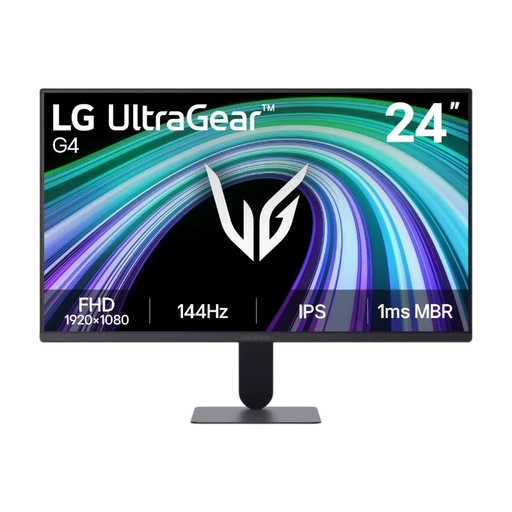 Image unavailable
LG UltraGear 24G411B-B 23.8-inch gaming monitor
A screen size to compare for a compact setup. Check the stand dimensions before deciding whether it will fit your desk.
The product name lists a screen size of 23.8 inches.
View at Joybuy
 Image unavailable
Shark 24-inch 1080P 200Hz IPS gaming monitor
A compact Full HD option to compare. Measure the available space and check the stand dimensions for the exact model.
The product name lists 24 inches, 1080P, 200Hz, 1ms and IPS.
View at Joybuy
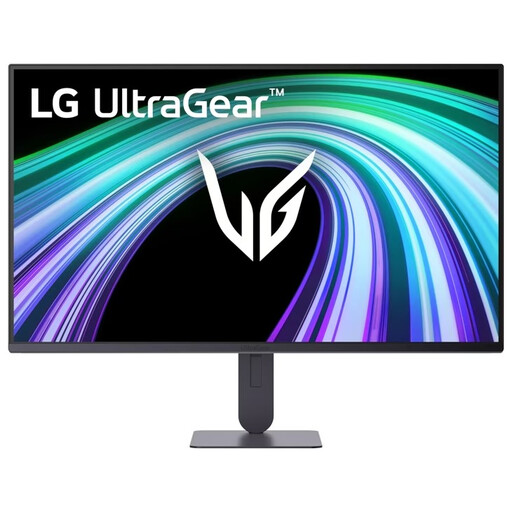 Image unavailable
LG UltraGear 24G414B-B 24-inch Full HD gaming monitor
A Full HD model to compare for a smaller workspace. Check that the stand and screen position will work with your desk.
The product name lists 24 inches and Full HD.
View at Joybuy
 Image unavailable
KTC H24B9S 24-inch 144Hz Full HD IPS monitor
A compact Full HD option to compare, looking at both your desk dimensions and the connections.
The product name lists 24 inches, 144Hz, 1080P, Full HD and IPS.
View at Joybuy
 Image unavailable
Thunderobot CF25F300L 24.5-inch Full HD monitor
A slightly larger compact-size model to compare. Measure the available space and check how the stand will fit.
The product name lists 24.5 inches, Full HD, 320Hz, 450 Nits, height adjustment and swivel adjustment.
View at Joybuy
Frequently asked questions
Is a 24-inch monitor automatically suitable for my small desk?
No. Measure the available depth too, and compare the dimensions with the stand for the exact model. For example, GIGABYTE lists the GS24F14A as 152 mm deep with the stand. Also check whether you can position the screen at a comfortable height.
How should I position my monitor on my desk?
Place the screen directly in front of you and adjust its height and viewing angle to suit your seating and desk setup. Arboportaal recommends positioning the top of the screen slightly below eye level when working at a screen, and tilting it so you’re looking straight at it.
Do I need a separate cable to get the highest refresh rate?
That depends on the model and connection. Dell specifies a maximum of 180 Hz via DisplayPort compared with 144 Hz via HDMI for the G2725D, and says that a DisplayPort cable is included. For another model and device, check the individual specifications and what’s included in the box.
What are my rights if a monitor I bought online doesn’t fit or is faulty?
For a standard online purchase by a consumer, you’ll usually have a statutory cooling-off period of up to 14 days after delivery, with some exceptions. ACM ConsuWijzer explains how this cooling-off period works. If a product is faulty, the seller is responsible for the statutory guarantee, which is separate from any manufacturer’s guarantee.
Does a monitor need an energy label in the Netherlands?
The European Commission includes computer monitors among the electronic displays covered by EU energy labelling rules. The scale runs from A to G, so compare the label for the specific model. This doesn’t mean you have to choose a particular energy class as a buyer.


