What should you look for when buying?
First, measure the available space and consider your viewing position. Then compare your PC or console’s display mode with the monitor’s refresh rate and connections.
| What to consider |
What to look for when buying |
Who is this important for? |
| Will the monitor fit on the desk? |
Measure the available width and depth, then compare them with the overall dimensions, including the stand. ASUS lists a stand depth of 17.40 cm for the VG249Q3A; GIGABYTE lists 15.2 cm for the GS24F14A. Remember to leave room for cables too. These are manufacturer specifications. |
If space is limited, I want to know whether the screen, stand and cables will all fit before choosing a larger display. Around 36% of consumers give desk fit top priority. |
| Can you follow fast-moving action clearly? |
Compare the stated refresh rate with the capabilities of your PC, game and input. ASUS lists up to 180 Hz for the VG249Q3A; GIGABYTE lists 144 Hz for the GS24F14A, with an overclock mode of up to 175 Hz. Only compare response times if they use the same measurement method: 1 ms GTG and 1 ms MPRT are different measures. |
If I want to follow fast-paced racing on a PC, I look at the speed my setup can actually use. Around 29% of consumers prioritise motion performance. |
| Will the display mode work with my console? |
Check the exact console model, game, HDMI connection, and the resolution and frame rate you want. Nintendo lists a TV setting of up to 1080p for the original Switch and says that Switch Lite does not support TV mode. For Switch 2, Nintendo lists up to 120 fps and up to 60 fps for compatible 4K output. |
If I race on a console, I want to know which display mode my console and game support together. Around 21% of consumers give console compatibility top priority. |
| Can I adjust the monitor to suit me? |
Check the height adjustment, tilt and VESA size. ASUS lists the VG249Q3A as having no height adjustment and VESA 100 × 100 mm; GIGABYTE lists the GS24F14A as having no height adjustment and VESA 75 × 75 mm. If you’re using an arm, also check that it can be fitted to your desk. |
If I need to adjust the screen height, I want to factor that in before buying rather than focusing only on the Hz figure. Around 14% of consumers prioritise adjustability. |
Joybuy products
This selection includes compact gaming monitors for a small setup, as well as a portable monitor for anyone looking to save as much desk space as possible. Connections and display features vary by model, so check they suit your PC or console.
 No image available
TECLAST V16Q portable monitor
A portable 16-inch monitor could suit a setup where desk space is limited.
2.5K, 144 Hz, IPS, 16:10, FreeSync, 2 USB-C connections and Mini HDMI.
Joybuy
 No image available
Dell SE2425HG 24-inch monitor
The 24-inch size is worth comparing if you’re looking for a relatively compact screen for PC racing.
Full HD, 200 Hz, FreeSync Premium and DisplayPort.
Joybuy
 No image available
KTC H24B9S 24-inch gaming monitor
A 24-inch Full HD monitor to consider if you’re looking for a compact screen for PC gaming.
144 Hz, Adaptive Sync, HDMI and DisplayPort.
Joybuy
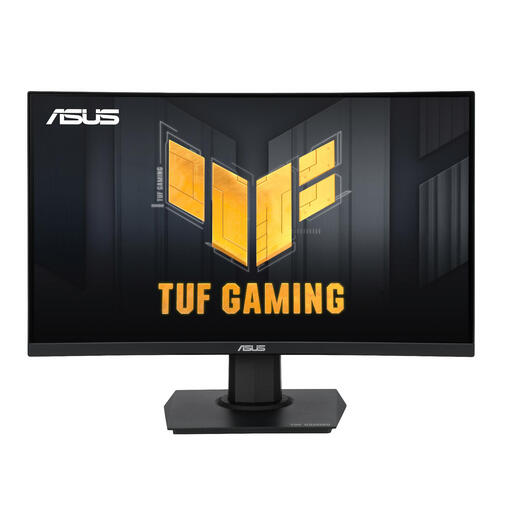 No image available
ASUS TUF Gaming VG24VQER 23.6-inch monitor
The 23.6-inch size is worth comparing if you have limited desk space.
Full HD (1920 × 1080), 180 Hz, FreeSync, HDMI and DisplayPort.
Joybuy
 No image available
TITAN ARMY C24A1H 23.6-inch gaming monitor
The 23.6-inch version is a compact screen size to consider when comparing monitors for a small desk.
Full HD, 240 Hz, HDMI 2.0, DisplayPort 1.2 and FreeSync.
Joybuy
Frequently asked questions
How do I set up a monitor on a small desk?
Before buying, measure the space for the screen, stand and cables. Once it’s set up, check that the display is easy to read and doesn’t cause distracting reflections. Arboportaal advises adjusting your workstation to suit your body measurements when working with a screen; this isn’t a required monitor size for gaming at home.
Is 180 Hz useful if I play on a Nintendo Switch?
Don’t buy based on 180 Hz alone: the monitor’s refresh rate won’t automatically increase the number of frames a console game delivers. Nintendo lists a TV setting of up to 1080p for the original Switch and says that Switch Lite does not support TV mode. For Switch 2, Nintendo lists up to 120 fps and up to 60 fps for compatible 4K output; check what your game can support too.
What should I look for in a monitor arm?
Compare the VESA pattern of the exact screen with the arm, and check that both the arm and desk are suitable for mounting. ASUS lists VESA 100 × 100 mm for the VG249Q3A; GIGABYTE lists VESA 75 × 75 mm for the GS24F14A.
What if a monitor I bought online doesn’t fit or develops a fault too soon?
According to ACM ConsuWijzer, for a standard online consumer purchase you’ll generally have a legal cancellation period of up to 14 days after delivery, with some exceptions. Separately, in the Netherlands you have statutory rights if a product doesn’t perform as you could reasonably expect under normal use; the retailer must then offer a suitable solution. Before placing your order, check the specific returns policy and any return costs.


