
Gamer short on desk space
Wants to position the monitor without sacrificing room for their controls, so compares the overall dimensions, including the stand. Lenovo UK points out that larger and ultrawide screens need more desk space.


First, measure the available width and depth, including the stand and the space you need for your controls. Then choose a resolution and refresh rate that your PC or console can support through the connection you’ll be using. A 16:9 monitor usually takes up less desk width than an ultrawide. OLED can be well suited to dark space scenes, but it’s worth considering the effect of leaving fixed interface elements on screen for long periods.
Wants to position the monitor without sacrificing room for their controls, so compares the overall dimensions, including the stand. Lenovo UK points out that larger and ultrawide screens need more desk space.
Wants to keep manoeuvres clear on screen and compares refresh rate, response time, variable refresh rate support and the video signal options available on their computer or console. RTINGS.com notes that variable refresh rate is useful when frame rates fluctuate.
Weighs up contrast and picture quality against the care needed with OLED when fixed interface elements remain on screen for long periods. RTINGS.com describes prolonged exposure to the same elements as a factor in permanent image retention.
Start by checking how much space is left once your controls are in place. Then compare the aspect ratio, resolution and refresh rate with what your game and source device support.
| What to consider | What should you check? | Who is this important for? |
|---|---|---|
| Desk space | Compare the width and depth, including the stand, with the space available. Check for VESA mounting if you’re considering a monitor arm. | If you want to leave room for a joystick, keyboard or other controls, getting the right fit comes first; around 36% of consumers give desk space top priority. |
| Motion clarity | Check the refresh rate and resolution supported through your connection, as well as variable refresh rate support. | If you want to follow fast manoeuvres clearly, motion performance matters more than extra width; around 29% of consumers put this first. |
| Picture quality in dark scenes | Assess contrast separately from an HDR label. If you’re considering OLED, read the care and warranty terms for the specific model. | If dark scenes matter to you, you’ll want to balance picture quality against having fixed interface elements on screen for long periods; around 21% of consumers make picture quality their first consideration. |
| Extra horizontal screen space | Measure the width and stand depth, and check that your game supports the aspect ratio you want. | If you want to see more of the space around your ship and the screen fits your desk, extra width may take priority; around 14% of consumers prioritise field of view. |
The overall dimensions, including the stand, affect how much room is left for your controls.
Measure the available width and depth, then compare them with the stated dimensions of the exact model.
A stated refresh rate may only be available in an overclocked mode or at a lower resolution.
For each model, check which resolution, mode and connection conditions apply to the stated Hz figure.
An ultrawide screen needs more horizontal space, and support for your preferred aspect ratio varies from game to game.
Check the overall width and stand depth, and make sure your space combat game supports the aspect ratio.
ACM ConsuWijzer distinguishes between the statutory guarantee and any additional cover offered by the manufacturer or retailer.
Check what any additional cover includes, and keep your statutory rights separate from its terms and conditions.
The UltraGear 27GS85Q-B is an example of a 27-inch QHD Nano IPS monitor. LG states a standard refresh rate of 180 Hz, with 200 Hz available in overclock mode.
The AW2725D is an example of a 27-inch QHD QD-OLED model with a stated refresh rate of 280 Hz.
The PG27UCDM is a 26.5-inch model with a visible 4K QD-OLED display and a stated maximum refresh rate of 240 Hz.
According to GIGABYTE, the G27U has two stated modes: UHD at 160 Hz and FHD at 320 Hz.
The MAG 274QRF QD E2 is a 27-inch WQHD Rapid IPS monitor with a refresh rate of 180 Hz, as stated by MSI.
This selection includes gaming monitors with a range of stated resolutions, panel types and refresh rates. Compare the exact dimensions, including the stand, and check which display mode your source device supports.
 Image unavailable
This model is worth considering if you’re comparing 27-inch QHD screens with a high stated refresh rate; check that you have enough room for the stand.
QHD 2560 × 1440; 240 Hz, with 275 Hz in overclock mode; Fast IPS; 1 ms; HDR400; FreeSync and G-Sync compatibility; VESA 100 × 100; height-adjustable stand; HDMI 2.0 and DisplayPort 1.4.
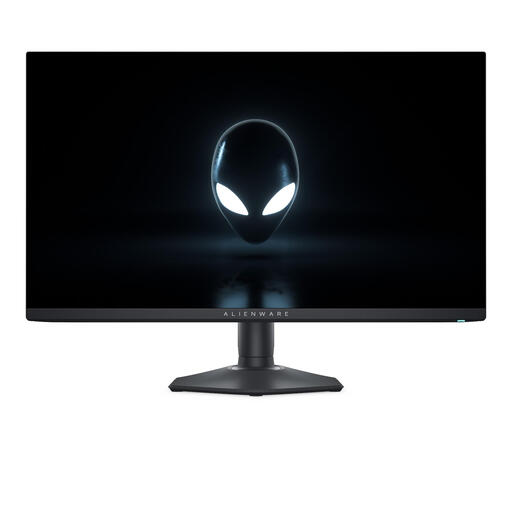 Image unavailable
This 27-inch QHD QD-OLED model is worth comparing if panel type and dark-scene performance matter to you; with OLED, bear in mind that static interface elements may remain visible for long periods.
2560 × 1440 pixels; QD-OLED panel.
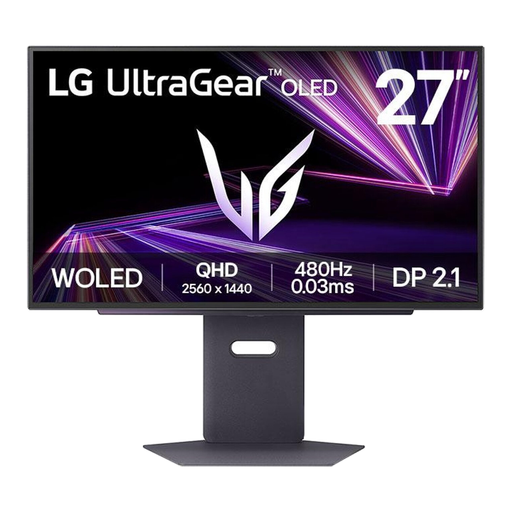 Image unavailable
This 27-inch QHD OLED model may suit you if you’re comparing OLED panels; factor in the effect of leaving fixed interface elements on screen for long periods.
2560 × 1440 pixels; OLED panel.
 Image unavailable
This 24.5-inch Full HD model is worth considering if you’re comparing a smaller screen with a high stated refresh rate; measure your whole monitor set-up before choosing.
320 Hz; stated brightness of 450 nits; height-adjustable and swivelling.
 Image unavailable
Its stated 16:9 aspect ratio makes this model worth comparing for a space-conscious set-up; check the dimensions, including the stand, against your desk.
Full HD; VA panel; 16:9; 240 Hz; EU version.
Measure the available width and depth of your desk after setting aside space for your controls. Compare these measurements with the dimensions of the exact model, including its stand. For example, GIGABYTE lists the G27U as measuring 612 × 515 × 192 mm.
No. The available combination depends on the resolution, mode, connection and source device. GIGABYTE specifies UHD at 160 Hz or FHD at 320 Hz for the G27U. It also separately lists 4K at 120 Hz via HDMI 2.1 for PS5 and Xbox Series X with 4:2:0.
Yes. According to RTINGS.com, prolonged exposure to the same static elements can cause permanent image retention on OLED screens. Check the care features and terms for the specific model: ASUS lists OLED Care for the PG27UCDM, but this feature doesn’t rule out burn-in.
ACM ConsuWijzer explains that online consumer purchases generally come with a statutory 14-day cooling-off period after delivery, subject to legal exceptions. Your statutory guarantee is separate from any manufacturer’s or retailer’s warranty. What you can expect from a product depends, among other things, on normal use and the circumstances of the purchase.
According to the European Commission, computer monitors generally fall under EU energy labelling rules for electronic displays. Check the energy label or product information sheet for the specific model for details such as energy efficiency, screen size and resolution.