If desk space is your priority, a compact 23.8-inch Full HD monitor is a sensible choice. A 27-inch QHD screen offers more detail if your desk and gaming device can accommodate it. If dark scenes matter most to you, contrast may be a higher priority, but remember to check the dimensions, connections and any OLED usage conditions for the specific model.
Who is this guide for?
Gamer with limited desk space
Wants to know whether the screen and stand will fit alongside the keyboard and viewing space, so compares the full dimensions rather than just the screen diagonal. ASUS lists the dimensions of the VG249Q3A with its stand.
RPG player who wants to see the detail
Would like more detail in landscapes and interface elements, provided a larger QHD screen and the required connection will fit their setup. Dell lists the G2725D as QHD.
Player of dark, atmospheric scenes
Focuses on contrast and how dark scenes are displayed. If you’re considering OLED, you may also want to weigh up the model-specific protection features and warranty terms; ASUS describes image persistence or burn-in as a possible OLED risk.
What should you look for when choosing?
First, measure the space available for the screen and stand. Then decide whether resolution, contrast or the combination of refresh rate and connection matters most for your RPG setup.
| What to consider |
What should you check? |
Who should prioritise this? |
| Desk space |
Measure the available width and depth, then compare them with the dimensions including the stand. Also check VESA mounting and where a monitor arm could go. |
I want to know in advance whether the screen and stand will fit, so there’s enough room left to work. Around 36% of consumers say desk space is their main purchase priority. |
| Clarity and resolution |
Compare the resolution with the screen size and check which resolution and refresh rate the connection you’ll be using supports. |
If I want to see landscapes and interface elements more clearly, image detail matters most. Around 29% of consumers prioritise clarity and detail. |
| Contrast in dark scenes |
Compare the panel type, stated contrast ratio and dimensions. For OLED, also check the protection features and warranty terms for the specific model. |
If dark scenes matter most to you, contrast may be more important than the highest refresh rate. Around 21% of consumers make contrast and dark scenes their main priority. |
| Refresh rate and connection |
Check your source device, cable and monitor port, as well as the resolution and Hz combination supported by that port. |
I want to be able to use my preferred resolution and refresh rate through the connection I actually have. Around 14% of consumers give connection and smoothness the highest priority. |
Common pitfalls
-
Comparing only the screen diagonal
The stand takes up space too. ASUS lists the VG249Q3A dimensions with its stand as 54.10 × 39.40 × 17.40 cm; MSI lists the MAG 275CQDF X24 as 611.5 × 249.7 × 439.1 mm. These measurements show why the full dimensions of your chosen model matter.
Measure the available width and depth, then compare them with the dimensions including the stand. Check the VESA size and mounting space before considering a monitor arm.
A monitor arm may be a separate purchase and require extra installation, so check in advance that your preferred setup will fit.
-
Assuming the highest Hz figure is available through every connection
The available resolution and refresh rate combination can vary by port. Dell lists a maximum of 180 Hz at QHD via DisplayPort and 144 Hz via HDMI for the G2725D; MSI lists a maximum of 240 Hz at QHD via DisplayPort and 144 Hz via HDMI for the MAG 275CQDF X24.
Check which resolution and Hz your exact model supports through the port you want to use and with your own source device.
-
Treating an OLED or HDR label as a complete assessment of dark scenes
A technology label alone doesn’t tell you whether a particular screen will suit your desk and how you use it. LG lists the 27GS95QE-B as discontinued. ASUS explains that prolonged static images on OLED can cause image persistence or burn-in.
Compare a specific model’s dimensions, product specifications and OLED protection features. Also check the warranty terms for that model.
Brands to compare
ASUS
The TUF Gaming VG249Q3A is a compact Full HD IPS example for a desk with limited space.
- ASUS lists a 23.8-inch screen, up to 180 Hz and VESA 100 × 100 mm for this model. The dimensions with the stand are 54.10 × 39.40 × 17.40 cm.
- The supplied stand isn’t height-adjustable. These specifications apply to this model, not all ASUS monitors.
Philips
The Evnia 24M2N3200A/01 is a compact Full HD IPS option to compare with other 24-inch alternatives.
- Philips lists a 23.8-inch screen diagonal, Full HD and up to 180 Hz for this model.
- Compare the actual dimensions, including the stand, with the desk space you have available.
Dell
The G2725D is a 27-inch QHD IPS example for anyone who values extra detail and has more space.
- Dell lists QHD and, at QHD, up to 180 Hz via DisplayPort or 144 Hz via HDMI.
- Dell’s own Dutch product page says this model is currently unavailable; that doesn’t indicate what other retailers have to offer.
MSI
The MAG 275CQDF X24 is a curved QHD Rapid VA example for weighing up contrast against the space it takes up.
- MSI lists a typical contrast ratio of 5000:1 and a depth of 249.7 mm with the stand for this model.
- For QHD, MSI lists up to 240 Hz via DisplayPort and up to 144 Hz via HDMI.
LG
The UltraGear 27GS95QE-B is an example of a QHD OLED option, but isn’t a recommendation based on current availability.
- LG lists OLED, QHD and a depth of 258 mm with the stand for this model.
- LG specifically lists the 27GS95QE-B as discontinued. Assess any other model against its own specifications and terms.
Joybuy products
This Joybuy selection features compact Full HD gaming monitors. Check the full dimensions, connections and supported display modes for each model.
 Image unavailable
KTC H24B9S 24-inch Full HD IPS gaming monitor
A 24-inch Full HD model to consider if you’re looking for a smaller screen for a limited desk space.
The product name lists 1920 × 1080, 144 Hz, IPS, 1500:1 contrast and Adaptive Sync.
View at Joybuy
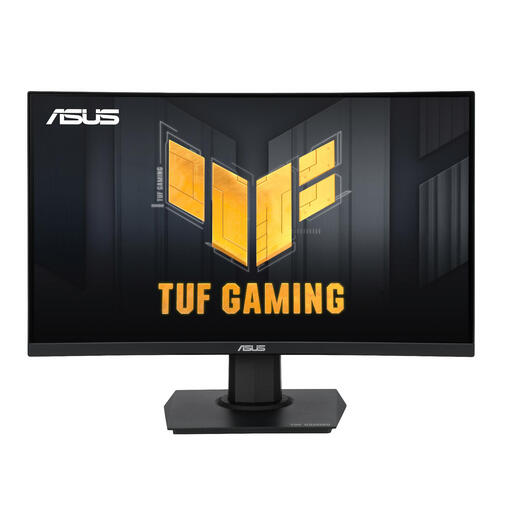 Image unavailable
ASUS TUF Gaming VG24VQER
The 23.6-inch size may suit a setup where the screen diagonal is an important factor in the space available.
The product information lists 1920 × 1080, Full HD, VA, up to 180 Hz and FreeSync.
View at Joybuy
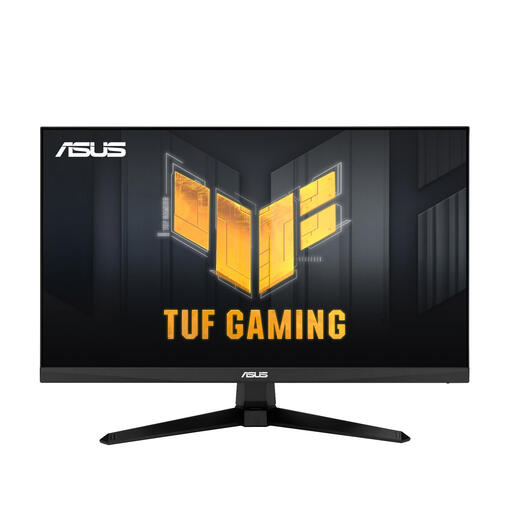 Image unavailable
ASUS TUF Gaming VG246H1A
A 23.8-inch Full HD gaming monitor to compare if you’re looking for a more compact screen diagonal.
The product information lists 1920 × 1080, 100 Hz, FreeSync and ELMB.
View at Joybuy
 Image unavailable
ASUS TUF Gaming VG249Q3A
This 23.8-inch Full HD model is a compact option to compare with the space available on your desk.
ASUS lists up to 180 Hz and dimensions of 54.10 × 39.40 × 17.40 cm with the stand. The supplied stand isn’t height-adjustable.
View at Joybuy
 Image unavailable
TITAN ARMY C24A1H
The 23.6-inch Full HD size is an option to compare for a desk with limited space.
The product information lists VA, 240 Hz and dimensions of 537.9 × 196.9 × 409.2 mm with the stand.
View at Joybuy
Frequently asked questions
For a small desk, should I measure the diagonal or the whole monitor?
Measure the available width and depth, then compare them with the product specifications including the stand. ASUS lists the VG249Q3A as 54.10 × 39.40 × 17.40 cm; MSI lists the MAG 275CQDF X24 as 611.5 × 249.7 × 439.1 mm.
Can I use the stated maximum Hz through any connection?
No. Check the port specifications for the exact model. Dell lists a maximum of 180 Hz at QHD via DisplayPort and 144 Hz via HDMI for the G2725D; MSI lists a maximum of 240 Hz at QHD via DisplayPort and 144 Hz via HDMI for the MAG 275CQDF X24.
What should I consider with OLED if game elements stay on screen for a long time?
According to ASUS, prolonged static, high-contrast images can cause image persistence or burn-in on OLED displays. Check the protection settings and warranty terms for the specific model; ASUS’s guidance doesn’t determine the warranty terms for an LG monitor.
What are my rights when buying a monitor online in the Netherlands?
According to ACM ConsuWijzer, online purchases generally come with a statutory cooling-off period of up to 14 days after delivery, subject to legal exceptions. You’re also covered by the statutory guarantee if the product doesn’t meet what you could reasonably expect under normal use; a manufacturer’s warranty doesn’t replace this right.
Is the energy label useful when comparing monitors?
Yes. The European Commission lists computer monitors as part of the energy labelling scheme for electronic displays. The label can help you compare the energy consumption and resolution of specific models.


