
Gamer with limited desk space
You want to manage a virtual hospital without the monitor stand, keyboard and mouse competing for space. Start by measuring the stand’s depth and checking your viewing distance.


For a small desk, a compact 23.8-inch Full HD monitor is a sensible starting point: measure the base, including the stand, and check that text is easy to read from your viewing distance. A 27-inch QHD screen is an alternative if you want more room for game menus and your desk and computer can accommodate it; Dell lists the G2725D as a 27-inch QHD model. There’s no established advantage to 180 Hz over 144 Hz for hospital management games; a higher refresh rate is most relevant if you also play faster-paced games.
You want to manage a virtual hospital without the monitor stand, keyboard and mouse competing for space. Start by measuring the stand’s depth and checking your viewing distance.
You prioritise readable text and room for game menus. A larger QHD screen may be worth considering if your desk and viewing distance allow for it.
You want one screen for both relaxed management games and faster-paced titles, so you’ll also want to check the monitor’s refresh rate and the connections available on your monitor and computer.
First, compare the physical fit and readability. Then weigh up extra pixels and refresh rate against the space you have and the other games you play.
| What to consider | What to look for when buying | Who might value this most? |
|---|---|---|
| The screen and stand need to fit | Measure your desk, the stand’s depth and the available viewing distance. GIGABYTE lists the GS24F14A’s dimensions, including the stand, as 537,7 × 414,5 × 152 mm; OSHA gives 50–100 cm as a general preferred viewing distance for screen work. | If my desk is shallow, I want to know how much room the stand leaves for my keyboard and mouse. Around 40% of consumers make physical fit their top priority. |
| Menus need to remain readable | Compare Full HD and QHD at your viewing distance, and check the text scaling and video output on your computer. Dell lists the G2725D as a 27-inch QHD monitor. | If I read lots of text and menus while managing the hospital, I want to be able to see them clearly from my viewing distance. Around 30% of consumers prioritise readability and screen space. |
| Using it for other games | Check the stated refresh rate, the conditions under which it applies and the available connections. GIGABYTE lists the GS24F14A at up to 144 Hz, or 175 Hz when overclocked; AOC lists 180 Hz for the 24G4X. | If I play faster-paced games as well as simulations, I want to know which refresh rate the monitor and my computer support together. Around 20% of consumers make versatile gaming their top priority. |
| Height and connections | Check the height adjustment, VESA size and which HDMI or DisplayPort connection you need. According to GIGABYTE, the GS24F14A has no height adjustment, uses VESA 75 × 75 mm and has two HDMI 2.0 ports and one DisplayPort 1.4 port. | If the screen height or connection isn’t convenient, I want to know in advance whether my setup can accommodate a suitable stand or monitor arm. Around 10% of consumers make ergonomics and connectivity their top priority. |
The stand takes up space too, and viewing distance affects readability. So a screen that seems small by diagonal measurement won’t automatically be comfortable to use on a shallow desk.
Measure your whole setup and compare each model’s dimensions, including the stand. If you’re using a monitor arm, check the VESA size and make sure the arm and desk are compatible.
A monitor arm is a separate purchase, and you’ll need to check that it can be mounted and is suitable for your desk.
The GS24F14A lists 1 ms MPRT, while the AOC 24G4X lists 1 ms GtG. These are specifications measured and labelled differently, not directly comparable real-world test results.
Check the measurement method and the conditions attached to the stated figure. For this management game, give physical fit and readability due consideration too.
LG lists the 24GS60F-B as discontinued. On its Dutch product page, Dell lists the G2724D as currently unavailable.
Use models like these for comparison only, and check the exact model number and current availability of the version you want to buy.
The GS24F14A is an example of a compact 23.8-inch Full HD option where it’s worth checking the stand’s depth in advance.
The 24G4X is a 23.8-inch Full HD option for anyone who also plays faster-paced games.
The 24M2N3200A/01 is a compact Full HD and Fast IPS model to compare.
The G2725D represents the larger 27-inch QHD option.
The 24GS60F-B shows the compact Full HD model with IPS, 180 Hz and tilt adjustment that LG has documented.
The Joybuy products below are compact gaming monitors. Check each model’s dimensions, stand and resolution to see whether it suits your desk and computer.
 No image available
Could suit anyone looking for a relatively compact Full HD screen; measure the stand and available desk space first.
24.5 inches; 1920 × 1080 pixels; Full HD; LCD.
 No image available
A 24-inch model to consider if you’re looking for a compact gaming monitor; check its resolution and stand dimensions.
24 inches; 200 Hz.
 No image available
Could suit anyone looking for a compact Full HD screen with a tiltable stand; check that its connections are compatible with your computer.
24 inches; 1080p Full HD; IPS; 144 Hz; Adaptive Sync; HDMI and DisplayPort; tiltable stand.
 No image available
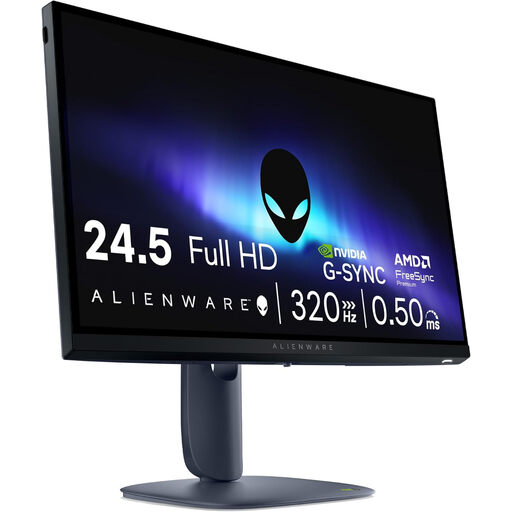
The higher stated refresh rate may be relevant if you play faster-paced games as well as management games; measure the stand and desk first.
24.5 inches; Full HD; 320 Hz; stated brightness 450 nits; stand with height and swivel adjustment.
 No image available
The 23.6-inch model may be worth considering if you want a smaller monitor; check that the stand and connections suit your setup.
23.6 inches; Full HD; VA; 240 Hz; HDMI 2.0 and DisplayPort 1.2; tiltable stand.
No, there’s no established 180 Hz minimum for this scenario. Prioritise fit, readability and suitable connections; a higher refresh rate may be worth considering if you play other games too.
Place the screen directly in front of you and check that you can read the text without leaning forwards. Measure the distance from your eyes; OSHA generally recommends 50–100 cm for screen work and advises placing the top edge at or below eye level. This is an ergonomic guideline, not a requirement for gaming at home in the Netherlands.
Only if the exact model’s VESA size, the arm’s load capacity and the way it attaches to your desk are all compatible. GIGABYTE lists VESA 75 × 75 mm for the GS24F14A; this model has no height adjustment of its own.
For a consumer purchase in the Netherlands, the seller is responsible for the statutory guarantee if the product doesn’t meet what you could reasonably expect under normal use. The Netherlands Authority for Consumers and Markets explains that, depending on the situation, the seller must repair or replace it free of charge, and may sometimes have to refund you. A manufacturer’s warranty doesn’t replace this statutory right.
For a standard online consumer purchase, you generally have a statutory 14-day cooling-off period from delivery in which to cancel the purchase without giving a reason. ACM ConsuWijzer explains this period; check whether an exception applies and what return conditions are in place. If possible, measure the available space before using the monitor.