
Gamer with limited desk space
You want to leave room to move your mouse. So, as well as measuring the screen, check the stand, depth and space for cables. Dell Netherlands describes the AW2523HF stand as designed to free up more desk space.


First, measure the space for the screen, stand and mouse: a smaller screen size doesn’t guarantee that the stand will fit on your desk. Then choose a refresh rate your PC can deliver in your game through the connection you’ll be using. Compact Full HD IPS models and specialist esports monitors offer different benefits, so also check the specifications and compliance information for the specific listing.
You want to leave room to move your mouse. So, as well as measuring the screen, check the stand, depth and space for cables. Dell Netherlands describes the AW2523HF stand as designed to free up more desk space.
You play fast-paced online matches and want to match the refresh rate to your game’s frame rate and the connection you’re using. Dell Netherlands lists different maximum refresh rates for DisplayPort and HDMI on the AW2523HF.
You’re looking for a compact screen for both gaming and everyday PC use. So compare the panel, resolution and adjustability as well as the speed. ASUS Netherlands and AOC describe compact Full HD models with IPS panels.
First, check that the screen and stand fit your setup. Then compare the connection and achievable frame rate, and decide how important it is to use the monitor beyond gaming.
Choose this option if: desk space and versatile picture quality matter more to you than the highest possible refresh rate. ASUS Netherlands and AOC list their respective models as 23.8-inch Full HD with a maximum refresh rate of 180 Hz. Check the stand and connections for each model.
Bear in mind: the stated 1 ms GTG is a quoted figure; it doesn’t prove that every transition or setting is equally fast.
Choose this option if: your PC achieves high frame rates in your arena game and competitive performance is your priority. Dell Netherlands lists a maximum of 360 Hz via DisplayPort for the AW2523HF.
Bear in mind: Dell Netherlands lists a maximum of 255 Hz via HDMI for this model. Also check the stand dimensions and your PC’s performance.
Choose this option if: you’re looking for QHD on a relatively small screen, with a 360 Hz refresh rate. ZOWIE describes the XQ2566X as a 24.1-inch QHD Fast TN model with a 360 Hz refresh rate.
Bear in mind: this has a different resolution and panel type from the Full HD IPS models mentioned above. Also check that your system can handle the combination.
| What to consider | What should you check? | Who is this important for? |
|---|---|---|
| Desk space and setup | Compare the width and depth, including the stand, with the available space on your desk. Leave room for your mouse and cables too. | I want to move my mouse freely and know how much room the stand takes up; around 34% of consumers prioritise a desk setup that fits. |
| Motion clarity and refresh rate | Check the frame rate your PC achieves in your game and the maximum frequency supported by the input you’re using. Dell Netherlands lists 360 Hz via DisplayPort and 255 Hz via HDMI for the AW2523HF. | I play fast-paced matches and only want to choose a higher refresh rate if my PC can make use of it; around 33% of consumers prioritise motion speed. |
| Frame rate and connection compatibility | Check that your monitor, source device, cable and input support the sync mode you want. ZOWIE says DyAc cannot be used at the same time as VRR on the compatible models mentioned. | I want my PC, cable and monitor to work together, even when the frame rate fluctuates; around 20% of consumers prioritise compatibility. |
| Versatile picture quality and everyday use | Compare the panel type, resolution and adjustability of the exact model. The ASUS VG249Q3A and AOC 24G4X are listed as Full HD IPS models; the ZOWIE XQ2566X is a QHD Fast TN model. | I also use my screen outside competitive gaming, so I want to consider more than just the refresh rate; around 13% of consumers prioritise versatility. |
On a small desk, a wide or deep stand can take up space you need for your mouse, even if the screen itself is compact.
Measure the available space and check the dimensions with the stand included. If it doesn’t fit, you may need a different setup or a suitable mount.
The maximum refresh rate available can vary by input. Dell Netherlands lists 360 Hz via DisplayPort and 255 Hz via HDMI for the AW2523HF.
Compare the specifications for the exact model and the port you’ll use with the frame rate your game and PC can actually achieve.
A quoted GTG figure doesn’t, by itself, describe every transition or setting, or the overall input lag.
Check how the figure is defined and compare tests carried out at the refresh rates you’ll actually use.
ACM ConsuWijzer explains that statutory warranty in the Netherlands doesn’t have a fixed two-year term. With normal use, it depends on what you can reasonably expect from the product.
Compare the cover provided by an extra package with your existing rights, and check the terms and conditions, including those covering damage you cause yourself.
Dell Netherlands describes the AW2523HF as a 24.5-inch Full HD esports monitor with a maximum refresh rate of 360 Hz via DisplayPort.
ASUS Netherlands lists the TUF Gaming VG249Q3A as a 23.8-inch Full HD IPS screen with a maximum refresh rate of 180 Hz.
AOC describes the 24G4X as a 23.8-inch Full HD Fast IPS monitor with a 180 Hz refresh rate and Adaptive Sync.
ZOWIE describes the XQ2566X as a 24.1-inch QHD Fast TN monitor with a 360 Hz refresh rate.
LG Netherlands describes the UltraGear 24GS60F-B as a 23.8-inch Full HD IPS monitor with a maximum refresh rate of 180 Hz and support for variable refresh rates.
This selection includes compact gaming monitors in different Full HD sizes and with a range of stated refresh rates. Measure the stand and check the connection and your PC’s frame rate for each model. Electrical equipment placed on the market in the Netherlands is subject to applicable EU rules, including the required CE marking, according to Business.gov.nl. Check the compliance information for the specific listing. CE marking says nothing about gaming performance.
 No image available
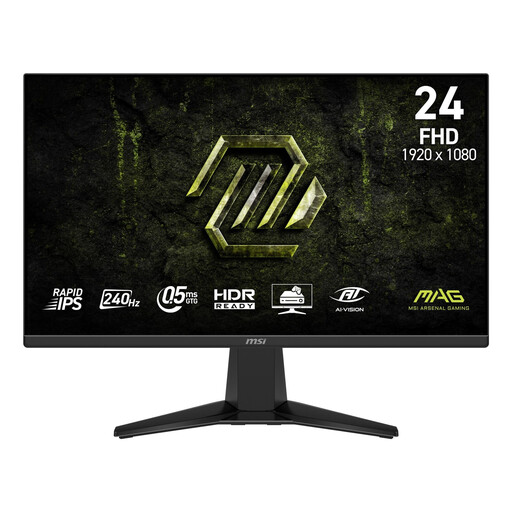
A good fit for a compact gaming setup if your PC can make use of the chosen refresh rate; the Joybuy product description lists a 23.6-inch screen.
The Joybuy product description lists Full HD, up to 240 Hz, FreeSync, HDMI 2.0 and DisplayPort 1.2. The dimensions with the stand are listed as 537,9 × 196,9 × 409,2 mm; compare these with your desk space.
 No image available
A compact Full HD option for competitive gaming. Check that the refresh rate suits your system and connection.
The Joybuy product description lists 240 Hz, Adaptive-Sync, two HDMI ports and one DisplayPort. The stand tilts, but according to the description it doesn’t offer height, swivel or pivot adjustment. No built-in speakers are listed.
 No image available
A good fit for a fast Full HD setup if you can also accommodate the slightly larger screen and the space needed for the stand.
The Joybuy product description lists up to 300 Hz via DisplayPort or 240 Hz via HDMI, FreeSync Premium and G-SYNC Compatible. The stand offers height, tilt, swivel and pivot adjustment. According to the description, the stated 1 ms applies in Extreme Mode.
 No image available
A 24-inch Full HD option for competitive gaming. Check whether you have a DisplayPort connection for the stated refresh rate.
The Joybuy product description lists an IPS panel, FreeSync and DisplayPort. According to the description, 200 Hz requires DisplayPort.
 No image available
A compact option for gaming and everyday computer use. Check that the stated refresh rate suits the way you play.
The Joybuy product description lists Full HD, Adaptive Sync, HDMI and DisplayPort. The stand offers tilt adjustment.
No, not if your PC can’t achieve the corresponding frame rate or the input you’re using doesn’t support that refresh rate. Dell Netherlands lists a maximum of 360 Hz via DisplayPort and 255 Hz via HDMI for the AW2523HF.
It depends on the model. ZOWIE says that, on the compatible models covered in the relevant FAQ, DyAc must be switched off to use Adaptive-Sync or FreeSync. Check the manual for the exact model.
Select the refresh rate you want in your display settings, then check the monitor settings, graphics card, cable and input you’re using. The maximum available refresh rate can vary by input.
No. ACM ConsuWijzer explains that the law doesn’t set a fixed duration. With normal use, statutory warranty depends on what you can reasonably expect from the product. An additional manufacturer’s warranty doesn’t replace those rights.
Yes. According to Business.gov.nl, electrical and electronic equipment placed on the market in the Netherlands is subject to applicable EU rules, including the required CE marking. The marking says nothing about picture quality or gaming performance, so check the compliance information for the specific listing.